
Adding image, video, and music generation to a product can quietly turn into three separate engineering projects. Each provider has its own key, its own request format, its own way of reporting job status, its own billing rules, and its own list of things that can go wrong.
Bringing these tasks together behind one API gives your team a single point of control. Apiframe puts more than 70 models behind one interface, so you can test different media options without rebuilding your integration every time you want to try something new.
We looked at the public documentation for five standalone media providers: Stability AI, Replicate, Runway ML, Luma AI, and ElevenLabs. Sign-in alone splits several ways. Most use a bearer token, ElevenLabs uses an xi-api-key header, and Runway ML needs a bearer token plus a separate version header. Job handling varies too. Some providers return several possible job states, some return generated files that expire after a set window, and some (like most text-to-speech endpoints) return audio right away with no job ID at all. Different login methods, different job formats, and different delivery rules all add up to real integration work, and that is exactly what a shared media API is meant to remove.
If you are comparing this approach to keeping everything separate, our guide on how to choose an AI media API for developers walks through the trade-offs in more detail.
What Consolidating Image, Video, and Music Generation Actually Means
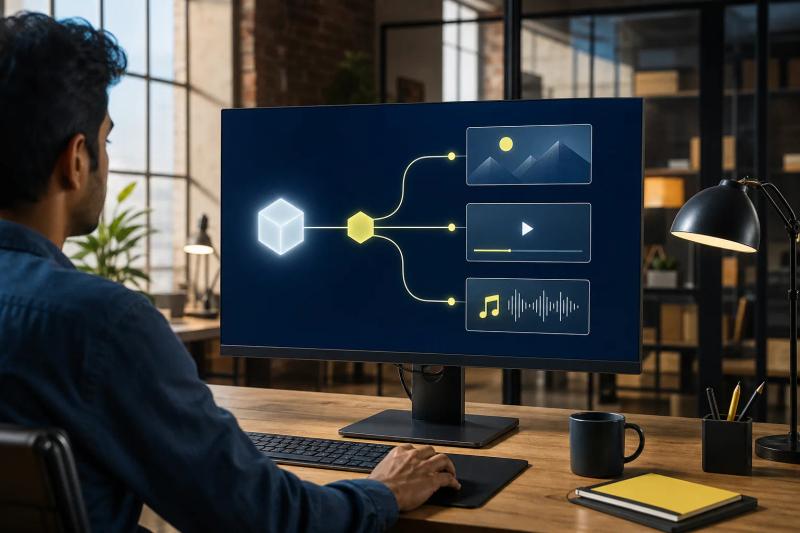
The main benefit of combining image, video, and music generation is a shared application layer. Your backend sends a job to one service, and whichever model you picked handles the actual media work behind the scenes.
Think of the API as a gateway. You choose a model with a setting, send your prompt and any input files, and get back a job ID. The same basic pattern covers an image request, a video request, or a music request, even though those jobs can take very different amounts of time to finish. That is the core idea behind a unified AI media API. For a fuller breakdown, see our explainer on what a unified AI media API is and how it works in practice, or our unified AI API guide.
Building integrations directly with each provider usually spreads this work across several separate systems. Your image handler might use one login method. Your video worker might use another. A music provider might return a different status format, or use a completely different way of delivering the finished file.
A unified layer puts the repeated parts of this work in one place:
- Sign-in and key management
- Job creation and status checks
- Webhook delivery (a way for the provider to notify your app when a job finishes)
- Credit tracking and usage records
- Model selection, plus backup plans if you build them
Apiframe follows this pattern with one REST API, shared background jobs, webhooks, and team-level credit billing. Its catalog includes image, video, and music models from several different providers, so you are not locked into one company’s technology.
The distinction matters here. A product can list several media types and still expose separate, unrelated endpoints with different rules for each one. True consolidation is only useful when the shared layer actually covers the parts of the work your team has to maintain. The number of models alone tells you little. How deeply they are integrated matters more.
Key takeaway: Consolidation means sharing the day-to-day operational work, not forcing every model to produce the same kind of output.
How One API Simplifies Development and Integration
Fewer integration patterns for your developers to learn is one of the clearest benefits of putting image, video, and music generation behind one interface.
With Apiframe, your server signs in using the X-API-Key header. You send a request to a media endpoint, get back a queued job, then either check for the result or wait for a webhook. The endpoint changes depending on the media type, but the overall process stays familiar.
For example, your app could use an image generation endpoint to create a product scene, then feed that image into an image-to-video workflow. Once the clip is ready, a separate music request could generate a matching audio track. Your application still needs its own logic to tie these steps together, but it does not need to learn a new provider’s rules at every step. Our guides to AI image APIs, AI video generation APIs, and AI music APIs cover each step.
That shared structure also helps during early testing. You can send one image prompt, compare it across several models, and just change the model value instead of rewriting your request handler. Since the model choice can live in your server settings, a product manager could even change which model is used without needing a new release of the app. Our model-switching speed comparison shows how much this varies between providers.
Most web APIs follow the same basic request pattern: your app sends a request (a POST) to an address, and the service processes it. A media gateway builds on that pattern, then adds job tracking because generation rarely finishes during the first request.
Apiframe also has a Node and TypeScript SDK (a ready-made code package) for teams that want one, while teams using other languages can call the REST API directly with standard web requests. See the SDK documentation to see which approach fits your stack. Our React integration guide shows a full example.
This kind of setup cuts down on code that tends to spread out quietly across a codebase:
- Separate credential storage for each provider
- Custom error handling for each provider’s quirks
- Different retry logic for each job type
- Custom code to read each provider’s webhook format
- Several different cost reports to reconcile
There is still real work to do. You still need to check user input, protect your API keys, verify the output format, and handle jobs that fail. A unified API removes repeated setup work. It does not remove the need for good decisions in how you build the rest of your app.
Your team moves faster because it is maintaining one integration, not because media generation suddenly becomes instant or fully predictable. If you are switching from a set of direct integrations to one shared API, our guide on how to migrate from multiple media providers to one API covers the practical steps.
The Operational Benefits: Maintenance, Reliability, and Scaling
The biggest advantages tend to show up after launch, once your product is live and running. Bringing image, video, and music generation together gives your team one place to check on jobs, watch spending, and change which models you are using.
Start with upkeep. If three separate providers each change their systems, your team has to read three separate announcements and update three separate pieces of code. A unified API gives you one system to test against. Individual models might still need prompt or setting changes, but the surrounding process for sending and receiving jobs can stay the same.
Apiframe returns a job ID as soon as a request is accepted, along with a “queued” status. Your app can either check on the job’s status directly or wait for a webhook to tell you when it is done. This fits video and music jobs much better than making a user’s browser wait on an open connection while a model works. Our guide on setting up webhook callbacks explains how.
Reliability also improves when you treat every generation job as something worth tracking carefully. It helps to save your own internal job ID next to the API’s job ID, along with the model used, the prompt, the input file, how many times it was retried, and the final result. If a customer reports a bad clip, you can trace the whole path instead of digging through several different vendor dashboards.
Having one place to view billing also helps with cost tracking. Apiframe uses a credit system: credits are set aside when a request is accepted, and returned if the job fails. That gives your finance and engineering teams a shared way to track media spending across the whole product. Our guide to unified AI media API pricing explains how credits work.
Do not mistake one bill for lower cost per generation. A gateway may add a margin to the model charge. The useful comparison is the cost of an accepted final asset, including failed attempts, retries, discarded results, and the engineering time needed to keep several direct integrations alive.
Scaling gets easier when you can see how many jobs are running at once across every media type. Image requests might come in bursts during a campaign launch. Video jobs might take longer to finish. Music generation might run in a batch after a video clip gets approved. Having one shared system for tracking jobs helps you avoid overloading one provider while another sits unused. See our unified media API latency and performance guide for more on measuring and planning around this.
Apiframe’s plans include limits on how many jobs can run at the same time, and these limits vary by plan. The Scale and Enterprise plans include an uptime guarantee, and generated files stay on Apiframe’s CDN for 90 days. If your customers need long-term access to their files, plan your own storage before that 90-day window closes.
Security is worth its own separate check. Keep your API keys on your server, never in client-side code. Filter what users can submit before it reaches a model. Decide up front which customer files are allowed to be sent to outside providers, and write that rule down for your team. Our guide to AI media API security best practices and Apiframe’s security page are good places to review how to handle this.
The everyday benefit is simple: one place to track problems, one view of usage, and one set of steps to follow when something breaks. That can matter more day to day than saving a small amount of money on a single generation call.
What Product Teams Can Build With a Unified Media API
These benefits are easier to picture when you follow a full workflow. A product team could let a user describe a campaign idea, turn it into a still image, turn that image into a short video clip, and add background music, all without switching accounts or systems along the way.
Online stores are a clear example. A seller uploads a product photo and picks a scene. Your app generates a few different background options using an image model. Once the seller picks one, the app can turn it into a short product video, and then generate a short music track to go with it for a social media ad. For more on this, see our comparison of the best unified media APIs for ecommerce product images.
Marketing tools can use a similar flow for testing different ad ideas. One creative brief might produce several visual directions. A team could send high-volume draft versions to a cheaper, faster model, then send the winning concept to a higher-quality model for the final version. Picking a model becomes a simple workflow decision instead of a new engineering project each time.
Video editing tools can offer image-to-video features inside the same product. A user uploads a photo, picks a style of motion, and submits the job. When it is done, the app can show a preview while the user decides whether to add generated music on top.
Apiframe supports models across all of these media types, and its model rankings page is a useful way to compare quality, speed, and cost across options. Since product teams rarely want to stick with one fixed style forever, having an easy way to compare models as they improve matters.
Agencies and white-label products can also keep the experience simple for their own customers. The customer just sees a prompt box, a style choice, and a progress indicator. Your backend handles all the provider details behind that simple interface.
AI agents are another use case worth considering. An agent could read a creative brief, request an image, check the result, then ask for a video or music version based on it. Automation tools and connectors can cut down the work needed to expose these actions to other internal systems, though you will still want limits, approval steps, and spending caps in place.
One useful rule of thumb: only expose model choice to users who can make sense of it. For a casual user, offer something simple like a quality or speed setting. For a professional user, you can expose more detail, like the specific model ID, aspect ratio, length, or a reference image option. A well-built API can support both without forcing every setting into the main interface.

If you want to see this kind of thinking applied to a real workflow, our guide to getting started with Apiframe is a good starting point. Start with one small workflow, then add the next media step once you can measure completion rate and cost.
Trade-Offs and Evaluation Criteria Before You Consolidate
A unified API can cut down on integration work, but it cannot guarantee that one model is the best choice for every single task. The main trade-off is convenience versus access to a provider’s specific, specialized controls.
Specialist models can differ in how they follow prompts, control motion, render text, produce audio, handle length, or use reference images. A shared format can cover the common fields while still leaving out a feature that matters a lot for your particular product.
Test the exact jobs your users will run. A useful test set might include:
- A product image with small printed text
- A five-second clip with a moving subject
- A music track that must match a target mood and length
- An image-to-video request with a reference asset
Judge each result against the actual task, not against a vague sense of overall quality. Check how well it followed the prompt, whether the subject stayed consistent, how often the result was usable, how fast it ran, and what it cost in total. A cheaper model might need more retries to get a usable result. A pricier model might save you review time if its first attempt is usually good enough to use.
Model portability has limits. Settings such as seed control, reference images, length, safety options, and output resolution may not map cleanly between providers. Confirm that the model you plan to use supports the fields your handler sends.
A mixed approach is often the right call. Use a unified API like Apiframe for your common media jobs and for testing new models, but keep a direct connection to one provider for a specific feature that needs a control the shared layer does not offer. Route both paths through your own internal service, so the rest of your app does not need to know which provider actually handled the request. Our guide comparing unified media APIs for small teams covers a few different approaches teams take here.
Data handling needs the same level of care. Ask where each request is actually processed. Check how long prompts and uploaded files are kept. Look into regional requirements if your customers are sending personal or sensitive information. A single gateway can make this easier to review, but it does not remove the need to understand each provider’s own data policies. Our compliance and data privacy overview covers the main points.
It is also worth testing how things fail, not just how they succeed. Send an invalid request on purpose. Simulate a timeout. Turn off webhook delivery temporarily. Confirm that retries do not create duplicate files or charge your records twice. Build every workflow so that repeating the same request does not create a duplicate result, even if the provider handles that differently on their end. For a deeper look at testing output quality specifically, see how to test AI-generated video quality.
| Decision area | What consolidation helps with | What you still need to test |
|---|---|---|
| Integration | One auth path and shared job handling | Model-specific fields and output formats |
| Cost | One credit view and one usage report | Retries, failed jobs, and acceptable output cost |
| Reliability | Common status checks and webhook handling | Timeouts, duplicate events, and fallback behavior |
| Model choice | Faster comparison across a catalog | Quality for each task and user segment |
| Compliance | Fewer vendor contracts to review first | Processing regions, retention, and upstream rules |
Choose a unified approach when repeated setup work is slowing your product down. Keep a direct connection to a provider when one of their specific features is central to your user experience. That way you get the convenience of consolidation without assuming every model behaves exactly the same way.
Pro tip: Put model IDs in backend settings and store a workflow-level job record. You can change routes later without shipping a new client build.
FAQ
What are the advantages of consolidating image video and music generation into one API?
The main advantages are fewer integrations to maintain, one sign-in process, shared job handling, and simpler cost tracking. Your team can add a new model by changing a setting instead of building a whole new connection to a provider. This also makes it much easier to trace a workflow that moves from an image, to a video, and then to music.
Can one API handle image, video, and music generation?
Yes, as long as its catalog and endpoints actually support all three. Apiframe uses separate image, video, and music endpoints within one shared structure. These jobs still differ in speed and settings, so your app should handle them as background jobs instead of treating every request like a quick, instant response.
Does a unified media API reduce generation costs?
A unified API tends to reduce engineering and day-to-day operating costs, though it may not always offer the lowest price for a single generation. It is worth comparing the full cost of a workflow, including retries, failed jobs, storage, review time, and ongoing maintenance. Having one place to view credits makes this easier to calculate, though your choice of model still drives most of the direct generation cost. See our pricing calculator for unified AI media generation for a more detailed cost breakdown.
Can I switch AI media models without rewriting my app?
You can often switch models without rewriting the wider app when the API keeps a shared request and response format. In Apiframe, changing the model setting can change the generation route. You still need to test model-specific controls, output quality, timing, and safety behavior before moving production traffic.
When should a team use direct provider APIs instead?
Use a direct provider API when a specific feature is central and the unified layer does not expose enough control. This may include a special editing mode, a required region, or a provider-specific setting. A mixed setup can keep common image, video, and music work unified while reserving direct access for that one narrow need. Our roundup of AI media generation APIs can help you compare options.
Conclusion
If your product needs more than one type of generated media, Apiframe is a solid first architecture to try. It gives you one API key, shared job handling, model selection through a simple setting, and one place to track credits. Start with a small workflow, measure its full cost and how often it succeeds, then read our case studies for catalog imagery to see how similar products have approached this.


