
GPT Image 2 API
by OpenAI
Reasoning-first images, with text that actually reads.
Generate and edit images with OpenAI's GPT Image 2 through one unified API. A single REST endpoint, async jobs, and webhooks, with no separate OpenAI account to wire up.
- 8
- Images per prompt
- 2K
- Max via API
- ~30s
- Avg. generation
- 2 credits
- From
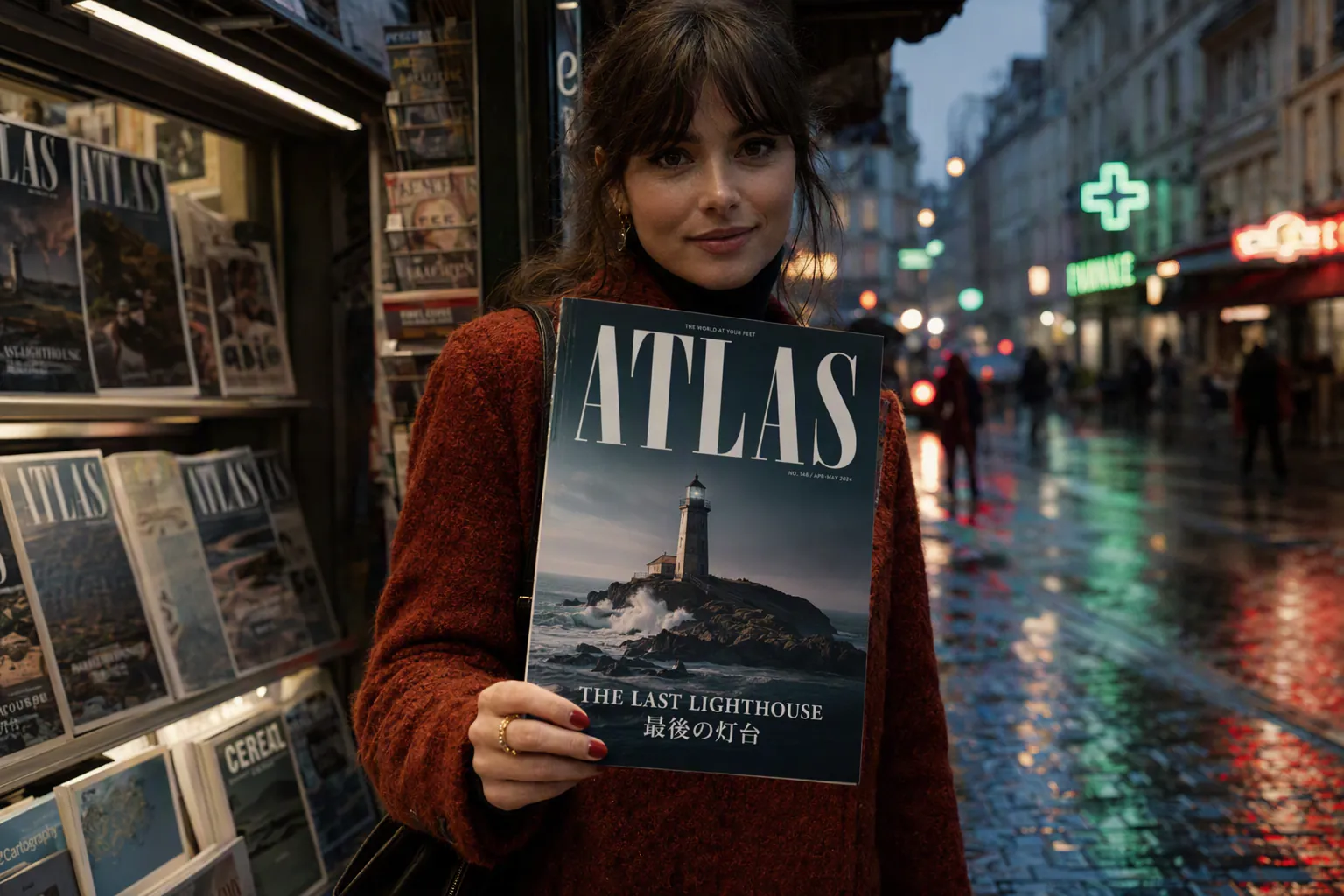 Image · example
 Playground
Try GPT Image 2 right here.
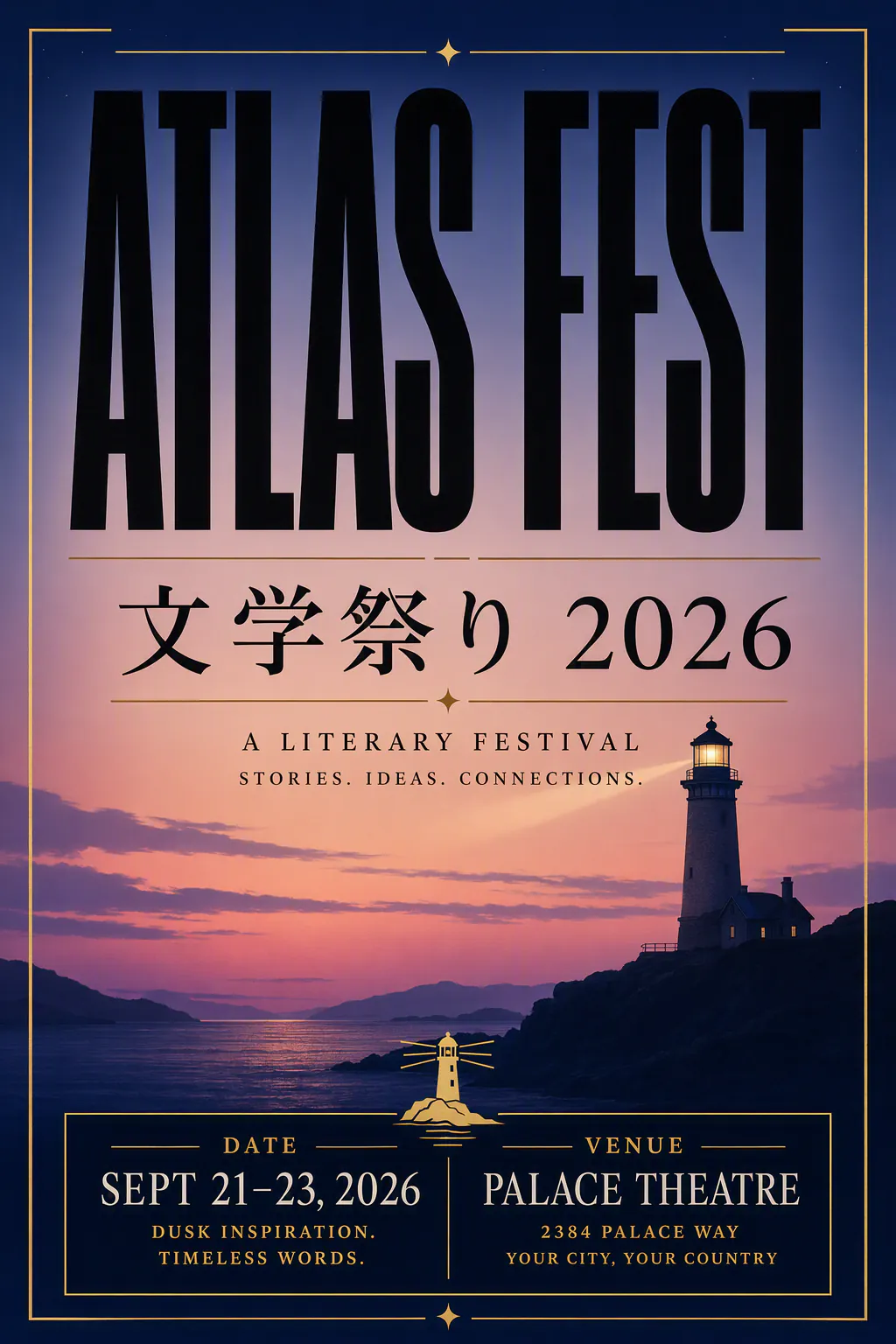
Capabilities
What's new in GPT Image 2.
OpenAI's latest flagship image model
It powers ChatGPT Images 2.0 and replaces both DALL-E 3 and the interim GPT Image 1.5, available in ChatGPT and via the API as gpt-image-2.
Reasoning built in
It is the first OpenAI image model with a "thinking" mode, so before generating it can plan the layout, search the web for references, and self-check its output.
Up to 8 images from one prompt
It can produce a coherent set of images in a single shot, keeping characters and objects consistent across all of them, which suits storyboards and brand campaigns.
State-of-the-art text rendering
It handles dense and multilingual text cleanly across multiple scripts, making it dependable for posters, packaging, menus, and UI labels.
Precise instruction following
OpenAI describes it as a step change in following detailed prompts and in placing and relating objects accurately within a scene.
Higher resolution and flexible editing
It supports up to 2K resolution via the API with a range of aspect ratios, plus multi-turn editing that preserves identity and context across changes.
Showcase
See what GPT Image 2 can create.
Real outputs generated with GPT Image 2 on Apiframe, each with the prompt behind it.
A bilingual event poster for ATLAS FEST 2026, literary festival. Headline ATLAS FEST in huge condensed black type, Japanese line 文学祭り 2026 beneath it perfectly legible. Subcopy: Palace Theatre, Sept 21–23, dusk indigo gradient, gold accent rules, a small lighthouse icon, date and venue block at the bottom, print-ready, no extra logos, no misspellings.
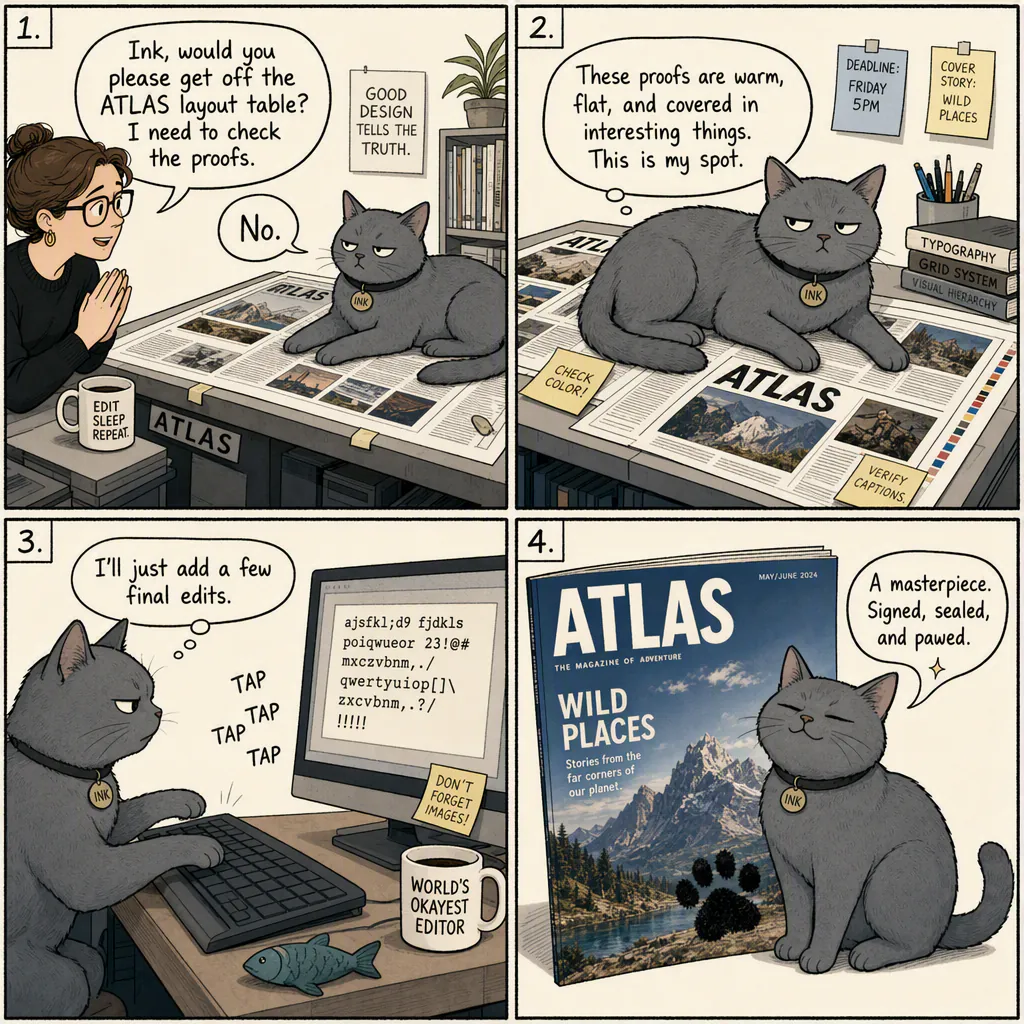
A four-panel comic strip with readable handwritten-style dialogue. A grey office cat named Ink refuses to get off the ATLAS magazine layout table. Panel 1: editor asks politely. Panel 2: cat sits on the proofs. Panel 3: cat types gibberish on the keyboard. Panel 4: the printed cover has a paw print and the cat looks proud. Clean ink lines, cream paper, all lettering perfectly legible, no misspellings.
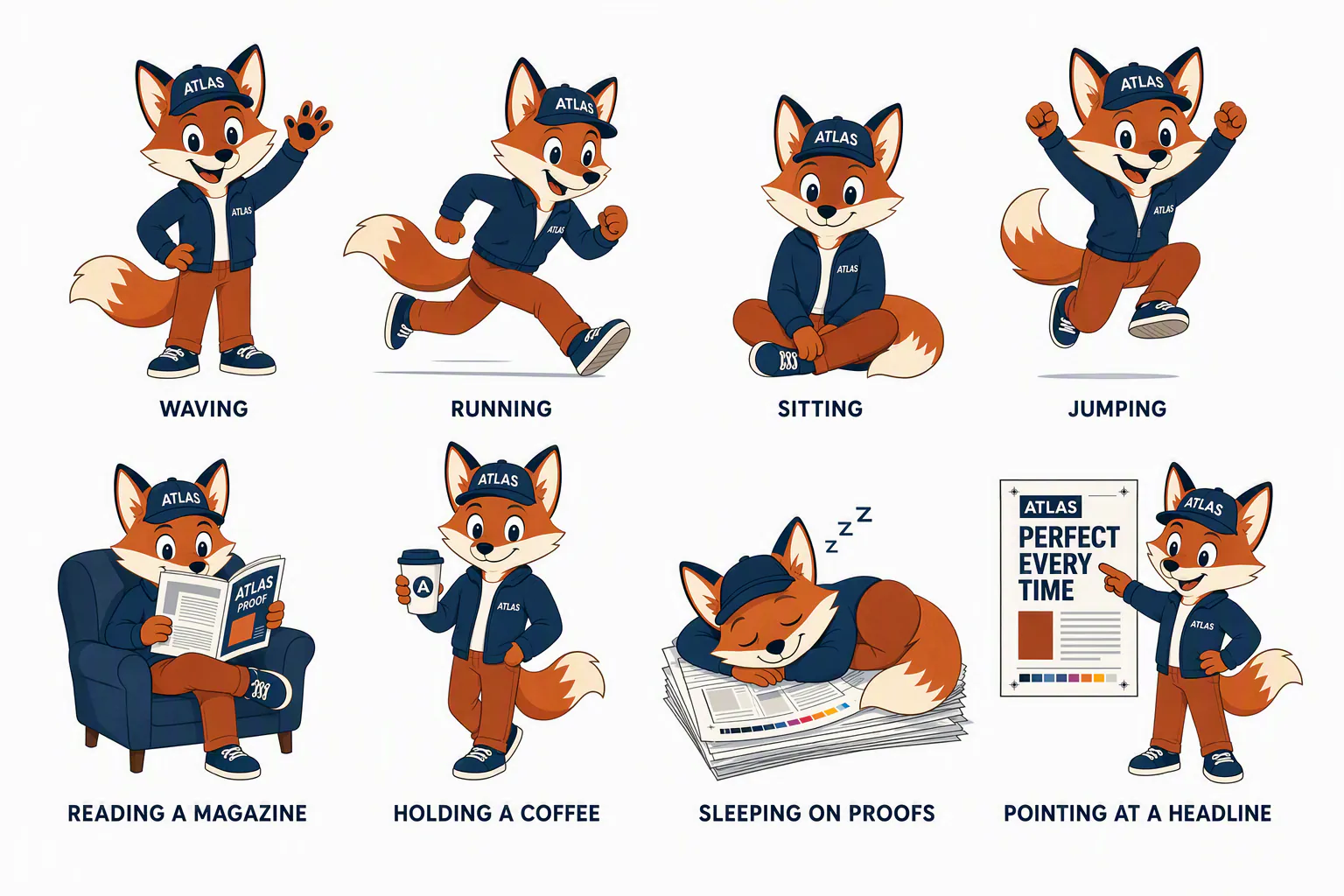
A character sheet of the same ATLAS fox mascot in eight consistent poses: waving, running, sitting, jumping, reading a magazine, holding a coffee, sleeping on proofs, pointing at a headline. Flat graphic design, rust and navy palette, white background, small pose labels under each figure in clean sans type, identical character in every pose, no misspellings.
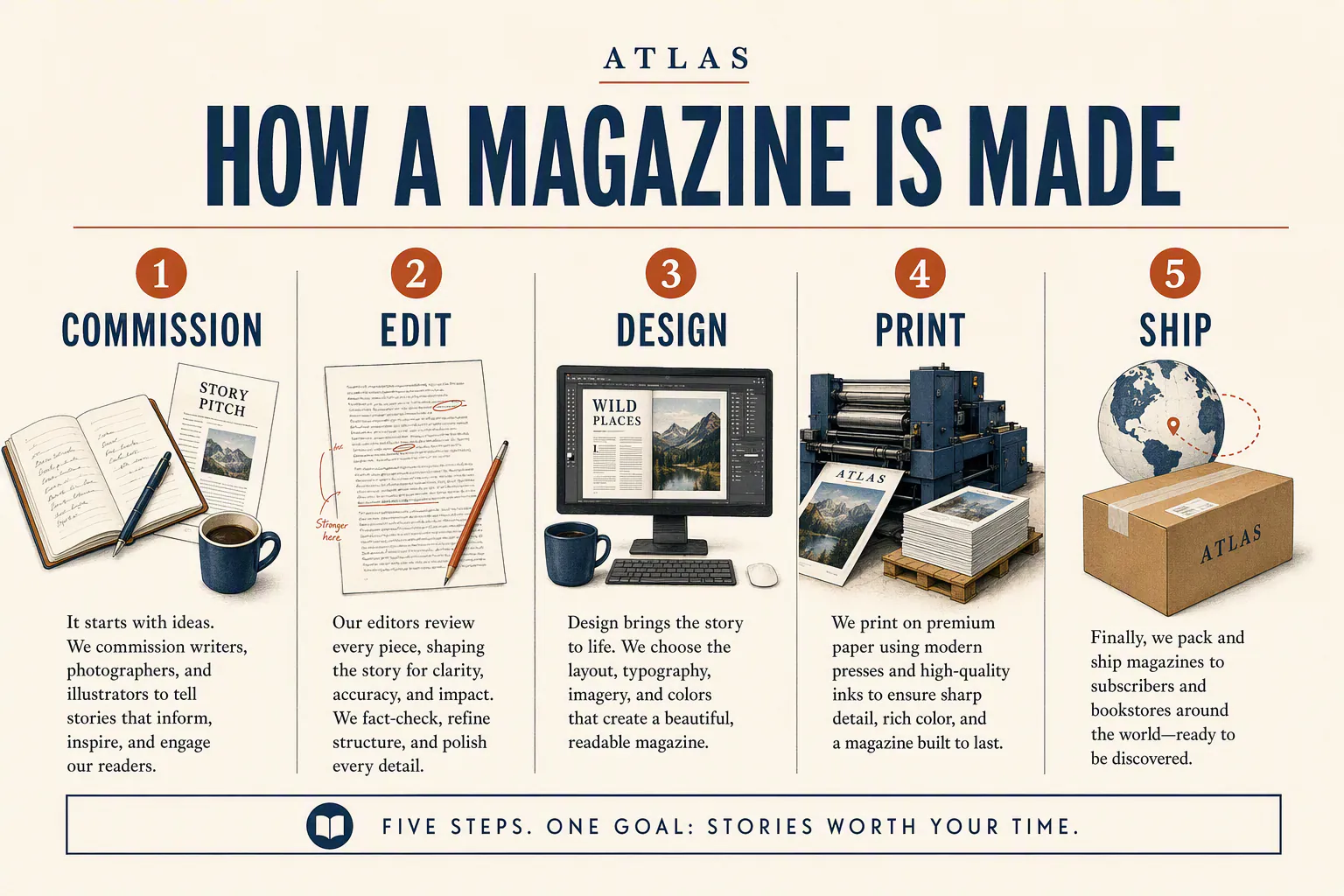
An infographic titled HOW A MAGAZINE IS MADE, five labeled stages: Commission, Edit, Design, Print, Ship. Clean editorial layout, numbered steps, tiny caption text that is fully readable, rust and navy on cream paper, ATLAS wordmark small at the top, no decorative clutter, no misspellings.
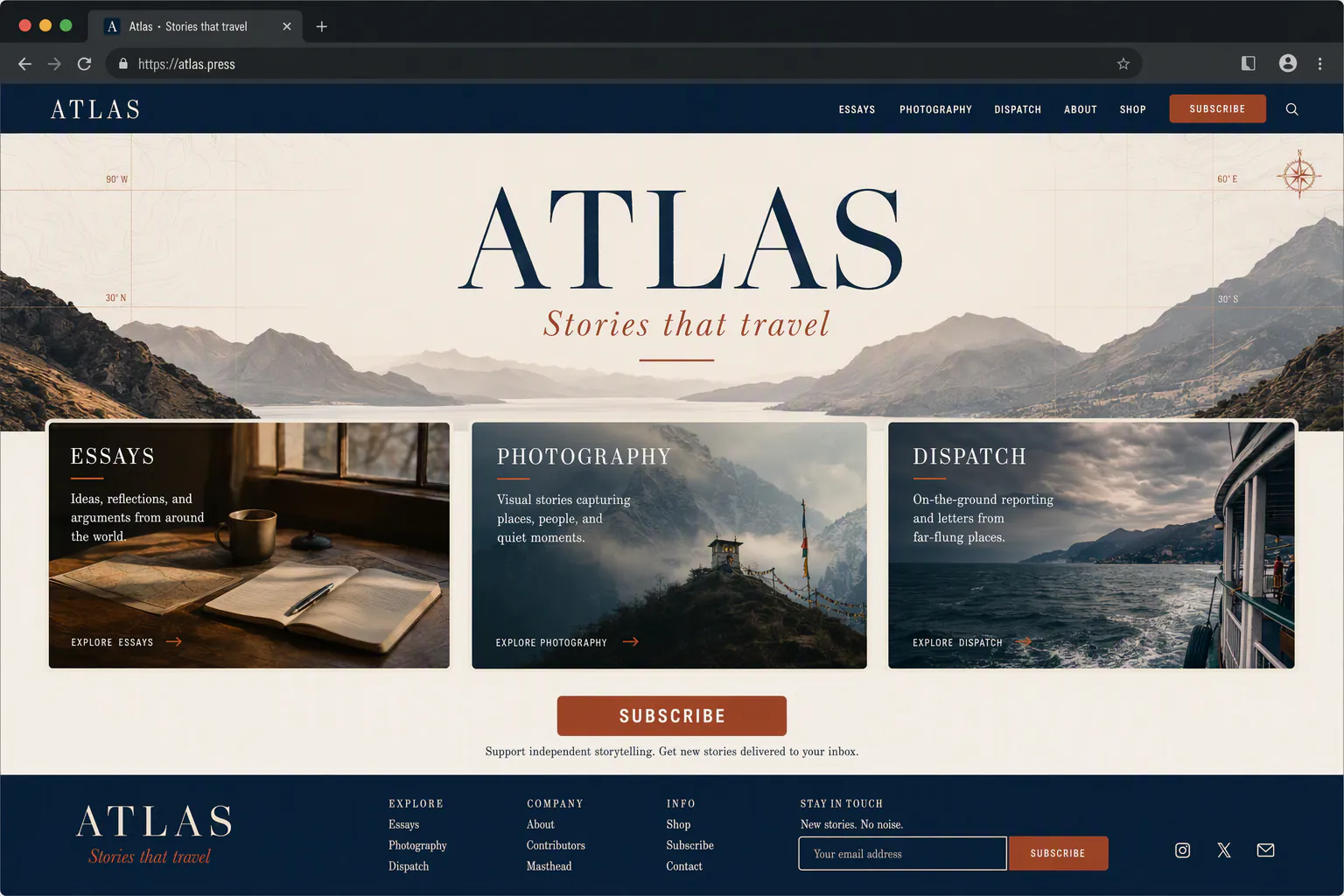
A desktop landing-page mockup for atlas.press, a literary magazine site. Hero header ATLAS, subhead Stories that travel, three feature cards titled Essays, Photography, Dispatch, a Subscribe button, rust and navy UI, browser chrome around a 1440px layout, sharp UI type, no lorem ipsum, no misspellings.
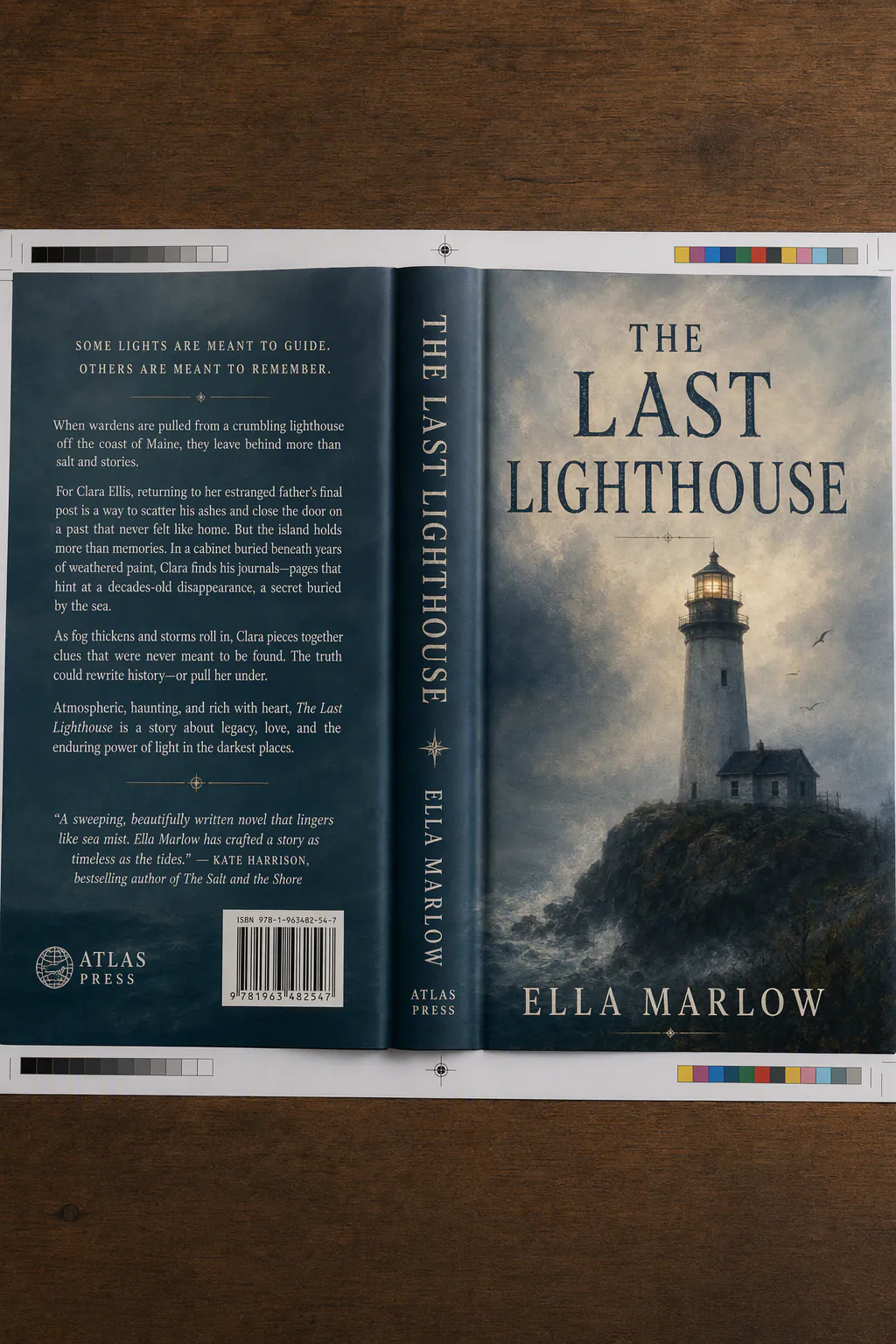
A hardcover book dust jacket for THE LAST LIGHTHOUSE, published by ATLAS PRESS. Title in large serif across the upper third, author name ELLA MARLOW, a painterly lighthouse in fog, spine visible at left with ATLAS PRESS, back-cover blurb in small but fully readable serif, print-production still on a wooden table, no misspellings.
Pricing
Simple per-generation pricing.
2–16 credits per generation ≈ $0.02–$0.16
The rate depends on the resolution and options you pick.
- You only pay for successful generations. Failed jobs are refunded automatically.
- One credit balance across every model on Apiframe, no per-model plans.
- Start with free credits. No subscription required.
- Volume discounts on larger plans.
Specs
At a glance.
Comparison
GPT Image 2 vs Nano Banana 2 vs Flux 2 Pro
GPT Image 2 against the Google and Flux flagships. All on the same key.
| Feature | GPT Image 2 | Nano Banana 2 | Flux 2 Pro |
|---|---|---|---|
| Max resolution | 2K via API | 4K | 4MP |
| Avg. generation | ~30s | ~12s | ~15s |
| Signature strength | Reasoning + batch of 8 + text accuracy | Speed/quality sweet spot + search grounding | Photoreal volume at a balanced price |
| Price per image | 2–17 credits (≈$0.02–$0.17) | 8–19 credits (≈$0.08–$0.19) | 3–9 credits (≈$0.03–$0.09) |
| Best for | Instruction-heavy, text-accurate work | Everyday generation and editing | High-volume production at a balanced price |
Specs reflect what each model supports on Apiframe today, from the live catalog.
Quickstart
How to call the GPT Image 2 API.
Send one POST /v2/images/generate request with your API key. The call returns a jobId you can poll, or pass a webhook_url and the result is pushed to you the moment it's ready.
Swap gpt-image-2 for any other model and nothing else changes.
const response = await fetch("https://api.apiframe.ai/v2/images/generate", {
  method: "POST",
  headers: {
    "X-API-Key": "afk_your_api_key_here",
    "Content-Type": "application/json",
  },
  body: JSON.stringify({
    "prompt": "a sleek silver sports car on a coastal highway at sunset, hyper-realistic",
    "model": "gpt-image-2",
    "gptImage2Params": {
      "input_images": "https://example.com/input.jpg",
      "quality": "auto",
      "background": "auto",
      "number_of_images": 1
    }
  }),
});
const { jobId } = await response.json();
console.log(jobId);Input schema
Every field GPT Image 2 accepts, with types and defaults. The full reference lives in the docs.
| Field | Type | Description |
|---|---|---|
| prompt required | string | Text description of what to generate. |
| model required | string | The model identifier for this endpoint. Default:"gpt-image-2" · "gpt-image-2" |
| gptImage2Params.input_images | string (URL) | Reference image (URL) |
| gptImage2Params.quality | string | Quality Default:"auto" · "auto", "low", "medium", "high" |
| gptImage2Params.background | string | Background Default:"auto" · "auto", "opaque" |
| gptImage2Params.number_of_images | number | Number of images Default:1 · min 1, max 10, step 1 |
| gptImage2Params.output_format | string | Output format Default:"webp" · "webp", "png", "jpeg" |
| gptImage2Params.moderation | string | How strictly to filter content. Use "low" for less restrictive moderation. Default:"auto" · "auto", "low" |
GPT Image versions
Every GPT Image image model on Apiframe. Switch with one parameter.
Use cases
What teams build with GPT Image 2.
Instruction-heavy briefs
Built-in thinking plans layout, object placement, and self-checks before rendering, so long multi-part prompts land as specified instead of approximately.
Posters, packaging, UI type
State-of-the-art dense and multilingual text rendering makes it the pick for covers, menus, comics, and interface mockups where copy has to read.
Consistent sets in one shot
Up to eight images from a single prompt, characters and objects held across the set, storyboards and campaign variants without a separate consistency pass.
Multi-turn editing
Identity and scene hold through sequential edits, add a coat, restage a product, keep the face, so production can iterate without starting over.
Reviews
9,800+ developers. One API.
Real Apiframe reviews from Trustpilot and G2.
Speeds up our ad creative iteration
The API integrates directly into my existing pipeline, so I can generate and iterate on image variations for Meta ads without jumping between tools. We can go from concept to a testable ad in the same day instead of spreading it across a week.
Fast, reliable, easy to integrate
Image generation requests are processed quickly, and the results are consistently high quality. Customer support has also been responsive whenever I had questions. It has saved me a lot of development time.
Seamless integrations, effortless setup
Generating ad creatives for Facebook and Google ads is more streamlined now since we use APIFRAME to manage the workflow, which used to require a lot of time with official APIs. The initial setup was very easy, just a matter of using curl.
GPT Image 2 questions
What teams ask before shipping with GPT Image 2. Everything else lives in the docs.
What is GPT Image 2?
OpenAI's newest image generation and editing model, released in April 2026 as the engine behind ChatGPT Images 2.0, replacing DALL-E 3 and GPT Image 1.5.
What is "thinking" mode?
A reasoning step where the model plans the layout, can search the web for references, and reviews its own output before finishing, and it enables generating up to eight images from one prompt.
How is it different from GPT Image 1.5?
It is the newer model, adding built-in reasoning, stronger multilingual text, consistent multi-image sets, and higher overall quality.
Can it render text in multiple languages?
Yes. Multilingual text rendering across several scripts is one of its standout strengths.
Is it free?
Standard mode is available to ChatGPT users at no extra cost, while the thinking features are reserved for paid tiers, and API access is paid on a token basis.
Where can you access it?
Through Apiframe, as well as ChatGPT and the OpenAI API.
Related models
All image models
Flux 2 Max
by Black Forest Labs
Highest-quality Flux 2 tier.
View model
Midjourney
by Midjourney
Iconic stylised, cinematic look.
View model
Nano Banana 2
by Google
Next-gen Nano Banana with refined detail.
View model
Seedream 5.0 Pro
by ByteDance
Flagship ByteDance model with sharp 1K/2K output and up to 10 reference images.
View model9,800+
developers & companies
Official partner of


Power your next AI product with Apiframe.
Instant access to 70+ media models through a single API. Start free and scale when you're ready.