
Flux 2 Max API
The quality ceiling of the Flux family.
Black Forest Labs' top-tier member of the Flux 2 family (Nov 2025), the highest-quality variant, built for the strongest prompt following, the most consistent editing, and a unique ability to pull real-time information from the web.
- 4MP
- Max output
- ~20s
- Avg. generation
- 5
- Aspect ratios
- 7 credits
- From
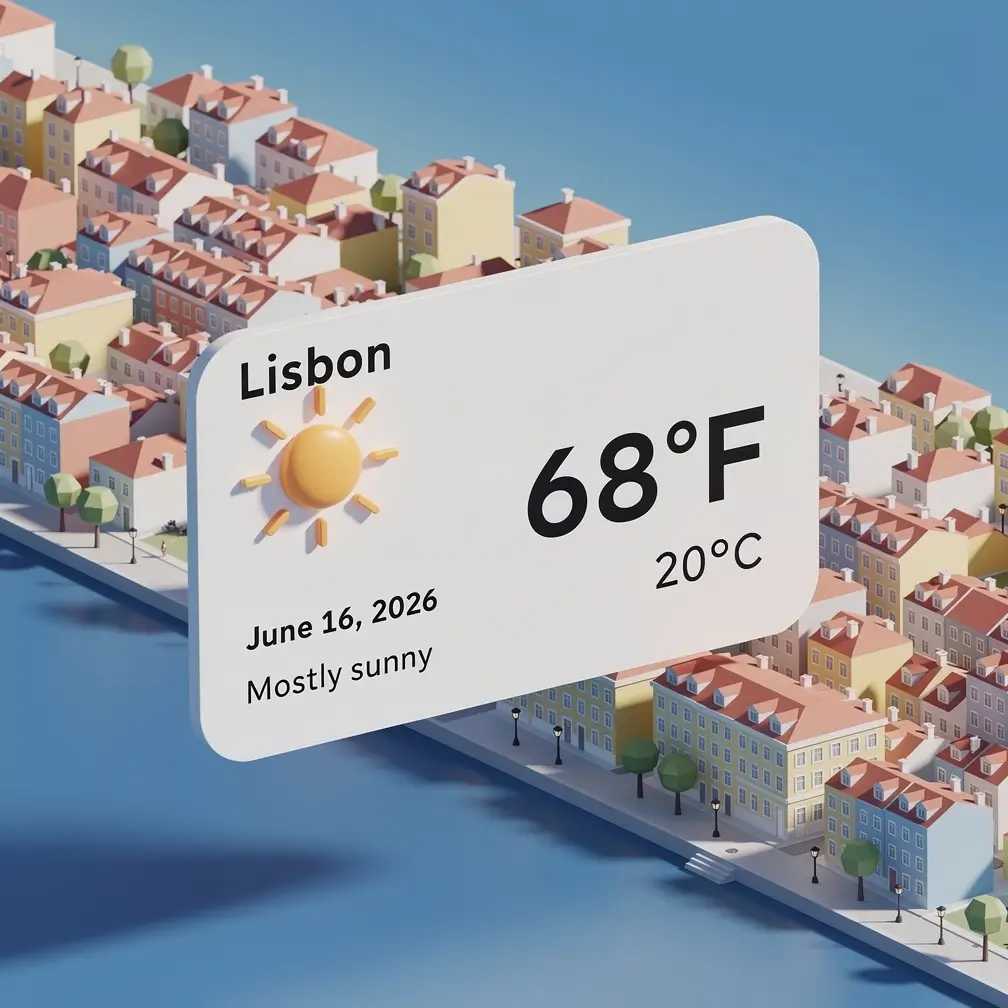 Image · example
 Playground
Try Flux 2 Max right here.
Capabilities
What's new in Flux 2 Max.
The quality ceiling of the family
It delivers the highest fidelity and photorealism across the Flux 2 lineup, aimed at final, production-grade deliverables.
Strongest prompt adherence
It follows complex, detailed, and long instructions more accurately than the Pro and Flex variants, supporting prompts up to 32k tokens.
Grounded generation
A standout feature: it can search the web for real-time context, so it can visualize trending products, current events, weather, or the latest styles without you sourcing reference material by hand.
Best-in-class editing consistency
It preserves colors, lighting, faces, text, and objects with exceptional fidelity, which makes edits and variations look reliable rather than regenerated.
Top character and brand consistency
Using up to 10 reference images, it keeps identities, products, and styles stable across large batches of outputs.
Precise retexturing and color control
It can re-skin products with new materials, colors, and finishes while preserving shape and geometry, and it accepts exact brand colors via hex codes.
Showcase
See what Flux 2 Max can create.
Real outputs generated with Flux 2 Max on Apiframe, each with the prompt behind it.
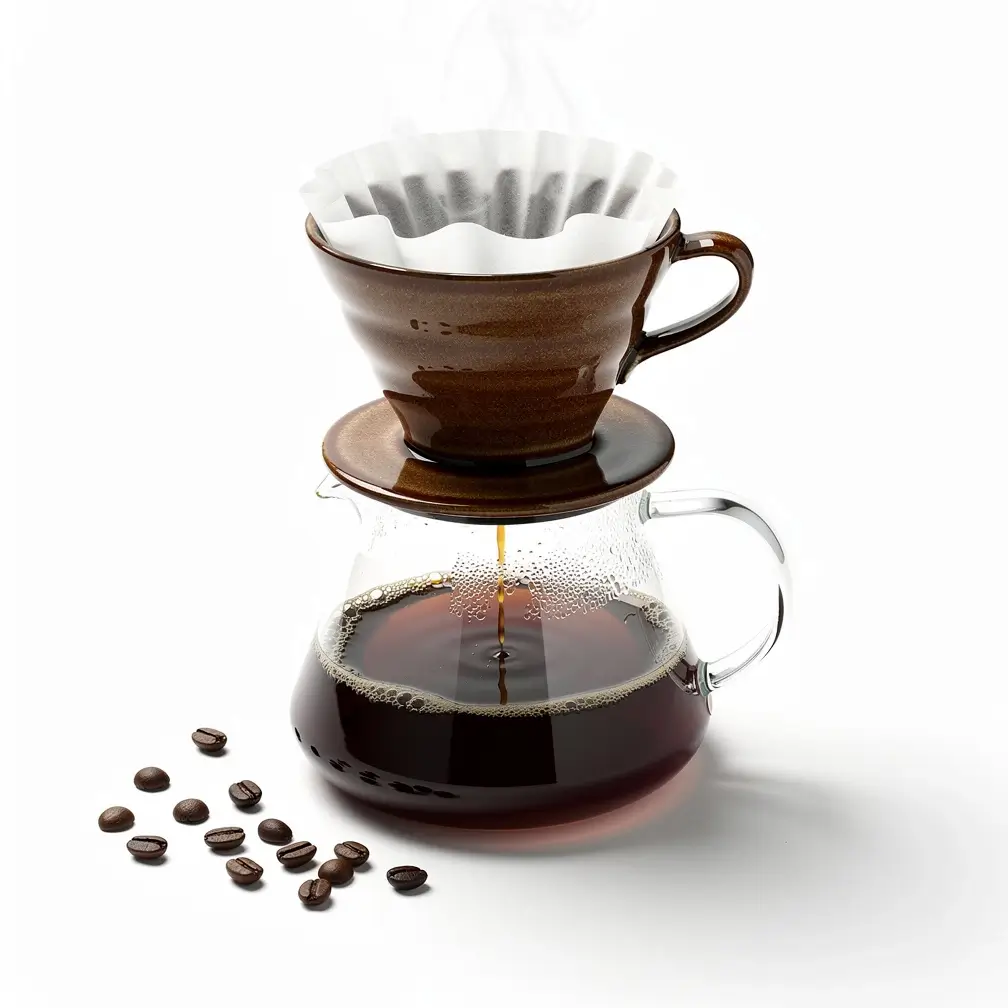
A polished photo of a ceramic pour-over coffee set on a clean white surface, soft studio lighting, sharp detail.
Search the internet. A weather card for Lisbon today: an isometric 3D miniature of the city with current conditions, the title 'Lisbon', a weather icon, the date, and the temperature.

Using these reference images of our character, show her presenting on stage, reading at a desk, and walking outdoors, keeping her face and outfit consistent.
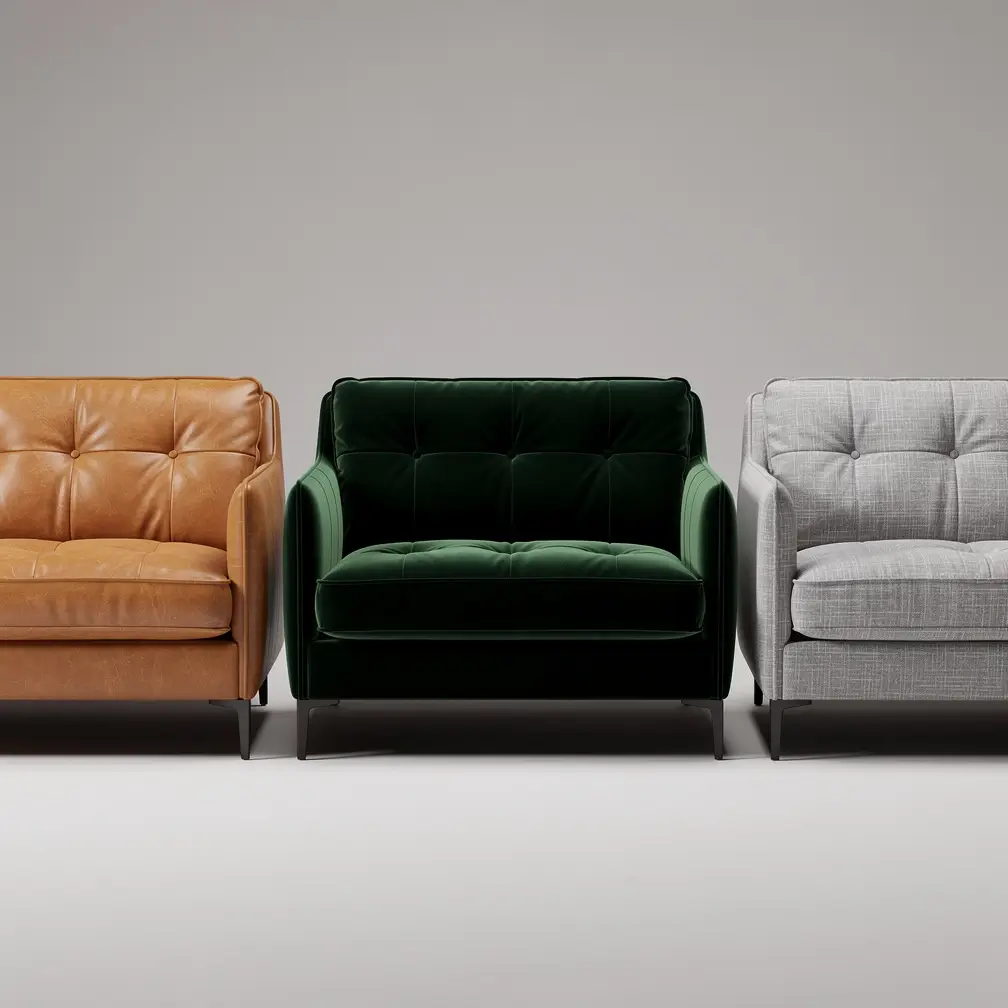
Show this sofa in tan leather, dark green velvet, and light grey linen, keeping the exact shape and lighting.

A cinematic key frame of a lone astronaut on a red desert planet at dusk, dramatic rim lighting, film grain, widescreen.
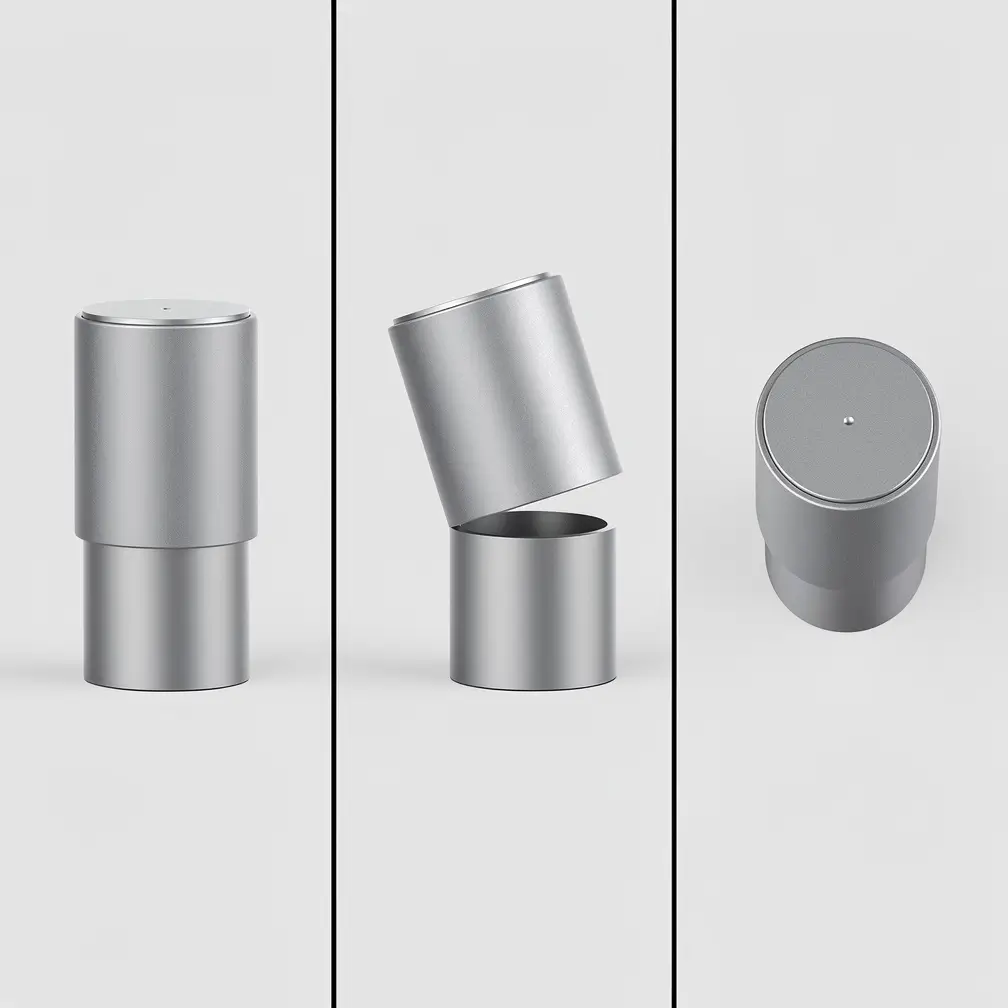
From this single product image, generate three new views: front, three-quarter, and top-down, with consistent materials and lighting.
Pricing
Simple per-generation pricing.
7–20 credits per generation ≈ $0.07–$0.20
The rate depends on the resolution and options you pick.
- You only pay for successful generations. Failed jobs are refunded automatically.
- One credit balance across every model on Apiframe, no per-model plans.
- Start with free credits. No subscription required.
- Volume discounts on larger plans.
Specs
At a glance.
Comparison
Flux 2 Max vs Flux 2 Pro vs Seedream 5.0 Pro
Flux 2 Max against the other premium image tiers on Apiframe. One parameter swap apart.
| Feature | Flux 2 Max | Flux 2 Pro | Seedream 5.0 Pro |
|---|---|---|---|
| Max resolution | 4MP | 4MP | 2K |
| Reference input | Image prompt + strength dial | Image prompt + strength dial | Up to 10 reference images |
| Avg. generation | ~20s | ~15s | ~20s |
| Price per image | 7–20 credits (≈$0.07–$0.20) | 3–9 credits (≈$0.03–$0.09) | 6–11 credits (≈$0.06–$0.11) |
| Best for | Final renders and hero assets | Volume production at a balanced price | Multi-reference composition and text |
Specs reflect what each model supports on Apiframe today, from the live catalog.
Quickstart
How to call the Flux 2 Max API.
Send one POST /v2/images/generate request with your API key. The call returns a jobId you can poll, or pass a webhook_url and the result is pushed to you the moment it's ready.
Swap flux-2-max for any other model and nothing else changes.
const response = await fetch("https://api.apiframe.ai/v2/images/generate", {
  method: "POST",
  headers: {
    "X-API-Key": "afk_your_api_key_here",
    "Content-Type": "application/json",
  },
  body: JSON.stringify({
    "prompt": "a sleek silver sports car on a coastal highway at sunset, hyper-realistic",
    "model": "flux-2-max",
    "fluxParams": {
      "resolution": "2MP",
      "image_prompt": "https://example.com/input.jpg",
      "image_prompt_strength": 0.5,
      "output_format": "jpg"
    }
  }),
});
const { jobId } = await response.json();
console.log(jobId);Input schema
Every field Flux 2 Max accepts, with types and defaults. The full reference lives in the docs.
| Field | Type | Description |
|---|---|---|
| prompt required | string | Text description of what to generate. |
| model required | string | The model identifier for this endpoint. Default:"flux-2-max" · "flux-2-max" |
| fluxParams.resolution | string | Resolution Default:"2MP" · "0.5MP", "1MP", "2MP", "4MP" |
| fluxParams.image_prompt | string (URL) | Reference image (URL) |
| fluxParams.image_prompt_strength | number | How closely to follow the reference image (0–1). Default:0.5 · min 0, max 1, step 0.05 |
| fluxParams.output_format | string | Output format Default:"jpg" · "jpg", "png", "webp" |
| fluxParams.output_quality | number | Output quality Default:90 · min 0, max 100, step 1 |
| fluxParams.prompt_upsampling | boolean | Let the model rewrite your prompt for better quality. Default:false |
| fluxParams.seed | number | Reuse a number to reproduce the same result. step 1 |
Flux versions
Every Flux image model on Apiframe. Switch with one parameter.
Use cases
What teams build with Flux 2 Max.
Hero assets
The tier for the image that ships, strongest prompt adherence and fine detail in the family, up to 4MP for print-adjacent and full-bleed use.
Brand-consistent campaigns
Top character and brand consistency through edits: restage a subject across a whole campaign and it stays recognizably itself.
Precise retexturing
Change materials, colors, and finishes on a subject with edit-level control instead of re-rolling the entire composition.
Grounded generation
Anchor a generation with an image prompt and control its influence with a strength dial, art direction without surprises.
Reviews
9,800+ developers. One API.
Real Apiframe reviews from Trustpilot and G2.
Speeds up our ad creative iteration
The API integrates directly into my existing pipeline, so I can generate and iterate on image variations for Meta ads without jumping between tools. We can go from concept to a testable ad in the same day instead of spreading it across a week.
Fast, reliable, easy to integrate
Image generation requests are processed quickly, and the results are consistently high quality. Customer support has also been responsive whenever I had questions. It has saved me a lot of development time.
Seamless integrations, effortless setup
Generating ad creatives for Facebook and Google ads is more streamlined now since we use APIFRAME to manage the workflow, which used to require a lot of time with official APIs. The initial setup was very easy, just a matter of using curl.
Flux 2 Max questions
What teams ask before shipping with Flux 2 Max. Everything else lives in the docs.
How is it different from Flux 2 Pro and Flex?
Max is the premium tier, with the highest quality, the strongest prompt following, and the most consistent editing. Pro is the production workhorse and Flex is the parameter-control option for typography.
What is grounded generation?
It lets the model bring real-time web context into an image, so you can visualize current events, weather, or trending products without supplying references yourself.
How much does it cost?
On Apiframe it ranges from 7 credits ($0.07) at 0.5MP to 20 credits ($0.20) at 4MP, the priciest tier in the Flux 2 family.
How many reference images can it use?
Up to 10 at once, for strong character, product, and style consistency.
What is it best for?
Product marketing and e-commerce, brand and character consistency, retexturing, interior design, and cinematic keyframes for video.
Where can you access it?
Through Apiframe, as well as the BFL API and major hosting partners.
Related models
All image models
Midjourney
by Midjourney
Iconic stylised, cinematic look.
View model
Nano Banana 2
by Google
Next-gen Nano Banana with refined detail.
View model
Seedream 5.0 Pro
by ByteDance
Flagship ByteDance model with sharp 1K/2K output and up to 10 reference images.
View model
Ideogram v4 Quality
by Ideogram
Highest-quality Ideogram v4 tier for production-ready images.
View model9,800+
developers & companies
Official partner of



Power your next AI product with Apiframe.
Instant access to 70+ media models through a single API. Start free and scale when you're ready.