GPT Image 2 icon

GPT Image 2 API

OpenAI의 GPT Image 2를 하나의 통합 API로 사용해 이미지를 생성하고 편집하세요. 단일 REST 엔드포인트, 비동기 작업, 웹훅을 갖추었으며 별도의 OpenAI 계정을 연결할 필요가 없습니다.

GPT Image 2을(를) 단 한 번의 API 호출로 통합하세요. 하나의 키, 하나의 통합 엔드포인트, 그리고 Apiframe의 모든 모델에 적용되는 통합 청구.

model: "gpt-image-2"
GPT Image 2 multi-turn edit adding a winter coat and scarf to a portrait while keeping the face and background unchanged

GPT Image 2의 특별한 점

OpenAI 최신 대표 이미지 모델

ChatGPT Images 2.0을 구동하며 DALL-E 3와 과도기 모델 GPT Image 1.5를 모두 대체합니다. ChatGPT와 API에서 gpt-image-2로 사용할 수 있습니다.

추론 내장

"사고" 모드를 갖춘 최초의 OpenAI 이미지 모델로, 생성 전에 레이아웃을 계획하고 참조를 웹에서 검색하며 출력을 스스로 점검할 수 있습니다.

하나의 프롬프트로 최대 8장

한 번의 생성으로 일관된 이미지 세트를 만들고 모든 이미지에서 캐릭터와 오브젝트의 일관성을 유지해 스토리보드와 브랜드 캠페인에 적합합니다.

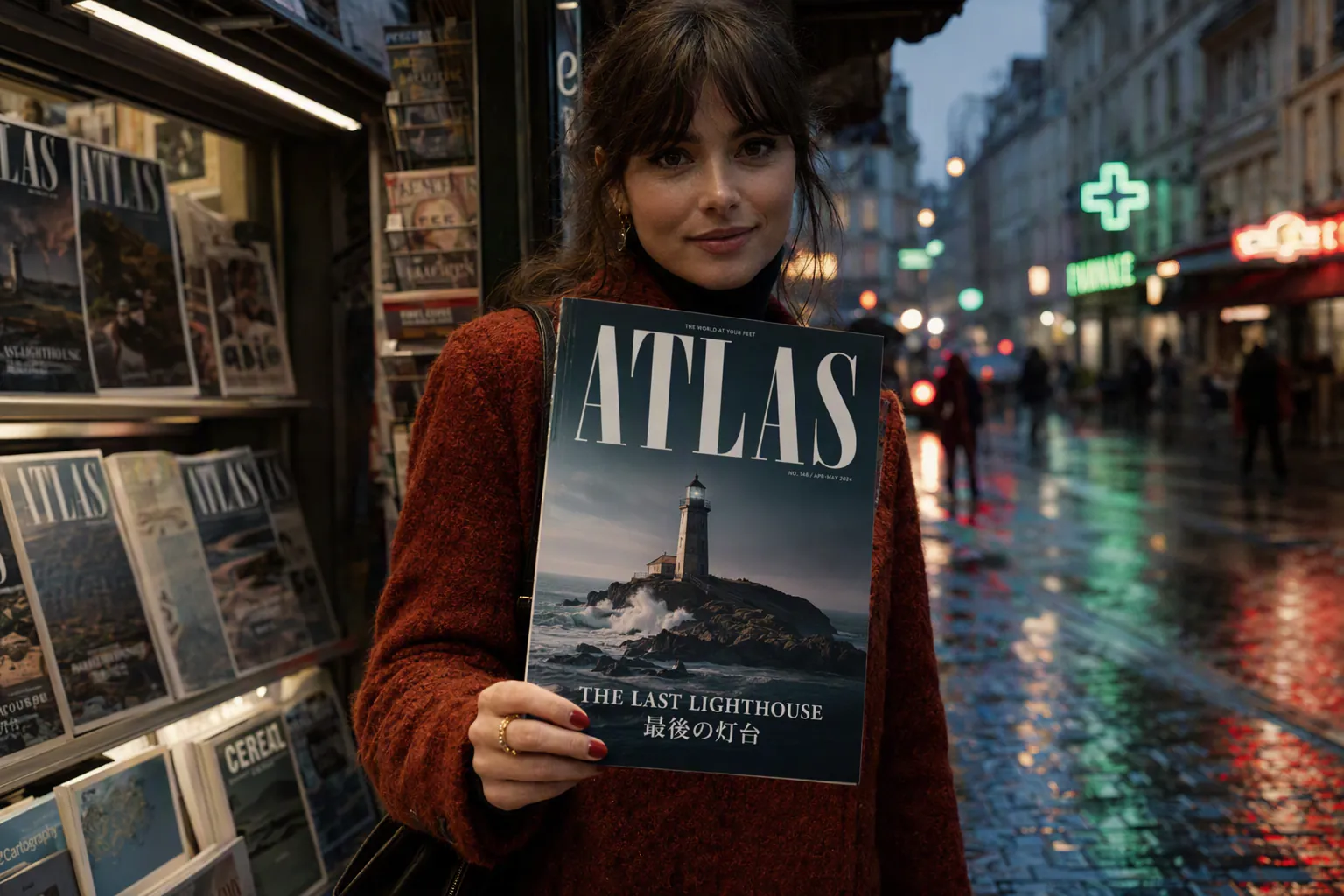
최첨단 텍스트 렌더링

밀도 높은 다국어 텍스트를 여러 문자 체계에 걸쳐 깔끔하게 처리해 포스터, 패키징, 메뉴, UI 라벨에 믿고 사용할 수 있습니다.

정밀한 지시 준수

OpenAI는 상세 프롬프트 준수와 장면 내 오브젝트의 정확한 배치·관계 설정에서 한 단계 도약했다고 설명합니다.

높은 해상도와 유연한 편집

API를 통해 최대 2K 해상도와 다양한 화면 비율을 지원하며, 변경 전반에서 정체성과 맥락을 보존하는 멀티턴 편집도 가능합니다.

GPT Image 2(으)로 제작

Apiframe의 GPT Image 2 API로 생성한 출력 예시입니다.

GPT Image 2 four-panel comic strip with readable dialogue about a cat who refuses to get off a keyboard

A four-panel comic strip with readable dialogue about a cat who refuses to get off a keyboard.

GPT Image 2 bilingual event poster with the headline in English and Japanese, a clean layout, and date and venue

A bilingual event poster with the headline in English and Japanese, clean layout, date and venue.

GPT Image 2 character sheet of the same mascot in eight consistent poses including waving, running, sitting, and jumping

A character sheet of the same mascot in eight poses, waving, running, sitting, jumping and more, consistent design.

GPT Image 2 infographic explaining the water cycle with labeled stages and small caption text

An infographic explaining the water cycle with labeled stages and small caption text.

GPT Image 2 landing page mockup for a fitness app with a hero header, three feature cards, and a sign-up button

A landing page mockup for a fitness app with a hero header, three feature cards, and a sign-up button.

GPT Image 2 portrait edited to add a winter coat and scarf while keeping the face and background unchanged

Edit this portrait to add a winter coat and scarf, keeping the face and background unchanged.

개요

엔드포인트
POST /v2/images/generate
모델 ID
gpt-image-2
파라미터 키
gptImage2Params
모달리티
이미지
제공업체
OpenAI
평균 완료 시간
~15s

기능

화면 비율1:1, 3:2, 2:3
이미지 입력지원
평균 시간~15초

빠른 시작

API 키와 함께 POST /v2/images/generate 요청을 한 번 보내면 GPT Image 2로 생성이 시작됩니다. 응답으로 폴링하거나 웹훅으로 받을 수 있는 jobId가 반환됩니다.

curl -X POST https://api.apiframe.ai/v2/images/generate \
  -H "X-API-Key: afk_your_api_key_here" \
  -H "Content-Type: application/json" \
  -d '{
        "prompt": "a sleek silver sports car on a coastal highway at sunset, hyper-realistic",
        "model": "gpt-image-2",
        "gptImage2Params": {
            "input_images": "https://example.com/input.jpg",
            "quality": "auto",
            "background": "auto",
            "number_of_images": 1
        }
    }'
import requests

response = requests.post(
    "https://api.apiframe.ai/v2/images/generate",
    headers={
        "X-API-Key": "afk_your_api_key_here",
        "Content-Type": "application/json",
    },
    json={
        "prompt": "a sleek silver sports car on a coastal highway at sunset, hyper-realistic",
        "model": "gpt-image-2",
        "gptImage2Params": {
            "input_images": "https://example.com/input.jpg",
            "quality": "auto",
            "background": "auto",
            "number_of_images": 1
        }
    },
)
print(response.json())  # { "jobId": "...", "status": "QUEUED" }
const response = await fetch("https://api.apiframe.ai/v2/images/generate", {
  method: "POST",
  headers: {
    "X-API-Key": "afk_your_api_key_here",
    "Content-Type": "application/json",
  },
  body: JSON.stringify({
    "prompt": "a sleek silver sports car on a coastal highway at sunset, hyper-realistic",
    "model": "gpt-image-2",
    "gptImage2Params": {
      "input_images": "https://example.com/input.jpg",
      "quality": "auto",
      "background": "auto",
      "number_of_images": 1
    }
  }),
});
const { jobId } = await response.json();
console.log(jobId);

응답 및 작업 수명 주기

생성은 비동기로 처리됩니다. 제출이 성공하면 202 AcceptedjobId가 반환됩니다. 상태가 COMPLETED가 될 때까지 GET /v2/jobs/{id}를 폴링하거나 webhook_url을 지정하면 result 필드에 출력 URL이 담깁니다.

1. 제출 응답 (202)

{
  "jobId": "b2c3d4e5-f6a7-8901-bcde-f23456789012",
  "status": "QUEUED"
}

2. 결과 폴링

curl https://api.apiframe.ai/v2/jobs/JOB_ID \
  -H "X-API-Key: afk_your_api_key_here"
import requests, time

while True:
    job = requests.get(
        "https://api.apiframe.ai/v2/jobs/JOB_ID",
        headers={"X-API-Key": "afk_your_api_key_here"},
    ).json()
    if job["status"] in ("COMPLETED", "FAILED"):
        break
    time.sleep(2)
print(job["result"])
let job;
do {
  await new Promise((r) => setTimeout(r, 2000));
  job = await fetch("https://api.apiframe.ai/v2/jobs/JOB_ID", {
    headers: { "X-API-Key": "afk_your_api_key_here" },
  }).then((r) => r.json());
} while (job.status !== "COMPLETED" && job.status !== "FAILED");
console.log(job.result);

입력 스키마

GPT Image 2 엔드포인트가 허용하는 요청 파라미터입니다. 모델별 옵션은 아래에 표시된 파라미터 객체 안에 중첩됩니다.

파라미터 유형 필수 기본값 허용값 / 범위 설명
prompt string 필수 생성할 내용에 대한 텍스트 설명.
model string 필수 "gpt-image-2" "gpt-image-2" 이 엔드포인트의 모델 식별자.
gptImage2Params.input_images string (URL) 선택 Reference image (URL)
gptImage2Params.quality string 선택 "auto" "auto", "low", "medium", "high" Quality
gptImage2Params.background string 선택 "auto" "auto", "opaque" Background
gptImage2Params.number_of_images number 선택 1 min 1, max 10, step 1 Number of images
gptImage2Params.output_format string 선택 "webp" "webp", "png", "jpeg" Output format
gptImage2Params.moderation string 선택 "auto" "auto", "low" How strictly to filter content. Use "low" for less restrictive moderation.

자주 묻는 질문

GPT Image 2 API에 대한 일반적인 질문입니다.

GPT Image 2는 무엇인가요?

OpenAI의 최신 이미지 생성·편집 모델로, 2026년 4월 ChatGPT Images 2.0의 엔진으로 출시되어 DALL-E 3와 GPT Image 1.5를 대체합니다.

"사고" 모드란 무엇인가요?

모델이 레이아웃을 계획하고 참조를 웹에서 검색하며 완료 전에 자신의 출력을 검토하는 추론 단계로, 하나의 프롬프트로 최대 8장 생성을 가능하게 합니다.

GPT Image 1.5와 어떻게 다른가요?

더 새로운 모델로, 추론 내장, 더 강력한 다국어 텍스트, 일관된 다중 이미지 세트, 전반적으로 더 높은 품질이 추가되었습니다.

여러 언어의 텍스트를 렌더링할 수 있나요?

네. 여러 문자 체계에 걸친 다국어 텍스트 렌더링은 두드러진 강점 중 하나입니다.

무료인가요?

표준 모드는 ChatGPT 사용자가 추가 비용 없이 사용할 수 있으며, 사고 기능은 유료 등급 전용입니다. API 접근은 토큰 기반 유료입니다.

어디에서 사용할 수 있나요?

Apiframe는 물론 ChatGPT와 OpenAI API를 통해 사용할 수 있습니다.

아직 궁금한 점이 있으신가요?

GPT Image 2 API로 개발을 시작하세요

API 키를 받아 몇 분 만에 GPT Image 2을(를) 통합하세요 — 사용한 만큼 지불.

무료 크레딧으로 시작
모든 모델을 위한 하나의 API
웹훅, SDK 및 멱등성
제공업체 계정 불필요

궁금하신 점이 있으신가요? Discord에 참여하거나 영업팀에 문의하세요.