
Juggling separate tools for image generation, image cleanup, relighting, and video gets old fast. A better approach is to use one media platform that can handle the jobs your product catalog needs, with room to add new models later. Below are the strongest options and provider types to test, with Apiframe in the lead for ecommerce product image workflows.
1. Apiframe — A developer-friendly gateway for AI-generated ecommerce media
Apiframe is a single API for generating ecommerce images, videos, and music through one interface. It's a strong fit for product teams that want one integration instead of separate providers for each type of media.
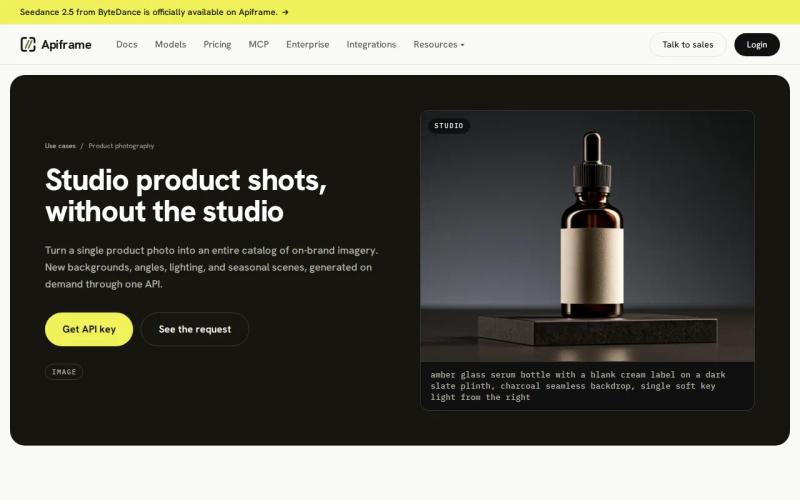
What sets Apiframe apart is its focus on product images, including an AI product photography API built to turn source product photos into consistent catalog and campaign visuals. You can send a product prompt or source image into a workflow and keep the result linked to the right SKU. That matters when a catalog team needs the same item shown in a clean studio shot, a lifestyle scene, and a short campaign clip.
The API also gives developers one place to manage requests across the main media types. In a typical flow, your system reads the source image, submits a job, waits for a result (or gets an automatic notification once it's done), then stores the output against the catalog record.
One thing worth stating plainly: a single API still needs testing for each model and task. Image quality, output format, processing time, and cost can differ by job. Start with a small set of products before rolling changes out across your full catalog.
2. Runware — One authentication and billing layer across media models
Runware is a broad media API for teams that want one login and one bill across many models. Its listed coverage includes image, video, audio, 3D, computer vision, and language models, so it suits teams building more than just a product photo workflow.

The useful part is how easy it is to switch models. Runware says you can switch to a different model by changing a single line in your code, while your login and billing stay the same. That can cut down on the extra work needed when your team wants to test several image models for background scenes or catalog variations.
Runware lists $2 in free credits for signing up with a business email, with no card required. That gives you a low-risk way to test how requests and outputs work before spending money. Its broader range of tools may help if the same app later needs computer vision or text-based features.
Check Runware's own site for the current media scope and account terms. The trade-off is focus: a wide catalog of model types can mean more decisions per request than a tool built specifically around product images.
3. WaveSpeed AI — A broad unified API for 1,000+ models
WaveSpeed AI is a single API that gives access to more than 1,000 models across image, video, audio, and 3D. It's a solid choice for developers who want to compare models without connecting each provider separately.

That breadth fits catalog variation testing. You can run the same prompt against more than one image model, compare product edges and lighting, then keep the best result for review. The same account can support a later move into image-to-video work for ads.
WaveSpeed AI offers free tools that don't require sign-up. It also promotes a single API across its full model lineup. Those points make it worth trying early on, though free access and what you'd actually pay in production are two different things.
Before you build a high-volume job queue, test how long files are stored, how errors are handled, rate limits, and real costs. Public information doesn't specify average processing speed or how well the platform is suited specifically to ecommerce, so you'll want to test that yourself.
4. Ecommerce Image-Generation APIs — Fast catalog variation testing
Tools built specifically for ecommerce image generation focus on product accuracy, image cleanup, scene changes, and consistent results. They're often a better fit than a broad, general-purpose tool when your main goal is improving catalog images at scale.

Claid is an ecommerce-focused image API for improving, standardizing, generating, and adapting product photos. Its listed features include category detection, background removal, preserving product details, formatting for different SKUs, and processing images in bulk. Confirm these features work as described for your specific catalog before committing.
The Photoroom API fits teams that need ready-made edits like background removal, shadows, relighting, image resizing, and standardized product photos. It charges based on the number of images processed, which can make costs easier to predict once you know your monthly volume. More complex catalog rules may still require some custom setup on your end.
remove.bg is narrower in scope. It works well for a workflow that needs just one main task, background removal, with everything else handled elsewhere. (Our comparison of remove background API options breaks this down further if that's the one task you're solving for.) Bria is a good fit for teams that prioritize commercial safety and questions about licensed training data. Adobe Firefly Services fits larger businesses already built around Adobe's creative tools.
For a single, unified workflow, Apiframe is easier to justify when image generation needs to sit alongside video and music. A specialized tool can win out when background removal, or another single edit, is the only job you need done.
5. Background-Removal and Upscaling APIs — Production-ready image cleanup
Background removal and upscaling APIs work best for teams that already have source photos and need clean, consistent images. The job is less about creating a new scene and more about fixing whatever is stopping a listing from going live.

This provider type works well when sellers upload photos taken on different phones, in different rooms, and under different lighting. Your system can remove the background, place the cutout on a canvas that matches your platform's requirements, then enlarge the file for a bigger view. Keep the original photo on hand so a team member can compare it to the final result during review.
Specialized APIs are often easier to budget for because cost usually scales with the number of images processed. That helps a catalog manager estimate monthly spend based on how many products and photos there are. It won't tell you, though, whether the tool handles tricky details well, like fine edges, transparent parts, fur, or reflective surfaces.
Test those harder cases before launch. A plain white sneaker might pass every check, while a glass object or a mesh garment can reveal where the tool falls short.
6. Relighting APIs — Dynamic lighting adjustments for product photos
Relighting APIs change the lighting in an existing photo without requiring a reshoot. They work well for catalogs with inconsistent source photos, or for campaigns that need a shared lighting style across many images.

A typical workflow starts with one approved source photo. Your system submits a request with the light direction or mood you want, then saves the result next to the original. Someone on your team reviews whether the new lighting changed the product's color, shape, label, or texture.
Relighting is especially useful when a product needs to appear in several campaign scenes. But it can also introduce false shadows or overly bright edges that look fine as a small thumbnail and fail once you zoom in on a product page. Add a review step instead of publishing every result automatically.
If you need relighting along with image generation and video, a combined tool like Apiframe gives you more room to build. If relighting is the only task on your list, a specialized tool may be simpler to set up.
7. Image-to-Video APIs — Animate product images for commerce campaigns
Image-to-video APIs turn a still product photo into a short video clip. They work well for teams that need social clips or ad variations without filming each one from scratch.

Keep your prompts focused on motion. Ask for a slow camera movement, a gradual lighting change, or a small shift in the scene, and avoid instructions that might change the product itself. The result should add movement while keeping the product's shape and details stable.
A production workflow can generate several clips from one approved photo. Keep a record of the model used, the prompt, the aspect ratio, the length, and whether it was approved. That record helps your team repeat a setup that worked well instead of starting from scratch each time.
Test queue behavior before promising a fixed delivery time to campaign teams.
8. Multimodal Media APIs — Images, video, audio, and text in one interface
Multimodal media APIs put several types of media jobs behind one interface. They work well for commerce apps that need the product image itself, plus supporting content like copy, voiceover, or music.

Picture a product launch that starts with one SKU and a short brief. The system generates a product image variation first. Once someone approves it, that same record can trigger a short video and background music request. Keeping all of these outputs tied to one job ID makes handoffs between teams easier.
A combined interface can cover image, video, audio, and 3D work. Apiframe keeps its core focus on images, video, and music. The tool that covers the most ground isn't always the best choice. Extra media types can add extra decisions around which model to use, permissions, and costs your product may not actually need.
Pick the smallest interface that covers the next release. Add more media only when a real workflow needs it.
9. Catalog Batch-Processing APIs — Automate thousands of product assets
Catalog batch processing APIs handle repeated media jobs across many products at once. They work well for marketplaces, retailers, and seller tools that can't rely on someone clicking through a dashboard one image at a time. (Our comparison of unified media APIs for batch image generation goes deeper into this specific use case.)

Build your process around a queue. Each item should include a SKU, a source file link, the type of task, the model used, the output format, and how many times it's been retried. Submit jobs in manageable batches, then check on their status or wait for a notification when they're done. Only save the final image once it passes your quality checks.
A small Python worker might follow this shape:
for item in catalog: job = submit_media_job(item.source_url, item.prompt) result = wait_for_result(job.id) save_asset(item.sku, result.url)That sketch is incomplete by design. Production code needs timeouts, retry rules, a way to avoid processing the same job twice, and a place to route failed jobs for manual review. You also need a human review path for damaged product details.
Batch size should follow your provider's limits, not guesswork. Measure successful assets per hour and cost per approved image.
10. Enterprise Media-Orchestration APIs — Scalable governance and ROI tracking
Enterprise-level tools connect image generation jobs to your catalog systems, file storage, review process, and reporting. They matter most for organizations where having oversight is just as important as the output itself. Our guide to enterprise unified media API features covers what to look for at this scale in more depth.

Your orchestration layer can route tasks by category. A fashion SKU may need detail preservation and several crops. A home item may need a lifestyle scene. A campaign asset may need video after image approval. Those rules belong in your app, not in a merchandiser's memory.
Track more than raw API calls. Useful fields include:
- Cost per generated asset
- Approval rate on the first review
- Time from source upload to published asset
- Retry count by task and model
- Complaint or correction rate after launch
Protect API keys on the server. Keep them out of browser code and source control. Give each environment its own credential, limit access by role, and rotate keys when staff or vendors change.
The main risk is overbuilding. Start with one catalog lane, prove the workflow, then add more task types.
Comparison table: Which unified media API fits your ecommerce workflow?
The right choice depends on the work your team must ship first. Apiframe leads when ecommerce product images sit beside video and music in the same build. Runware and WaveSpeed AI suit broader model testing, while specialist categories make sense for one narrow operation.
| Option | Best fit | Media scope or task | Cost signal | Main watchout |
|---|---|---|---|---|
| Apiframe | Product-image pipelines | Images, video, music | Unified workflow and credits | Test each model’s output and job time |
| Runware | Broad model access | Image, video, audio, 3D, vision, LLM | $2 sign-up credits with business email | No listed average latency |
| WaveSpeed AI | Model comparison | Image, video, audio, 3D | Free generators without sign-up | Confirm production retention and limits |
| Ecommerce image APIs | Catalog edits and variations | Generation, cleanup, relighting | Often usage or image based | May need custom orchestration |
| Batch-processing APIs | Large SKU runs | Repeated jobs through a queue | Measure cost per approved asset | Retries and quality checks add work |
For a closer look at how a catalog team actually put this to work, our unified API case studies for catalog imagery covers real SKU workflows and testing at scale.
One data gap affects every unified option in the sample: none disclosed average latency. Run a test with your own image sizes and task mix before choosing a provider for a time-sensitive storefront.
What to look for before adopting a unified media API
Start with one workflow, not a long wish list. Write down your source image, prompt, model choice, output format, review step, and where the final file needs to go. Then test that workflow with a range of images that will expose any weak spots.
- Integration: Check the request format, developer toolkit support, how you're notified when a job finishes, and error codes. Our guide to setting up webhook callbacks walks through the notification side of this.
- Cost: Compare credits per request with cost per approved asset.
- Throughput: Measure completed jobs per hour under your expected queue size.
- Control: Confirm model IDs, aspect ratios, resolution, and output formats.
- Security: Keep keys server-side and log access without storing secrets. See our AI media API security best practices for a fuller checklist.
- Quality: Review labels, edges, color, texture, and product shape.
For a deeper look at how these tools work, see what a unified AI media API is, which covers setup, pricing, security, and common use cases in more detail.
FAQ
What is the best unified media API for ecommerce product images?
Apiframe is a strong first choice when you need product image generation through a developer-friendly API that also covers video and music. Runware and WaveSpeed AI make sense when testing a wide range of models matters more than a focus on ecommerce. A specialized image API may be the better call for a single task, like background removal, though it may require pairing with other tools.
Can one API handle product images and video?
Yes. Some unified media APIs handle product images and video through a single account. Apiframe lists images, video, and music as its core media types. Test that products stay consistent across both image and video jobs before moving campaign work into production.
How do ecommerce teams process product images in batches?
Ecommerce teams usually place SKU jobs in a queue, submit each source image, then check status or wait for a notification with the result. Store the output URL with the SKU after quality checks pass. Add retries, timeouts, and a manual review path before processing a large catalog.
Do unified media APIs have free tiers?
Some do, but the terms differ. Runware lists $2 in credits for sign-up with a business email and no card. WaveSpeed AI lists free generators without sign-up. (Placeholder: confirm the exact count and which providers you're referencing here, since "four-item sample" didn't match the ten options covered above.)
What to evaluate before choosing a media API?
Test product fidelity, output size, cost, queue behavior, error handling, and storage time. Include hard cases such as reflective materials, fine edges, transparent parts, and poor source light. No API in this comparison disclosed average latency, so measure that with your own request mix rather than relying on a public claim.
Conclusion
Start with Apiframe if your ecommerce app needs product images now and may need video or music later. Try it with a small set of varied product images, track the cost per approved image, and confirm the results fit your catalog workflow before scaling up.


