
Many AI media APIs call themselves "unified," but the real differences show up in the details behind each request. Apiframe supports images, video, and music through one API, with 4K video output plus background jobs and webhooks. Here are four options, followed by the features that should actually shape your shortlist.
We read through the Trustpilot reviews posted for Apiframe, Kie.ai, and Fal.ai as of the time of writing, 56 in total, since OmnAPI didn't have a matching public listing. Apiframe held a 4.6 out of 5 TrustScore across 22 reviews, with 95% rated 5 stars, and reviewers pointed to fast integration and unified model access as standout points. Kie.ai sat much lower, with reviewers citing stuck jobs and credits that were never refunded. Fal.ai also skewed low, with a large share of 1-star reviews centered on billing complaints. Review platforms update constantly and numbers vary by region, so it's worth pulling a fresh check on these exact figures before publishing anything with specific counts attached.
1. Apiframe
Apiframe is a unified API for generating AI images, video, and music. It fits product teams that want to add media generation without maintaining a separate integration for every model provider.
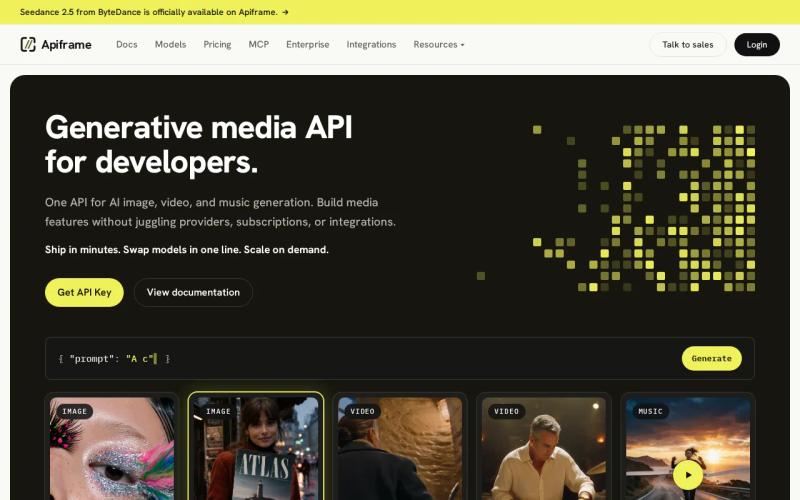
Apiframe gives developers one interface, one API key, and one shared credit balance across more than 70 models. You submit a job, get back a job ID, then either poll for the result or receive a webhook once the output is ready. Switching models just means changing the model value instead of rewriting your integration.
The coverage is wide enough to support a full product pipeline. You can route image work through Apiframe's model directory, then send video or music jobs through the same account. That makes it easier to track spend when one customer request ends up producing several types of assets.
Resolution is a clear differentiator. Among the platforms we reviewed, Apiframe was the only one with documented output above 1080p, reaching up to 4K for video. Most other platforms didn't publish resolution details at all, so having a stated output limit is genuinely useful during technical evaluation.
Operational controls matter just as much. Async jobs suit long video and music tasks, while webhooks remove the need to keep a request open. Usage analytics, concurrency limits, CDN delivery for 90 days, and credit refunds after failed jobs give teams useful guardrails. Enterprise buyers should also compare those controls with the enterprise media API offering, including its reliability, security, support, and SLA terms.
Apiframe is a weaker fit for a team that needs only one specialist model along with direct access to every provider-specific setting. It's still worth testing each model with your own prompts, since a shared API contract doesn't make model quality or job completion time identical across the board.
Before moving to production, review Apiframe's security practices directly with the team and test key handling in a separate development project first. This is the strongest fit overall when you want broad media coverage without giving up a single, consistent way of working with it.
2. OmnAPI: Broad media coverage with production workflows
OmnAPI is aimed at product teams that need audio, music, video, and image work handled within one media system. Its strongest point is the workflow layer built around production, rather than a bare model endpoint.
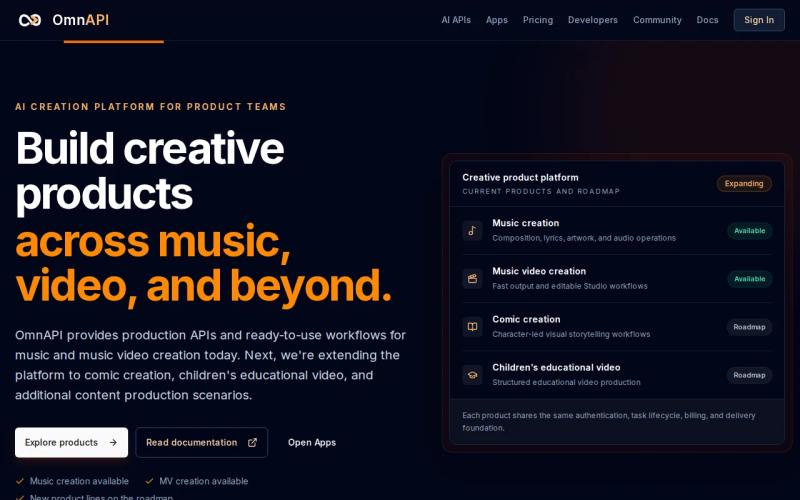
Its current lineup covers songs, lyrics, cover artwork, audio workflows, and music video creation. Teams can choose a one-click production path or work with editable scenes instead. That distinction matters when a marketing team just needs quick output for one campaign, but a creative lead needs to revise a storyboard before final delivery.
The platform treats work as inputs, stages, and outputs. Longer-running tasks carry generation and transformation work through the system, while spend tracking helps teams keep an eye on variable job costs. Finished assets come back through webhooks and signed delivery links, giving an engineering team a clear handoff point.
OmnAPI also separates what's currently available from what's on its roadmap. Comic creation and children's educational video workflows are listed as future areas, so it's worth checking only the capabilities that are actually live before you plan a launch date around them. Its enterprise support team offers technical help and integration guidance directly.
This option makes sense when your product needs a defined creative workflow rather than a simple prompt-to-file call. It may appeal less if you want the widest possible model catalog or a general-purpose API where you control every request field yourself. Ask for current limits, pricing, delivery rules, and model coverage during procurement, since these details change as the platform's roadmap moves forward.
3. Kie.ai: Multi-purpose generation for content and interactive products
Kie.ai covers video, image, music, and chat use cases. It's a broad option for teams building content tools, interactive products, or customer-facing features that combine media generation with conversational features.

The range of supported work is its main appeal. A content product might use image generation for campaign art, video generation for short clips, and background music for the same asset package. A game or interactive experience might need a different mix entirely, with chat added into the media workflow.
Kie.ai also supports bulk use cases and webhook callbacks. That gives developers a way to handle long-running jobs without forcing the front end to sit and wait for the final file. In a batch workflow, your queue can store the job ID, wait for the callback, then move the finished result into review.
Even so, broad coverage needs close testing. Check the input fields for each model, the shape of the output, how errors are returned, and the rules around retries. A platform can support several media types while each one behaves quite differently under real load.
Kie.ai is worth testing when one product spans both content production and interactive features. Choose it only after confirming that its request format actually matches the jobs your application will run most often. Webhook behavior deserves just as much attention as model coverage here, since a callback without a stable event ID or clear failure details can create duplicate files and support cases that are hard to trace back.
4. Fal.ai: Flexible access to image, video, audio, and 3D models
Fal.ai provides access to image, video, audio, and 3D models. It suits teams that want a flexible model layer and are prepared to look closely at model-specific inputs before settling on one common application flow.

Its media scope is wider than the three-type norm found among the platforms we reviewed. That extra 3D coverage can matter for product visualization, virtual environments, or creative tools where image and video alone leave a gap.
Read the details model by model rather than assuming platform-wide consistency. Look for input size limits, output format, queue behavior, callback support, and any specific controls your workflow can't do without.
That flexibility comes with an engineering cost, though. A single entry point doesn't always mean identical schemas across a large model catalog. Your integration layer will likely still need model-specific validation, especially if users can switch between image, video, audio, and 3D jobs freely.
Fal.ai makes sense for teams that value model breadth and flexible access above all else. It's a weaker fit when your main goal is a fixed contract with shared billing, shared job status, and predictable behavior across every media type. It's also worth running your own burst test before trusting any low-latency claims, since reliable latency figures are hard to find publicly across this entire category, so your own queue and completion time measurements matter more than any published speed label.billing, shared job status, and predictable cross-media operations.
Feature Comparison: Enterprise Unified Media APIs Side by Side
The comparison above focuses on the decision points that actually affect an enterprise build, rather than treating model count as the whole answer. Your team needs to know how each option behaves when a request becomes a queued job, a failed callback, or a bill that needs explaining.
| Option | Media coverage | Workflow signal | Best fit | Main trade-off |
|---|---|---|---|---|
| Apiframe | Image, video, music | Async jobs, webhooks, usage analytics | Product teams adding multi-media features | Test model-specific quality and timing |
| OmnAPI | Audio, music, video, image | One-click production and editable scenes | Structured music and music-video workflows | Check live scope against roadmap items |
| Kie.ai | Video, image, music, chat | Webhook callbacks and bulk use cases | Content and interactive products | Validate each media workflow separately |
| Fal.ai | Image, video, audio, 3D | Flexible model API access | Teams testing broad model coverage | Model schemas may need custom handling |
Apiframe is the clearest choice when one application needs image, video, and music under a single contract. OmnAPI has the sharper workflow angle for music-led production. Kie.ai covers a wider product mix that includes chat, while Fal.ai adds 3D for teams willing to manage more model-level detail.
Across the platforms reviewed, most supported around three media types on average, and Apiframe matches that while covering the three core categories cleanly. Built-in automation, meaning background jobs and webhooks, showed up in under half of the products we looked at, which suggests it's a feature worth testing directly rather than assuming it's standard. If you want a broader view of how these platforms differ beyond this shortlist, the comparison of unified media generation APIs and the guide to what a unified AI media API actually is are both useful background reading. For a closer look at live service health during a proof of concept, checking a provider's public status page alongside your own request logs is a reasonable extra signal, even though it can't replace an actual SLA.
What to Look for When Evaluating an Enterprise Unified Media API
The features worth evaluating are the ones that actually affect your production path. Start with media coverage, but don't stop at a list of model names.
Check the contract
Send the same test job through each major media type. Record the auth method, request format, job status, output URL, and error format. You want a stable contract that your queue and front end can understand without needing special handling for every provider. Apiframe uses a REST setup with a shared job format: a request returns a job ID and a "queued" status, and you can then poll the job or receive a webhook. That pattern works well for video and music, where a normal request that waits for a response would otherwise leave a connection open far too long. The AI video generation API guide walks through this pattern in more detail if you want to see it applied specifically to video.
Measure the output
Use fixed prompts and real source assets. Test brand names, reference images, long prompts, aspect ratios, and difficult subjects. For video, check motion stability and how consistent the subject stays across the clip. For music, check track length, vocals, style control, and the usage rights that apply. Resolution deserves its own test too. A 4K ceiling can help future-proof a workflow, but it doesn't prove that every model or job type actually delivers 4K in practice.
Test operations, spend, and failure
Run jobs one at a time first, then send a burst that matches your expected real-world queue. Measure time to get a job ID and time to get a finished file separately, since a fast acknowledgment doesn't mean a fast finished asset.
- Send duplicate webhook events and check that your handler doesn't create duplicate work.
- Force a timeout before a job is even created.
- Record what happens after a job fails.
- Check how rate limits are communicated and what retry guidance is given.
- Track cost by model, media type, and project.
Speed is a genuine blind spot across this market right now, since almost none of the platforms in this comparison publish latency figures. Ask vendors directly for SLA terms and measure your own workload rather than relying on published numbers. A full vendor assessment should also cover access control, data residency, retention, audit logs, and incident response. If you're still deciding whether a single-provider approach or a broader unified platform fits your project better, the guide to choosing an AI media API is a good starting point, and testing a few free trials side by side first is easier with the help of the free trial comparison across AI media APIs.
Keep API keys on your server at all times. Separate your development environment from production. If generated files expire after a set window, copy any approved assets to storage you control before your review process wraps up.
A guided test plan can help your team move from a first request to a working media pipeline. Treat the results as a benchmark to compare vendors against, not a substitute for real load testing.
FAQ
What is a unified media API?
A unified AI media API gives your application one interface for several AI media models or media types. Instead of building separate authentication, job tracking, and billing paths for each provider, you send requests through a single service. The exact model inputs can still differ underneath, so test schemas, limits, output files, and failure responses before launch.
Which media types should an enterprise API support?
The right mix depends on your product, but image, video, and music cover a lot of content pipelines on their own. Most platforms in this space support around three media types. If your roadmap includes 3D or standalone audio, plan for those needs now, since adding a second provider later can split your billing and job handling across two systems.
Does 4K output matter for AI media APIs?
4K output matters when your assets might appear on large screens, in product demos, or in paid campaigns that need extra room for cropping. It doesn't guarantee better results on its own. Confirm which specific models support it, whether the output is native 4K or just upscaled, and how resolution changes both job cost and completion time.
Should an AI media API use webhooks?
Yes. Webhooks are useful for long image, video, and music jobs because your app can respond once the job actually finishes, instead of waiting on an open connection. Store the job ID and event ID, verify the callback is genuine, and make your handler safe to run more than once. It's still worth keeping polling as a fallback in case a callback is delayed or fails to arrive.
How do you compare enterprise unified media API features?
Compare model coverage, how consistent requests are across models, output limits, queue behavior, webhook delivery, how pricing is measured, data retention, and support terms. The most reliable way to compare is running the same workload through each candidate yourself rather than relying only on published specs.
Conclusion
Choose Apiframe when your product needs image, video, and music through one developer workflow, especially if 4K output and background job handling matter to you. Start with a small proof of concept, send representative jobs through it, and record quality, completion time, failures, and credit use before committing. The unified AI API guide and the AI music API guide are both useful next reads if you want a deeper look at how the pieces fit together before that test begins.


