Free access is still rare among unified AI media APIs. Here are the strongest options, what their plans mean, and who each one fits.
1. Apiframe: One API for AI image, video, and music generation
Apiframe is the clearest fit when you want one API for several media types. It gives developers access to 70+ models through one key, one job shape, and one credit balance.
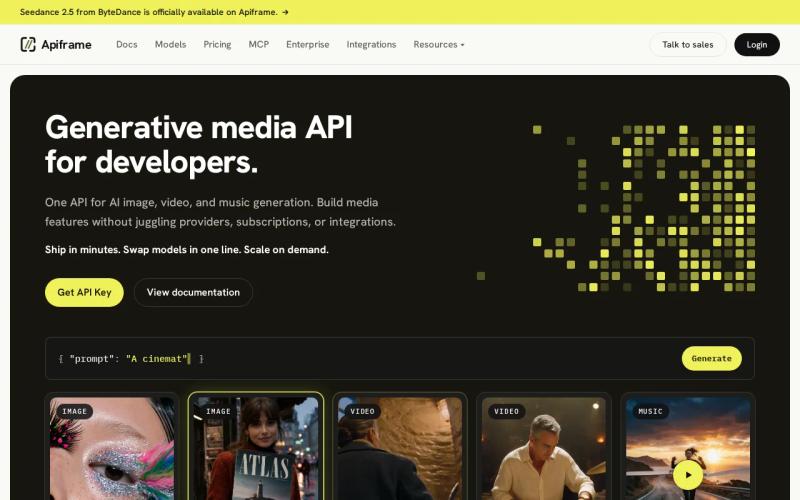
The Free plan includes 50 credits at signup. No credit card is needed to test the API. Paid plans start at $39 per month, with the first month priced at $19. That gives you a clear path from a small proof of concept to team use.
The same REST API handles image, video, and music jobs. You submit a request, receive a job ID, then poll the job or use a webhook. If you switch from one model to another, you change themodelparameter instead of rewriting the integration.
Apiframe also includes Studio for no-code tests, usage analytics, concurrency limits, and CDN hosting for generated media for 90 days. Paid credits reset each renewal, so track usage before a busy campaign consumes the balance. Failed jobs refund their reserved credits automatically.
Use the Apiframe pricing and plans page to compare concurrency caps. The Basic plan allows five concurrent jobs, while Scale allows 100 and includes an uptime SLA. Those limits matter when your app generates many product images or ad variants at once.
Best for: teams that need image, video, and music behind one contract. The trade-off is that per-model credit costs vary, so you still need to check the model price before setting a unit budget.
2. Replicate: Flexible compute-based pricing for image and video models
Replicate uses compute time as its main pricing idea, which makes it useful when you want to test separate models without paying for idle capacity.

You pay for the time a model runs. You don't pay for idle model instances. That can help when traffic is uneven, such as an internal tool used by a small design team during work hours.
The model-by-model approach also gives you more control over raw compute cost. But it places more work on your team. Each model may have its own input format, output behavior, runtime, and error pattern. A shared wrapper in your codebase can reduce that pain, though it becomes your responsibility to maintain.
That difference matters in a trial. A free credit grant can test output quality, but it may not reveal the engineering time needed to normalize several model endpoints. An application programming interface is a way for software components to communicate through defined rules. In practice, those rules are where much of the integration cost sits.
Best for: developers who want compute-based billing and direct access to model runtimes. Replicate is less suited to a team that wants one stable contract across image, video, and music.
3. fal: Fast inference across image, video, and audio APIs
fal is aimed at fast inference across image, video, and music or audio workloads. Its main appeal is speed, especially for products where users wait for a result inside an active session.
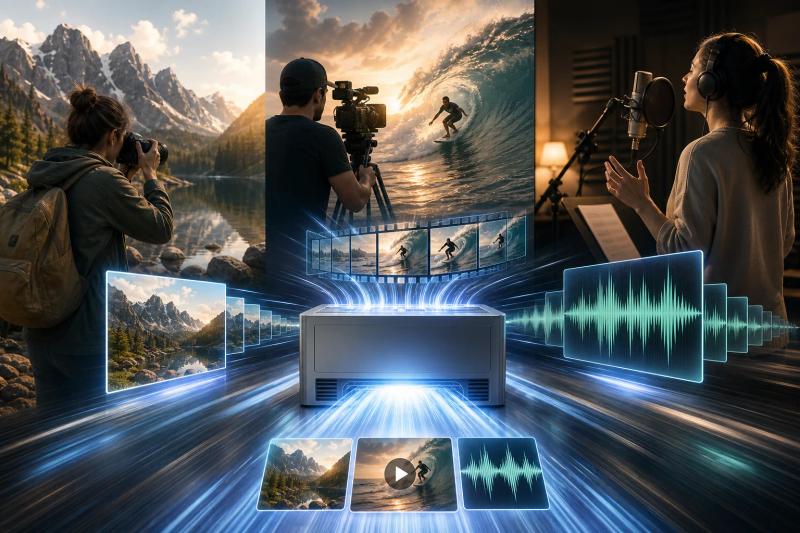
fal describes its Inference Engine as up to 10x faster. Treat that as a vendor claim, not a promise for every model or request. Measure the models you plan to ship, since output length, queue load, and image size can change the result.
Audio support gives fal a wider scope than many image and video API choices. That matters when one workflow needs a short clip plus a voice or music layer. You can keep those calls within the same provider, but you still need to inspect each endpoint's input shape and billing rule.
Before you commit, define a small test set and record queue time, failure rate, output quality, and cost per accepted asset.
A request-and-response model helps explain why async media calls need clear status handling. A fast request still needs a reliable way to report completion or failure.
Best for: teams that value low latency and can budget for paid tests. Choose another option if a no-cost trial is a hard requirement.
4. GoAPI: A simple free entry point for generative AI APIs
GoAPI is positioned as a simple and cost-effective entry point for generative AI APIs. Its free offering makes it worth testing when your first goal is to confirm that a workflow can run.
A free start reduces the risk of a quick prototype. You can test prompt flow, save outputs, and check how your app handles an async response before asking for budget approval.
Ask how credits expire, how failed jobs are handled, and what happens when a model changes its input format.
For a small app, a simple first call may matter more than a long model list. For a production app, the answer changes. You need clear usage records and a plan for retries, webhook delivery, storage, and rate limits.
Best for: developers who want a low-friction first test. Get the paid terms in writing before you build a customer-facing workflow around it.
5. Google Flow: A low-cost starting point for cinematic video clips
Google Flow is a consumer-facing starting point for cinematic video clips, with video and audio support. Its free tier includes a small credit allocation and access to Veo 2, but it doesn't include priority rendering.
The paid plan starts at $19.99 per month. That price looks low beside developer plans, but compare the product shape before you choose it for an app. A creative interface and a developer API solve different problems.
Flow is useful for testing visual direction or making a few sample clips. It is a weaker fit when your product needs server-side jobs, stable webhooks, usage controls, or a shared team billing model.
Its stated trial limits are more helpful than vague “free” labels. You know that credits are small and rendering has no priority. Most providers in the comparison don't give that much detail.
Trial vs paid plan comparison for unified media APIs
The key difference in trial vs paid plans for unified media APIs is what you can learn before spending. A free tier may test a prompt, while a paid plan reveals queue behavior, concurrency, and cost at useful volume.
| Option | Trial position | Paid pricing signal | Media scope | Best fit |
|---|---|---|---|---|
| Apiframe | 50 signup credits | $39 monthly, first month $19 | Image, video, music | One API across media types |
| Replicate | No clear free tier listed | Compute-time billing | Image, video | Direct model testing |
| fal | No clear free tier listed | Pricing varies by model | Image, video, music or audio | Fast inference tests |
| GoAPI | Free offering listed | Not listed | Generative media scope varies | Early prototypes |
| Google Flow | Small credits, no priority rendering | Starts at $19.99 monthly | Video, audio | Cinematic clip tests |
Only four of the 11 reviewed providers list a trial. That makes trial clarity a useful filter, not a minor feature. For broader context on AI media APIs with free trials, compare how each provider defines credits, access, and limits. Apiframe is the only option in this comparison that pairs a documented free start with one interface for images, video, and music.
Pricing also uses different units. Apiframe bills credits, Replicate bills compute time, and some single-model services quote per second or per video. Don't compare those numbers until you define one shared unit, such as cost per accepted image or cost per finished clip.
For a deeper cost check, use the unified AI media pricing calculator guide to map request volume against model choice. You should also test failure refunds and retry behavior before launch.
FAQ
Which unified media API has a free trial?
Apiframe has the clearest free starter option in this comparison, with 50 credits at signup. GoAPI also lists a free offering, while Google Flow gives a small credit allocation with limited rendering priority. Check the exact limits before testing, because “free” can mean credits, a demo, or restricted access.
Are paid media APIs cheaper than direct model APIs?
Paid unified media APIs aren't always cheaper per generation than direct model access. Their value comes from shared integration work, billing, job handling, and model swaps. Compare the full cost of one accepted asset, including failed jobs, retries, engineering time, and storage after the provider's retention window.
What can developers assess during an API trial?
Test one complete production-like workflow during the trial. Send several prompts, force a retry, inspect the job status, receive a webhook, and record the final cost. For video, add queue time and output duration. For music, check file delivery and whether the API fits your app's job model.
Does Apiframe support image, video, and music generation?
Yes, Apiframe supports image, video, and music generation through one REST API. You use the same API key and job pattern across supported models. The catalog changes over time, so check the current model list and per-model credit cost before promising a specific model to customers.
How do credits work on a paid unified media API?
Credits usually represent spend, but each provider defines them differently. On Apiframe, credit value is defined by its pricing terms. Credits are reserved when a request is accepted, then refunded if the job fails. Monthly plan credits reset at renewal, so a team should watch usage instead of assuming unused credits will carry forward.
Conclusion
Choose Apiframe if you want the lowest-risk path from testing to a multi-media product. Start with the free credits, run a small image and video workflow, then review the Apiframe API quickstart before moving a customer flow into production.