
AI media API pricing is split between credits, subscriptions, per-image fees, and per-second video rates. That makes a fair cost check hard when your product needs more than one media type. Here are five options, with Apiframe first for teams that want image, video, and music behind one API. If you are new to the topic, our guide to unified AI media API pricing is a good place to start.
1. Apiframe
Apiframe is one API for AI image, video, and music generation. It is the best fit for developers who want one key, one job flow, and one credit balance across several media features.
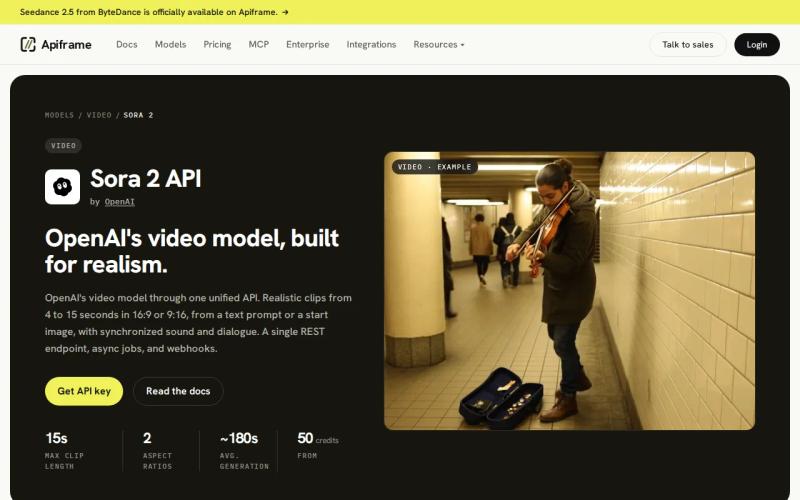
Apiframe gives you access to 70+ models through a single shared API. You can submit a job, receive a job ID, then either check for the result yourself or get notified automatically once it is done. Changing models just means changing one setting instead of rebuilding the integration.
The billing unit is a credit, and one credit equals $0.01. Rates vary by model and output settings, so a calculator should check the exact model, resolution, length, and audio choice instead of using one average rate. Our guide on what AI image APIs actually cost per image shows how those per-model rates work for images, and our music pricing guide does the same for audio.
Apiframe does not have a free plan. New teams can unlock 100 starter credits after a quick phone check or a one-time $1 payment. Paid plans begin at $39 per month (the first month is $19) and include 4,000 credits and five jobs running at once on Basic. Pro includes a larger credit allowance and 12 jobs at once. Growth and Scale raise both the credit pool and the job limit.
Credits are reserved when a request is accepted. If the job fails, they are refunded automatically. Plan credits reset at renewal and do not roll over, while paid users can buy top-ups when a project needs more capacity.
The trade-off is simple: a single-media app may pay for wider model access it does not need. But if your roadmap includes product images today and video or music next quarter, Apiframe keeps your backend setup steady. That cuts the hidden work of stitching together several providers. Our explainer on what a unified AI media API is covers the benefits of consolidating image, video, and music generation into one API.
2. Renderful, Predictable Per-Generation Pricing Across 144+ Models
Renderful uses flat per-generation pricing with no monthly minimums. It suits teams that want to forecast the cost of a finished generation without committing to a recurring plan. Its main appeal is a single bill across more than 144 models.
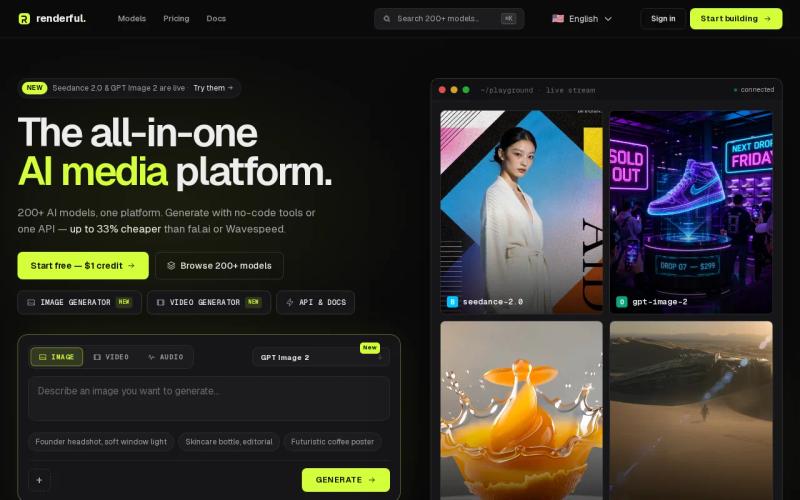
Flat generation pricing is easy to explain in a product budget. Say your workflow makes 200 images and 30 clips each month. You can multiply the listed generation prices by those planned counts, then add a buffer for retries. You do not need to first divide a subscription into an estimated per-output value.
That clarity has limits. A generation may change in cost when you switch model, length, resolution, or output mode. Check the live price for each route before you put a number in a customer quote.
Renderful also leaves you to compare the operational details that a flat price does not answer. Look at how jobs are handled, how you are notified when one finishes, where files are stored, how many jobs can run at once, and whether failed jobs are refunded. A cheap unit price can lose its edge if your team has to build those pieces around it.
Choose Renderful when cost predictability matters more than a long-running monthly credit relationship. Choose Apiframe when you want that predictability plus a shared developer setup across 70+ models and three media types.
3. getimg.ai, Subscription Tiers for Image, Video, and Audio Workloads
getimg.ai is a subscription-based creative platform with image, video, and music or audio support. It fits creators and teams that want a broad workspace for visual exploration, not just a bare-bones API.
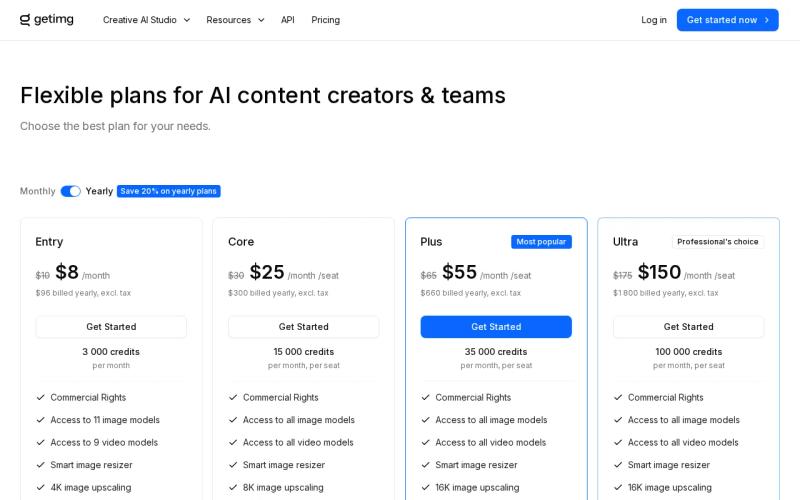
The listed plans are billed yearly, with tiered annual pricing. The exact value depends on the plan’s monthly credit allowance and the work you send through it. Unused monthly credits do not roll over, so a quiet month can reduce the value of a paid tier.
There is another detail developers should catch before they build a forecast: API access is treated as a separate product from the regular subscription. A plan that works for the browser-based studio may not cover the API calls your app will make. For comparison, check our guide to what AI image APIs actually cost per image against getimg.ai’s tiers before you commit.
getimg.ai is useful when a team needs many creative directions. You can test references, compare styles, explore aspect ratios, and refine draft assets in one creative setting. It is strongest for concept work, portraits, image variations, and early product or campaign ideas.
Exact text, logos, and strict packaging details still need human review. Credits can also disappear during retries or tests, and more advanced models may cost more.
getimg.ai makes sense for an image-first team that values a creative studio. For an app that needs one billing layer across image, video, and music, Apiframe is easier to model at the API level.
4. Runway API, Credit-Based Image and Video Cost Planning
Runway API uses pay-as-you-go credits at $0.01 per credit and supports image and video. It fits teams already committed to Runway’s media tools, especially when video is the main deliverable. Our Runway API guide covers how it works.
The cost of a video request depends on the model, length, and resolution. That means a useful calculator needs more than a monthly request count. Enter the clip length and output setting, then multiply the credit price by the number of planned takes. Our guide to AI video API pricing covers this same per-second math across several providers if you want a wider comparison, and our comparison of Runway API providers shows how access terms change the price.
Runway’s credit model can work well for a focused video pipeline. You can budget a short clip as one production unit, then add an allowance for rejected takes. But the math gets harder once your product also needs music or a different image provider.
Runway is a sensible choice when its own models and media scope match the brief. Do not compare its $0.01 credit directly with an image price from another service. Credit units are only useful once you know the model, length, and output settings behind them.
5. FAL.AI, Low-Cost Model Access for Many AI Media Use Cases
fal.ai is a usage-based model access platform. It is known for low prices on many models, which makes it worth checking when unit cost is your first concern. Our fal.ai pricing breakdown covers its billing in more depth.

Usage billing can keep a small test from turning into a large subscription. You pay for the calls you make, then scale the estimate with your expected request count. This works best when your team already tracks model-level cost and can account for different output settings.
The catch is that a low headline price does not remove the need for a detailed calculator. Compare the exact model, input type, output size, clip length, and retry rate. A five-second draft and a longer, high-resolution clip are different budget items, even when they share one model family.
fal.ai also shows a trade-off found across many model marketplaces. Broad access can mean more input formats and model-specific rules to manage. Your application may need a small connector layer for each model, plus a shared layer for jobs, notifications, failures, and usage records.
That can be fine for a technical team that wants direct control over model choices. Apiframe is a better fit when you want those pieces handled for you, under one setup, with a shared credit balance and model swaps through one integration.
Before choosing on unit price alone, run ten representative requests through the models you may ship. Record successful outputs, failed jobs, average time, and the number of retries, following a similar approach to our guide on estimating the monthly cost of AI video generation. That small test gives your calculator better inputs than a broad claim about being cheap.
Pricing Comparison: Which Unified AI Media API Fits Your Workload?
A pricing calculator for unified AI media generation should show more than the listed price. It should reveal which billing style fits your request pattern and how much integration work sits behind the price.
| Option | Billing signal | Media fit | Best use | Watch for |
|---|---|---|---|---|
| Apiframe | Credits, with plans from $39 per month | Image, video, music | One product with more than one media feature | Model rates vary, and plan credits reset |
| Renderful | Flat per generation | Image, video, music or audio | Teams that want a simple unit forecast | Check route-level rates and API operations |
| getimg.ai | Yearly subscription tiers | Image, video, music or audio | Creative teams exploring many visual directions | API billing is separate from regular plans |
| Runway API | $0.01 per credit, pay as you go | Image, video | Runway-focused video workflows | Duration and resolution change the cost |
| FAL.AI | Usage-based model access | Varies by route | Teams tracking model-level spend | Input shapes and operations can differ by model |
Apiframe is the strongest general fit when one app needs several media types. Its plans and credit limits make monthly capacity visible, while top-ups give paid teams another way to handle bursts.
For a single video route, Runway may be easier to compare. For image-led creative work, getimg.ai may suit a studio workflow. The right answer changes when your product needs one integration instead of three separate ones.
FAQ
What is a pricing calculator for unified AI media generation?
A pricing calculator for unified AI media generation estimates spending across image, video, and music requests in one view. It should accept model choice, output settings, length, request count, and retry rate. A useful result shows both unit cost and monthly cost, so you can compare a credit plan with per-call or subscription billing.
Which AI media API has the clearest pricing?
Apiframe has a clear structure for teams using more than one media type, because it uses one credit balance across its model list. The exact cost still varies by model and output setting. For a fair estimate, enter each planned route into the calculator instead of treating one average credit rate as the cost of every job.
Is a credit-based AI API cheaper than a subscription?
A credit-based AI API can be cheaper for uneven workloads, because you pay for usage instead of a fixed seat or studio plan. It is not always cheaper at high volume. Compare included credits, expiry rules, refunds on failed jobs, top-up prices, and how many jobs can run at once before you choose. Those terms affect the cost your team actually pays.
What should an AI video cost calculator include?
An AI video cost calculator should include the model, clip length, resolution, audio mode, and number of attempts. Video prices often change with output length or quality. Add a retry allowance too. If your app makes five drafts before approval, calculating only the final clip will understate the budget. See our guide on estimating monthly AI video generation costs for a fuller walkthrough.
Can one API support image, video, and music generation?
Yes. One API can support image, video, and music generation when the provider offers those as separate options behind one login and job system. Apiframe does this with separate generation endpoints and a shared credit balance. You still need to handle results that finish after a delay, plus your own storage. Our guide on setting up webhook callbacks explains how that notification pattern works for completed jobs.
Conclusion
Pick Apiframe if your product may generate more than one kind of media and you want one usage view for the whole stack. Start by listing your expected image, video, and music jobs, then test those routes by following our Getting Started with Apiframe guide before you set a monthly budget.


