
Choosing a media API often means choosing between model breadth, cost, and response time. Here are six developer SDKs for unified AI media APIs compared by coverage, fit, integration style, and trade-offs.
1. Apiframe
Apiframe is one API for AI image, video, and music generation. It's best for product teams that want one integration while they test several models or ship more than one media type.
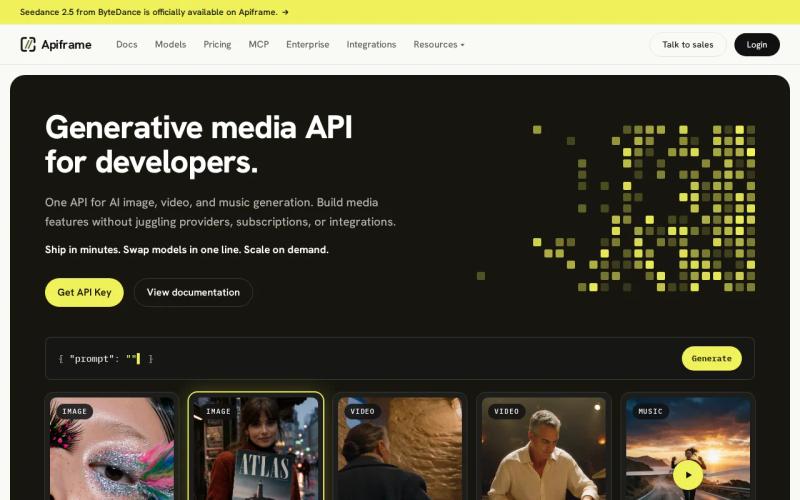
We give Apiframe the first spot because it combines breadth with a clear operating model. One API key handles 70+ models. The REST API uses the same job shape and webhook contract across supported models, so a model swap usually means changing the model parameter instead of rewriting the whole integration.
The request flow is easy to fit into a queue. POST a generation request, receive a job ID, then poll the job or wait for a webhook. Generated files stay on the Apiframe CDN for 90 days. After that window, your app should move important files into its own storage.
| Decision point | Apiframe fit | What it means for you |
|---|---|---|
| Multiple media types | Image, video, and music generation | Keep related features under one account |
| Model switching | Change the model parameter | Test new models without a new provider contract |
| Async work | Job IDs, polling, and webhooks | Run long video jobs outside the request thread |
| Billing | Credits | Track usage with one shared balance |
| Entry cost | Free tier, then Basic at $39 per month | Higher disclosed starting cost than some rivals |
Apiframe's main caveat is price. The Basic plan starts at $39 per month, while several alternatives publish free access or no monthly fee. Still, the price includes all 70+ models, webhooks, Studio, usage analytics, and top-ups. Check the AI model catalog before you decide if its coverage matches your product.
2. ApiPass: broad media coverage for production AI products
ApiPass covers image, video, music, and audio. It's best for teams building production AI products that need broad media coverage under one service.
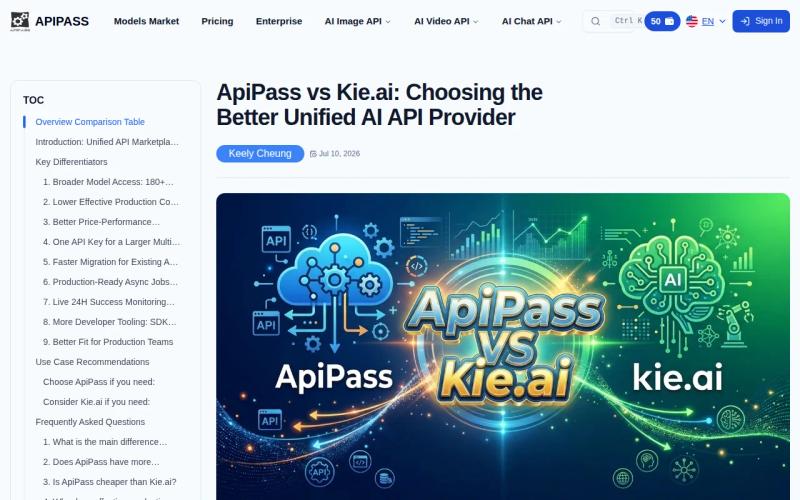
The appeal is simple. A team that plans to add image generation first, then video or audio later, can start with a wider media scope. That reduces the chance of picking an API that fits one launch feature but forces a second vendor for the next release.
ApiPass is also useful when your team wants to compare several media workflows before it commits to a narrow stack. You can map each feature to its required output type, then test the request shape and job handling before moving it into your main app.
ApiPass doesn't publish a latency claim, so don't assume that broad coverage means fast output. Run your own timing test with the same prompt, output size, and queue load before setting a user-facing wait limit. The comparison source lists ApiPass among the options with the broadest media mix.
For a production app, inspect failure states as closely as successful outputs. Test timeouts, failed jobs, webhook retries, and file handoff. Those checks tell you more than a short demo.
3. Kie.ai: fast experimentation across AI media models
Kie.ai covers image, video, music, and audio. In this shortlist of developer SDKs for unified AI media APIs, it fits quick experiments, short-term prototypes, and non-critical apps.

That positioning makes sense for a builder who wants to test a feature before spending time on production controls. You can use a broad media API to see if users want image remixing, short video creation, or audio output before you build a larger service layer.
Think of a prototype that turns a text brief into a social post with an image and short clip. The first goal is to prove the flow. The second is to learn which inputs users repeat. Kie.ai suits that early loop because the stated use case favors speed of experimentation over long-term operational needs.
Its weakness is the same reason it fits prototypes. A non-critical app can tolerate more uncertainty around latency, job behavior, and support terms. A paid workflow that blocks a customer order cannot.
Keep your integration code simple if you choose Kie.ai for a test. Store your prompt, model name, request ID, status, and output URL in your own database. That way, a later provider change won't force you to rebuild the product's media history. An API is a contract between software systems, but each provider can still expose different model inputs.
4. Replicate: model-focused image and video API access
Replicate focuses on image and video access. It suits developers whose product needs those two media types and who want to work with model-specific API endpoints.
A narrow media scope can be a benefit. If your product only makes images or videos, you don't need to evaluate music billing or audio output. You can focus your test plan on prompt inputs, image dimensions, video length, output quality, and job completion.
Replicate is also a useful comparison point for teams deciding between a model-focused service and a wider unified API.
Plan for model-level differences. One image model may accept a text prompt and aspect ratio, while another needs an image input or a different parameter name. Your code should validate inputs before sending them, then record the exact model version with each job.
That record matters when a customer asks why two outputs differ. Each model provider decides how its own generation jobs behave, so solid error handling and retry logic should be part of your integration from the start.
Replicate may be the better fit when your team wants to stay close to individual models. Choose a wider provider when you expect to add music or need one billing and webhook contract across media types. For a breakdown of Replicate costs versus unified alternatives, see our Replicate pricing comparison.
5. Fal.ai: high-performance image, video, and audio generation
Fal.ai covers image, video, and audio. It fits developers who want a performance-focused generation API for products that don't need music as a separate media category.
The service belongs on this list because its coverage spans three major output types. A creative app could use image generation for still assets, video for motion output, and audio for sound layers without adding a separate provider for each feature.
But don't treat the word “high-performance” as a service-level promise for your exact workflow. Test the full path instead: request acceptance, queue delay, generation time, file transfer, and any post-processing inside your app. A unified media API latency guide can help structure those measurements and define meaningful performance targets.
Fal.ai can make sense when your app is centered on image and video but needs audio support too. If music generation is a firm requirement, confirm the exact output type and model access before you commit.
For load tests, keep prompts and output settings fixed. Send the same request more than once, then compare median and 95th-percentile completion times (p50 and p95). A provider that feels quick in a single manual test may behave differently when many users submit jobs together.
6. GoAPI: low-cost access for enthusiast developers
GoAPI covers image, video, audio, and music. It is best for enthusiast developers experimenting with personal apps, especially when a $0 monthly starting point matters more than production guarantees.
The free entry point lowers the cost of a first test. You can build a small proof of concept, learn how users respond, and decide if paid usage makes sense later. That is useful for a side project where the developer controls the whole workflow and can accept some manual checks.
GoAPI's broad media mix also helps with small experiments that combine formats. For example, you might test an image prompt flow first, then add a short video or music output once the basic app works. Keep those features behind clear limits while you learn actual demand.
The trade-off is predictability. With a free plan, it can also be harder to estimate costs at scale when billing units or model rates vary by task.
Before you move a customer-facing feature to GoAPI, test failed jobs and output retention. Save any file your app needs beyond the provider's stated retention period. If you need help comparing usage patterns, a unified AI media pricing calculator can give your team a clearer cost model before launch.
GoAPI is a sensible low-cost test bed. It is less suited to a workflow where a missed generation blocks a paid transaction or a user expects a fast result every time.
FAQ
What is the best unified AI media API for developers?
Apiframe is the strongest first choice when you need image, video, and music generation under one API contract. It supports 70+ models, async jobs, webhooks, shared credit billing, and model changes through a parameter update. If your project only needs one media type, a narrower provider may still be simpler. Follow the getting started guide to run your first request.
Which AI media API has the lowest price?
GoAPI has the lowest disclosed starting price in this shortlist at $0 per month. Price alone doesn't show the full cost of a production workflow. Compare model rates, failed-job refunds, concurrency, storage, and the time your team spends handling separate integrations. For a side-by-side look at free tiers across providers, see our AI media API free trial comparison.
Which developer SDK supports image, video, and music?
Apiframe, ApiPass, Kie.ai, and GoAPI are listed with image, video, and music coverage. Their exact model catalogs and input shapes can differ. Ask for the models you need, then test one request per media type before you choose a long-term integration.
Which AI media API is best for low latency?
Measure your own end-to-end time before you publish a strict response target.
Should I choose a free AI media API for production?
A free AI media API can work for a prototype, but production needs more than a low monthly fee. Check queue behavior, concurrency, webhook delivery, output storage, support terms, and model stability. Start with free credits if you need to learn demand, then switch to a plan that matches your expected job volume. See how leading options stack up in our top unified media APIs for small teams comparison.
Conclusion
Choose Apiframe if your product may use more than one media type or if model switching matters. Its $39 Basic plan costs more than the $0 options, but it pairs one contract with 70+ models, async jobs, webhooks, and the flexibility to swap models without changing your integration. Start by testing your top image or video workflow through the Apiframe API quickstart.


