
AI music can shorten the path from a mood brief to a playable soundtrack. But game engines need more than an audio file. You need async jobs, secure API calls, stable storage, event-based playback, and a fallback when generation takes too long. This guide shows how to connect AI music generation to Unity, Unreal, or another engine without putting provider keys in the client.
Step 1: Define the Game Audio Workflow and Generation Requirements
Before you integrate AI music generation into a game engine, decide where generation happens and when players hear the result. Treat the music system as a game feature, not a one-off API call.
Start by listing the game states that need music. A small action game may need calm exploration, combat, boss combat, victory, and defeat. A role-playing game may need location themes, tension layers, stealth cues, and a music state for dialogue.
For each state, write down four details:
- The mood and genre, such as dark ambient or fast synthwave.
- The target length and whether the track loops.
- Whether you need an instrumental track or vocals.
- How the music should change when the game state shifts.
Then choose your generation mode. Pre-generated tracks work best when you need a fixed soundtrack with tight timing. Runtime generation fits player-created worlds or personalized sessions, but it must happen before the player needs the audio. A live request during a boss attack will not feel live if the job takes several seconds.
Set a latency budget in plain terms. For example, the game might allow a new exploration track to load during a scene transition. It might allow no delay at all during combat. This decision shapes your cache, preload queue, and fallback plan.
Also check the rights for commercial release. Apiframe uses credits for usage and includes commercial rights under its current offering. Its unified API gives you one request pattern across many media models, which can reduce the work needed when you test different music models. The comparison of music API choices can help you compare the available options before you write engine code.
By now you should have a short audio brief, a list of game states, a timing budget, and a written rule for what happens when generation fails.
Step 2: Choose an AI Music API and Design a Secure Backend
To integrate AI music generation into a game engine safely, keep every provider request on your server. Never ship an AI API key inside a Unity build, Unreal package, desktop client, or mobile app.
Pick an API based on the shape of your workflow. Apiframe is a sensible first choice when you want one interface for several music models. It supports a unified API with async jobs and webhooks. You can change the model parameter later instead of rebuilding the full integration.
Open the provider console and store the key as a server-side secret. Your game should call your own endpoint, such asPOST /music/jobs. Your server then validates the request, applies allowed prompt fields, sends the provider request, and returns your own job ID to the game.
Use an allowlist for model names. Do not let an untrusted client submit any arbitrary model string. Set limits for prompt length, requested duration, and the number of jobs per player or session. These checks protect your budget and stop a bad client from filling your queue.
Keep a small database record for each request. Store the internal job ID, provider job ID, game state, prompt version, model name, status, creation time, and final audio location. Add an idempotency key so a retry does not start the same track twice.
| Decision | Recommended setup | Reason |
|---|---|---|
| API key location | Server secret store | The game client stays unable to call the provider directly. |
| Request path | Game client to your backend to AI API | You can check prompts, quotas, and user access. |
| Job tracking | Your ID plus provider job ID | Provider changes do not need to leak into engine code. |
| Model selection | Server-side allowlist | Players cannot request unknown models or costly inputs. |
| Completion notice | Webhook with polling backup | You get fast updates without trusting one delivery path. |
Apiframe credits are team-scoped, so your backend should log usage by game, environment, or customer. Current plans include a Free option with one-time credits, while paid plans start at $39 per month. Check the current AI music generation API model overview when you need to compare supported models and output types.

By now you should have a server endpoint, a secret key outside the game build, request validation, and a job record that can survive a client reconnect.
Step 3: Build the Generation, Polling, and Audio-Delivery Pipeline
The safest generation pipeline submits a job first, then waits for completion outside the game thread. AI music generation is usually asynchronous, so design around a job ID rather than an immediate audio response.
With Apiframe, send a request toPOST /v2/music/generateusing theX-API-Keyheader. The response returns ajobIdand a queued status. Save both the job ID and your own request record before you send a success response to the game.
Next, choose polling or webhooks. PollGET /v2/jobs/{id}on a backoff schedule if you need a simple first build. A useful pattern is a short first wait, followed by longer waits. Stop after a clear timeout instead of polling forever.
Webhooks work better for longer jobs. Give Apiframe a webhook URL, verify the request on arrival, and make the handler idempotent. The handler should accept a repeated completion event without creating a second asset record. Store the final audio URL and metadata before notifying the game.
The same broad async pattern applies: submit a music request, store the returned job ID, then fetch the result through a later request. The provider names differ, but the server flow is familiar.
Download or copy the finished audio into storage you control if the game needs it after the provider retention window. Apiframe hosts generated media on its CDN for 90 days, so plan a transfer step for released content or long-lived player libraries.
Convert the file to the format your engine and target devices can handle. Test sample rate, channel count, compression, and loop points. A track that plays in a desktop browser may still cause memory or decode trouble on a lower-power device.
By now you should have a complete path: request, job ID, status updates, final asset record, storage copy, and a message back to the game.
Step 4: Load Generated Music and Trigger It in the Game Engine
Now connect the finished audio asset to the game engine. Your engine should receive a safe asset reference from your backend, then load the file without blocking gameplay.
Build an audio manager that owns music playback. The manager can expose simple commands such asPlayState("combat")orQueueTrack(trackId). Game systems should request a music state, not manipulate provider jobs or audio URLs directly.
When the backend marks a job complete, send a compact event to the client. Include the asset ID, duration, loop flag, and a signed download URL if your storage layer needs one. The client can then download the file into a cache.
Use a preload queue for likely next states. If the player enters a dungeon, request or load the next dungeon track while the current scene still runs. Keep the current track active until the new file passes its load and decode checks.
Crossfade between tracks instead of stopping one and starting another. Fade the old source down over a short interval, then bring the new source up. Keep the transition length in a config file so you can tune it without a new API build.
Unity and Unreal developers also need to account for engine-specific audio behavior. The wider game audio workflow often includes middleware, event routing, and adaptive layers. For additional implementation context, see this overview.
Keep generated music separate from sound effects and voice. Give music its own mixer bus or audio class. That lets players lower music volume without muting key gameplay cues.
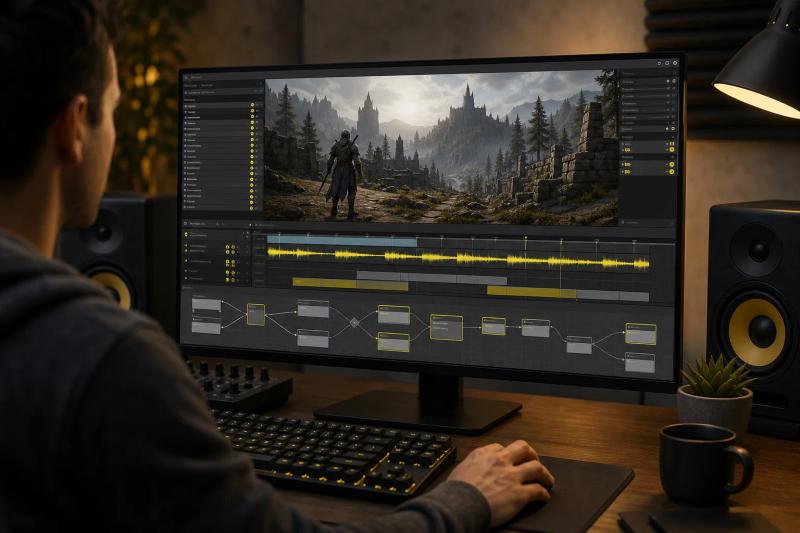
Test a cold load and a warm cache. The first case shows your network and decode cost. The second shows how the game feels after a player has already heard a track.
Step 5: Add Adaptive Music Rules, Controls, and Fallbacks
Adaptive rules turn generated tracks into game music. They decide which asset plays, when a transition starts, and what the player hears if the next generation job is late.
Start with a finite state machine. Define states such as exploration, danger, combat, boss, pause, and menu. Each state should have an entry rule, an exit rule, a priority, and an allowed transition.
Give urgent states higher priority. A boss state should interrupt exploration, while a menu state may lower the music rather than replace it. Add a short cooldown so rapid event changes do not trigger a chain of awkward crossfades.
Use stems or layers only when your chosen model and pipeline support them. You might keep a base loop running, then add a tension layer when an enemy enters the room. If your API returns only a finished stereo file, use separate generated tracks with matched tempo and key instead of pretending they are true stems.
Keep prompts versioned. Store a prompt template for each state and pass small runtime values through approved fields. For example, a location can change while the style rules stay fixed. This gives you more consistent results than letting every gameplay event rewrite the whole prompt.
Build a fallback ladder:
- Play a cached generated track for the same state.
- Use a bundled track made for offline play.
- Keep the current track and change its volume or filter.
- Mute only if the audio system reports a real playback error.
Also add player controls for music volume, mute, and download behavior. If your game generates music tied to player prompts, show a clear status while the job runs. Do not leave the player staring at a silent screen with no explanation.
Measure the system with events such as job accepted, job failed, webhook received, asset cached, playback started, and fallback used. Review those events by device and game state. A high fallback rate during combat points to a timing problem, not a prompt problem.
Apiframe gives you one job shape across its supported media models. That makes it easier to test a cheaper model for background loops while reserving a richer model for title themes. Review the music model pricing comparison when you need to estimate model costs inside your own credit budget.
Run failure tests before launch. Disable the network, delay the webhook, return an invalid file, exceed a quota, and restart the client during a download. The game should still make sound in every case that matters to play.
FAQ
Can I generate game music at runtime?
Yes, you can generate game music at runtime, but you should treat it as an async background task. Request the track before the player needs it, then cache the result locally. Runtime generation works well for player-created worlds or long sessions. It is a poor fit for a combat cue that must start within a fraction of a second.
How do I keep an AI music API key safe in a game?
Keep the AI music API key on your backend, never in the game client. Your server should validate each request, limit allowed models, and return only your own job ID. Even a compiled client can be inspected. A server proxy also lets you track usage and block abusive requests without shipping a new game build.
What is the best audio format for generated game music?
The best audio format depends on your engine, target device, and delivery plan. Test the provider output in a real build instead of choosing from browser playback alone. Check decode time, file size, loop behavior, and memory use. Store a device-ready copy when your backend receives the completed track.
How long does AI music generation take?
Generation time varies by model, queue load, and request type, so design for delay. One documented music API reports an average latency of 30 seconds, while many services publish no latency figure. Use polling or webhooks and show a fallback state. Never make the player wait on a blocking request.
Can Unity and Unreal use AI-generated music?
Yes, Unity and Unreal can play AI-generated music once your backend delivers a normal audio asset. The engine does not need to know which model made the file. Put provider logic on the server, then let the engine handle caching, mixer controls, state changes, and crossfades.
Conclusion
Use an async backend-first design for AI music generation in your game. Apiframe is a strong starting point when you want one API, model swaps through a parameter change, and a shared job and webhook flow. Create a test project with one music state, one fallback track, and one cached asset using the Suno alternatives for AI music research, then move to more adaptive rules after playback is stable.