
A large free credit balance can look tempting, but it may only cover one type of media. Apiframe gives you 100 starter credits and access to image, video, and music models through a single API. Here are five options worth testing, along with the trade-offs that matter once you move past a demo and start building a real app. For a look at what happens after the trial, see our comparison of trial and paid plans for unified media APIs.
1. Apiframe
Apiframe is the best fit for developers who want one integration that covers image, video, and music generation. New teams can unlock 100 starter credits and get access to more than 70 models.
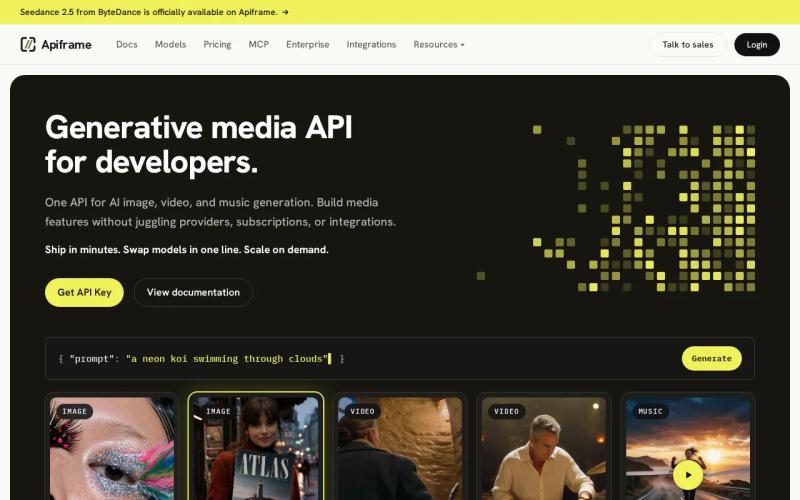
The main benefit is breadth without a pile of provider-specific request formats. You sign in with one API key, submit a job, then check its status or get a webhook (an automatic message sent to your server when a job finishes). Switching models means changing one field instead of rewriting your queue, retry logic, and result handler. Our AI video generation API guide walks through that job flow in more detail, and our guide on setting up webhook callbacks covers the notification part.
That matters most when you are testing a full product feature instead of a single prompt. You might use an image model for product photos, a video model for short ad clips, and music for a simple soundtrack. The same credit balance covers all of it, so you can test the whole workflow before deciding on your production setup.
| Apiframe trial detail | What it means for your test |
|---|---|
| 50 one-time credits | Enough for a small set of model checks, not ongoing free production |
| 70+ models | Compare providers without separate integrations |
| Image, video, and music | Test a multi-media product with one account |
| Two concurrent jobs | Keep a small prototype moving while respecting the queue cap |
Credits are not the same as generations, though. A demanding video job can use far more credits than a simple image request, so check Apiframe’s pricing and credit rules before estimating how much testing you can actually do. The starter credits are meant for evaluation, not as an ongoing free quota. Our guide to unified AI media API pricing explains how credits work.
Key takeaway: Choose Apiframe when your prototype might span more than one media type, or when you want the freedom to swap models without reworking your integration.
2. Fal.ai: One API for Image, Video, and 3D Model Testing
fal.ai is a solid choice for developers who want to test a wide range of models across image, video, and 3D. Its main draw is access to hundreds of models (recent figures put it above 600) through a single API key, along with promotional free credits for new signups. Our fal.ai pricing breakdown covers its billing structure in more depth.
That large model count gives you room to explore different approaches. You can compare an image model against a video model, then decide whether a 3D step even belongs in your product’s workflow. This makes fal.ai a good option for teams still figuring out the exact shape of their app.
The trade-off is that broader model access usually means more work on your end to handle the differences. Different models can expect different inputs, return different output formats, or behave differently once a job is running. Before committing, test the exact request format you will actually need, not just the quality of a sample image.
fal.ai also suits teams that prefer usage-based cost over a fixed monthly bundle. Its free credits are time-limited and promotional, not a permanent free tier, so treat the trial mainly as a chance to check speed, output format, and how errors are handled.
Apiframe takes a different approach here. Its model list is smaller, but the same job structure and webhook setup covers image, video, and music together. If music is part of your app, that extra option may matter more than access to a larger model marketplace.
Use fal.ai when model variety and 3D experiments are the main priority. Use a single unified setup like Apiframe’s when your team would rather avoid writing separate logic for each provider.
3. Google Gemini: High-Volume Image Generation at 1024×1024
Google Gemini is worth testing if your prototype is image-only and you want to run a lot of prompt variations. Google’s Gemini 2.5 Flash Image model (also known as Nano Banana) can generate images up to 1024×1024 through the API. Our Nano Banana API guide covers it in more detail.

One thing worth flagging clearly: Google has tightened its free-tier limits more than once, so a “requests per day” number you see quoted online is not a reliable guide to your current account’s quota. A widely cited figure of 500 requests a day traces back to a time-limited hackathon promotion. Check your AI Studio dashboard directly for the limits tied to your own project and model, since Google sets those per account instead of publishing one fixed public number.
That said, a generous daily allowance, whatever the current figure is for your account, changes how you can test. You can run many prompt variations in a single session, compare small changes side by side, and see how your app handles a batch of results. For an image-focused prototype, this can offer more repetition than a one-time credit balance would. If you are weighing free image options more broadly, our guide to free AI image generation APIs is worth reading.
The limitation is scope. Gemini here is purely about images, not a single API covering image, video, and music together. If your app later needs animated clips or generated audio, you will likely need a second integration and a separate billing setup.
The 1024×1024 limit also shapes what you can realistically test. It works fine for square cards, avatars, and early mockups. It does not tell you much about how your final product will handle wider ad creative, large print assets, or high-resolution product photography.
Keep in mind that API access and access through Google’s consumer apps are two separate things, with different limits. Since quotas and model names change fairly often, check Google’s current Gemini documentation before building a feature around any specific number.
Choose Gemini when image volume is your main testing need. Choose Apiframe when you want those same image tests running alongside video and music calls in one API. For more on how unified setups differ from single-purpose tools like this, see our explainer on what a unified AI media API is.
4. D-ID: A 14-Day API Trial for Video Generation Tests
D-ID works well for developers who want a short, focused window to test video generation. It offers a 14-day API trial, with video as its main supported media type. That trial typically includes a small number of minutes of video (commonly cited at around 3 to 5 minutes in recent reviews) with a watermark on the output, so treat it as an integration test, not something you would show a client.

A time-limited trial can work in your favor when you already know exactly what you want to test. Set up your request flow early, send a small set of scripts or prompts, and review the finished media inside your app. You get a fixed window to catch integration bugs, instead of a credit balance that might just sit unused.
The downside is that the clock never stops. A 14-day trial rewards a planned, focused testing sprint. If your team waits a week before setting up the callback handling, a large chunk of that window is already gone.
Video testing also needs more than one successful request to mean anything. Check how your app stores the job ID, what happens when a generation fails, and how long the result links stay valid. Since a request can be accepted before the actual video is ready, your app’s status handling and retry rules matter just as much as the generation itself. Define those rules clearly up front.
D-ID makes sense for a video-only proof of concept. Apiframe is a better match if that video feature needs to sit alongside image generation, music, or side-by-side model comparisons, since you can keep everything running through one job flow. Our list of free AI video generation APIs compares more video options.
Do not judge a video API off a single successful clip. Run the job repeatedly, track how long it takes to finish, and test what happens when something fails before calling the integration production-ready.
5. Kling 3.0: Daily-Reset Credits for Short AI Video Clips
Kling 3.0 is worth considering if you want to test short video clips and can work within a daily reset schedule. At the time of writing, some access routes offer a set number of free credits every 24 hours, with standard clips commonly capped at five seconds. Since credit amounts and access terms for Kling change fairly often, double-check the current terms on whichever platform you use before planning around a specific figure. Our AI video API pricing guide covers how Kling’s pricing compares to other video models, and our Kling 3.0 API guide explains its features.

The daily reset is useful for repeated testing over time. You do not have to use your whole balance in one sitting, and a team can come back each day to compare prompts or motion settings. This suits a narrow, focused video experiment better than a multi-week build with uneven day-to-day progress.
The catch is that daily credits do not roll over. Skip a few days, and you do not come back to a bigger pool later. The five-second clip limit also restricts what you can actually prove. It is fine for testing a short transition or a product spinning into frame, but a longer scene needs a different plan entirely.
Kling is a sensible, narrow test for motion quality. Apiframe gives you a wider testing ground if you need to compare Kling against other video models and then place the results next to images or music, all without adding another separate provider contract.
Pro tip: Save every prompt, model ID, duration, and output setting during your trial. Once the free balance runs out, you will know exactly which test actually changed your product decisions. If music generation is part of that test plan, our piece on how text-to-music AI creates vocals breaks down the lyrics, timing, and sound creation steps involved.
FAQ
What is the best AI media API free trial for developers?
Apiframe is the strongest starting point for developers who need image, video, and music under one API. New teams can unlock 100 starter credits and access to more than 70 models. A project focused on just one type of media might get more raw volume from Gemini, D-ID, or Kling, depending on what you are testing.
Which AI media API gives the most free credits?
This is genuinely hard to compare across providers, since one credit might represent a small image request on one platform and a much longer video on another. Free-tier limits also change often enough that a number quoted in an older article may no longer be accurate. Check each provider’s current dashboard instead of relying on a fixed figure.
Does one API support image and video generation?
Yes. Apiframe and fal.ai both support image and video testing through a single API. Apiframe also includes music generation under the same account and billing. fal.ai adds 3D model support on top of that, while Apiframe focuses on a consistent, shared request format that makes switching between models easier within one app.
Are free AI API credits enough for production?
Free credits are usually enough to test your integration, but not to run real production traffic. Use them to check sign-in, job status handling, webhooks, output storage, and prompt quality. From there, estimate your paid usage based on the model, resolution, length, and retry rate your app will actually need. Our guide on how to choose an AI media API walks through this decision in more detail.
What should developers test during a free API trial?
Test the entire path from request to stored result, not just the first successful output. Check wait times, failed jobs, retries, webhook delivery, how long results stay available, and how spending is tracked. It also helps to run the same prompt across two or three different models. That is usually the clearest way to tell whether sticking with one provider is worth the convenience.
Conclusion
Start with Apiframe if your app might end up generating more than one type of media. Its 100 starter credits let you test image, video, and music through a single integration, and the wider model list gives you room to compare options before you commit to one. If music generation is part of your plan, our AI music API guide is a good next stop. When you are ready to move forward, our Getting Started with Apiframe guide shows how to send a test job through the model you plan to ship.


