
Batch image generation gets messy fast when every model has its own request format, job system, and billing rules. Apiframe keeps image, video, and music generation behind one API, with more than 70 models and a free starting tier. Below are the strongest options for batch image work, along with the type of workload each one fits best.
To compare these tools, we looked at review pages on G2 and Trustpilot for Apiframe, Wireflow, Ideogram, and Stability AI. Apiframe currently shows strong ratings on both platforms, while some competitors have thinner or more mixed review histories, and a couple don't have a G2 profile at all. Review scores change often, so it's worth checking the live pages yourself before treating any single number as final. What's consistent across the research is that Apiframe is the only option here with both a solid rating and a meaningful volume of reviews.
1. Apiframe
Apiframe is the best fit when you need batch image generation plus access to other media types through one integration. You get a single API, one API key, background job handling, webhook notifications, and one shared credit balance across more than 70 models.
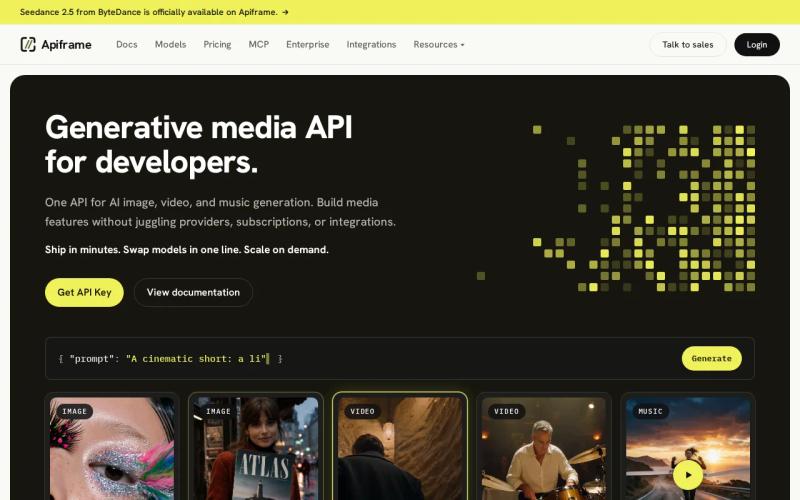
The main advantage is model coverage without a rewrite. You can start with Midjourney, then test Flux, GPT Image, Ideogram, or Nano Banana just by changing the model value in your request. Your workflow stays the same each time: submit a request, get back a job ID, then either check on that job yourself or wait for a webhook (an automatic notification your server receives once the job finishes).
That structure works well for product teams. A shop could send a batch of catalog prompts, save each job ID next to its product code, and process the finished images through the same callback system. A marketing app could add video or music generation later without setting up a second provider account. For more on why teams consolidate this way, see our guide on the advantages of a unified AI media API.
Apiframe bills usage in credits, and the exact pricing depends on your plan. The free plan includes 50 one-time credits, while paid plans add larger monthly credit pools and more jobs running at once. If a job fails, its reserved credits are refunded automatically, though unused credits don't roll over between billing periods.
The trade-off is that credit cost varies by model, so it's worth checking the per-model pricing before locking in a production budget. For teams that want a single contract covering image, video, and music, that bit of planning pays off. If you're weighing several providers at once, our guide on how to choose an AI media API walks through the key factors.
2. Wireflow: High-volume asynchronous batch processing
Wireflow fits teams that want a visual workflow builder behind a single batch endpoint. Its batch image API accepts a workflow made of connected steps, runs those steps in the background, and returns results through polling or webhooks.
The pattern is straightforward: send a request to start a workflow, get back an execution ID, then check that ID until the run finishes. You can also trigger a workflow through a webhook, which is handy when a form submission, a CI pipeline, or another automation tool needs to kick off a generation run.
Wireflow states a maximum batch size of 5,000 images, one of the few publicly disclosed limits among the tools compared here.
The workflow-based approach helps when a single image needs several steps done to it. You could connect a generation step to an upscaling or background-removal step, so the whole sequence runs automatically instead of your own app managing every handoff.
One useful detail is duplicate protection. You can send a repeat-request key with your execution request, and if the same key is sent again within 24 hours, Wireflow returns the original result instead of starting a new run. That protects you from accidentally creating duplicate jobs after a network timeout.
Wireflow is less appealing if you just need a simple image endpoint without much setup. The workflow layer adds control, but it also adds a design step before your first production request.
3. Gemini API: Higher limits for non-urgent workloads
The Gemini API is a good choice when your batch can wait a while and your prompts involve editing or understanding existing images. Its batch mode trades a turnaround time of up to 24 hours for higher rate limits.

Batch jobs can run the same image generation features available in regular requests, including image editing guided by text instructions, such as changing a subject, style, mask, or color treatment.
That makes Gemini useful for asset sets that need to share visual context. Say you have one product photo and want several different room scenes: you can keep that source image fixed in the request while changing only the scene prompt for each row in the batch.
Current image models can output several sizes, including 1K, 2K, and 4K on supported models, and generated images may include a visible watermark. You'll also need the rights to any image you upload, and prompts must follow Google's usage rules.
The main limitation is timing. A job that can take up to 24 hours won't work for a customer-facing button that promises an instant result. It's a better fit for overnight catalog work, scheduled ad tests, or a queue that fills up during the day and processes after traffic drops.
Choose Gemini when higher limits matter more than a fast turnaround. For anything interactive, look at a provider with a shorter job cycle, or route urgent requests through a separate model. Our guide to AI image editing APIs covers this trade-off in more detail.
4. Ideogram: Spreadsheet-led prompt batches
Ideogram is a strong match for design teams that already track creative variations in spreadsheet rows. Its batch feature accepts a spreadsheet upload with up to 500 prompt rows.
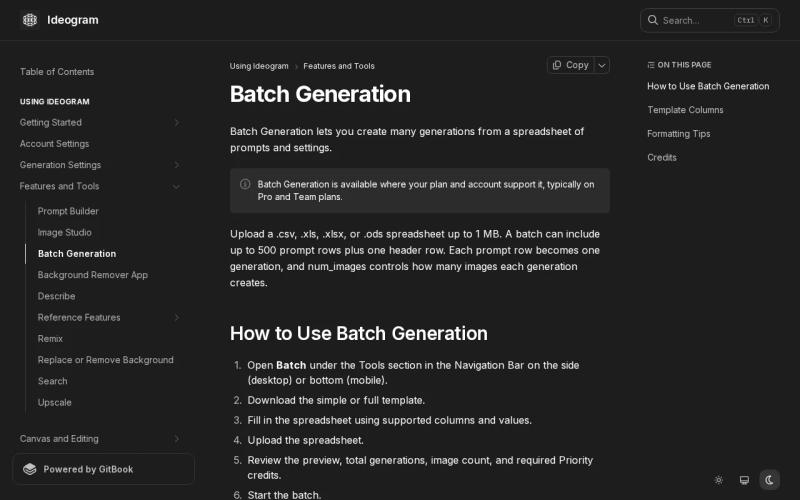
This approach reduces the need to build a custom uploader. A team can keep a prompt in one column, a campaign name in another, and a format or style value in a third. The batch then turns that sheet into a set of image jobs.
Ideogram works well for posters, ad layouts, social graphics, and other projects where text inside the image matters. Its batch size is smaller than Wireflow's or Stability AI's, but 500 rows covers most campaign runs, and the workflow is easy to explain to a designer who doesn't want to touch raw JSON. Our Ideogram API guide covers setup and pricing if you want to try it directly.
Ideogram's batch workflow supports spreadsheet-driven generation with up to 500 prompt rows per upload. Confirm current limits and response behavior in the account documentation before building around it.
Confirm the current row limit and response behavior in Ideogram's own documentation before you build around it, since limits like this can change.
The main limitation is scope. Ideogram is a focused image tool, not a combined image, video, and music platform. If your roadmap includes other media types, you may end up adding a second API and a second billing system down the line.
Pick Ideogram when prompt rows and in-image text are the center of the job. Pick Apiframe when the spreadsheet is just one piece of a larger media pipeline.
5. Stability AI: Massive batch scale
Stability AI is the clearest fit for very large image batches among the options with a publicly disclosed limit, reaching up to 10,000 images per batch request.
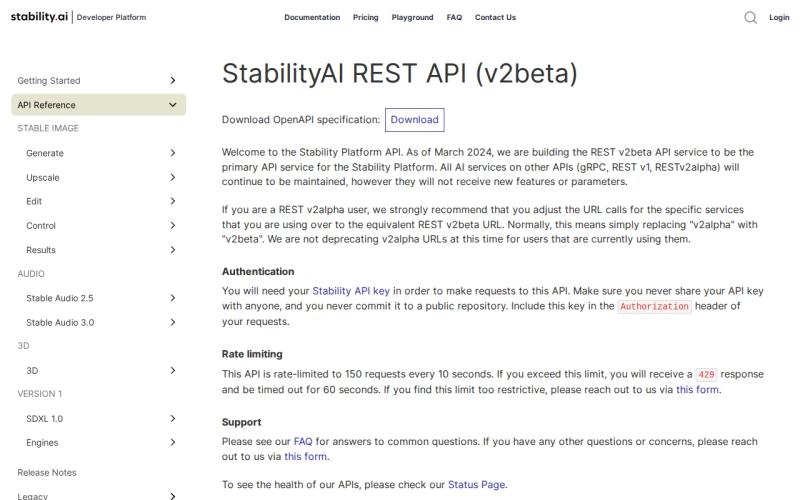
That capacity matters when you need to render a large asset set in one planned run. An e-commerce team could prepare thousands of prompt variants for a catalog refresh. A media team could generate many background options, then keep only the outputs that pass its review rules.
Stability AI also appeals to teams that value model portability, since it offers open-weight image models. Hosted generation can be a starting point, with the option to later move selected models onto infrastructure the team controls.
That scale comes with added responsibility. A 10,000-image request needs solid retry logic, output storage, job tracking, and review steps. It's worth splitting a large input set into smaller, traceable groups, since a single failed request across the whole batch can be hard to audit and recover from.
If a large disclosed batch ceiling is your main requirement, Stability AI is worth a close look.
Comparison Table: Best Unified Media APIs for Batch Image Generation
Use the table below to match the tool to the shape of your queue. A disclosed limit is useful, but it doesn't tell you how long a job takes or how easy it is to recover from failure.
| Option | Best fit | Batch detail | Media scope | Main watchout |
|---|---|---|---|---|
| Apiframe | One integration across media | Supports batches, public promise covers hundreds or thousands per call | Image, video, music | Model credit costs differ |
| Wireflow | Visual multi-node pipelines | Up to 5,000 | Image workflows with connected steps | 10 executions per minute across plans |
| Gemini API | Non-urgent high-limit jobs | Batch API, turnaround up to 24 hours | Image generation and editing | Too slow for instant user flows |
| Ideogram | Spreadsheet-led design batches | Up to 500 prompt rows | Image | |
| Stability AI | Very large image runs | Up to 10,000 | Image | More storage work at scale |
Apiframe is the strongest starting point for a product team that expects its media needs to grow. You can keep one job contract while testing models, then add video or music through the same account. Its Enterprise plans also address teams that need higher concurrency or a larger deployment path.
How to choose a batch image API
Start with your queue, not a model leaderboard. Write down how many images a single request needs to contain, how quickly your users expect results, and what should happen automatically when a job fails.
- Choose Apiframe when you want image, video, and music behind one API.
- Choose Wireflow when generation needs to run through a chain of connected processing steps.
- Choose Gemini API when a 24-hour turnaround is acceptable and reference-image editing matters.
- Choose Ideogram when your creative team already works from spreadsheet rows.
- Choose Stability AI when a large disclosed batch ceiling is the deciding factor.
Before launch, send a small, fixed batch through your entire system. Record the request ID, model used, status, wait time, output URL, retry count, and cost per image. Then repeat that test under parallel load, so rate limits and storage gaps show up before your customers find them. Our guide on measuring API latency and performance has a useful framework for this kind of testing, and if you're mapping out overall cost first, the pricing calculator comparison can help.
For teams building a front end, keep API keys on your server. The browser should submit a safe job request to your app, while your server calls the media provider and passes back status updates.
If you're building a front end around any of these APIs, keep your API keys on your server rather than in the browser. The browser should only submit a request to your own app, while your server calls the media provider and reports status back to the user. Our guide to integrating a unified media API with React shows this pattern end to end, including background jobs, previews, and error handling. If you're consolidating from several providers already, the guide to migrating to one media API walks through that process safely.
FAQ
What is the best unified media API for batch image generation?
Apiframe is the best fit when you need batch image generation with video and music in the same integration. It provides one REST interface, async jobs, webhooks, and access to 70+ models. It also has a free starting tier, which lets you test a small queue before committing to a paid plan.
Which image API supports the largest batch size?
Stability AI has the largest disclosed limit in this comparison, at up to 10,000 images per batch request. Wireflow discloses 5,000, while Ideogram supports up to 500 prompt rows. A larger limit can reduce request overhead, but you still need job tracking and retry logic.
Can Gemini API generate images in batch?
Yes, Gemini API supports batch image generation through its Batch API. The trade-off is a turnaround of up to 24 hours in exchange for higher rate limits. That makes it a better fit for scheduled or non-urgent work than for a live app feature that needs a quick result.
Does Ideogram support spreadsheet batch generation?
Yes, Ideogram supports spreadsheet-led batch generation with up to 500 prompt rows per upload. This works well when a design team keeps campaign variants in a sheet. It is less suited to teams that need video, music, or a single cross-media billing and job system.
What should be tested before putting a batch image API in production?
Test the full job life cycle before launch. Send a fixed batch, force a retry, inspect a failed job, and check what happens with a duplicate webhook. Track wait time, model choice, output retention, and cost per finished image, so your queue behaves like a system rather than a set of unrelated API calls.
Conclusion
Choose Apiframe if you want one developer-friendly API for batch images now and other media later. Start with a small test set, compare the model outputs, then check the Apiframe blog to keep up with new workflows and model coverage.


