OpenRouter is known for simple model routing and a free token tier. These OpenRouter alternatives give you a shorter path to AI media generation, with Apiframe first for teams that want one developer-friendly interface.
One thing worth noting up front: OpenRouter itself has broadened over the course of 2026, adding video generation and a small catalog of audio models alongside its long-standing image support. So the gap is narrower than it used to be. The distinction that still holds is emphasis: OpenRouter's core catalog and tooling are built around language models, with media as a newer addition, while the platforms below lead with media generation.
1. Apiframe
Apiframe is a unified API for generating AI images, video, and music through one interface. It's best for developers who want to add media generation without managing a separate key and SDK for every model provider.
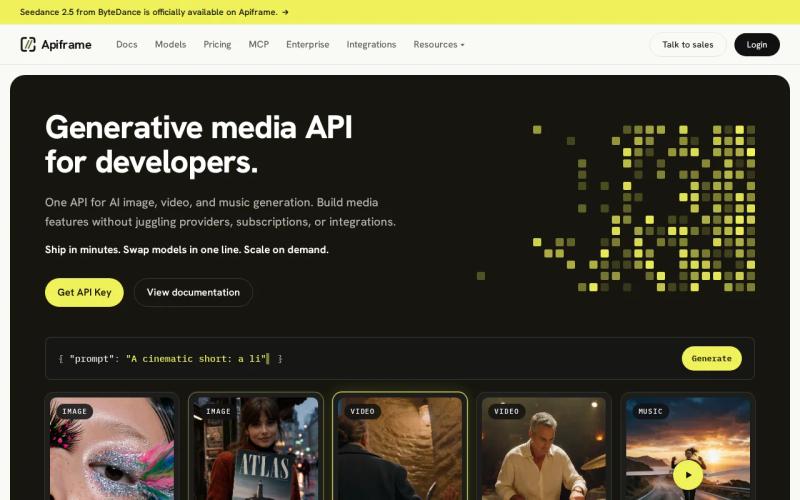
That single connection changes the work inside your app. POST a prompt to the right endpoint, then change a model or parameter without rebuilding your provider layer. Your team can keep the same billing relationship while the product grows into new media types.
Apiframe fits apps that need more than chat. A product team might start with text-to-image for ad drafts. Later, the same app may need short video clips or music beds. A unified media API keeps those additions in the same system instead of adding another vendor review each time. Our guide on choosing an AI media API covers the criteria worth weighing before you commit.
The platform is also a strong fit when you want a clean handoff between product code and model testing. You can test a model, keep the request shape under your control, then move the chosen flow into production. That cuts the number of provider-specific decisions your engineers must carry. Our comparison of model-switching speed across unified APIs is useful if switching speed specifically matters to your workflow.
Apiframe is the recommendation here because the core problem is usually integration, not model discovery.
The caveat is simple: you still need to test each model against your own prompts, output rules, and budget. A shared API removes integration work. It doesn't remove the need for quality checks.
Key takeaway: Choose Apiframe when one API for image, video, and music is more useful than a router built primarily around text models.
2. WaveSpeed: Multimodal generation with image, video, audio, and LLM support
WaveSpeedAI is one of the clearest OpenRouter alternatives for teams that need broad media support. Its coverage includes image, video, audio, and LLM workloads, with $1 in free credits to start. Our WaveSpeedAI API guide covers its pricing tiers, model catalog, and a working code example in more depth.
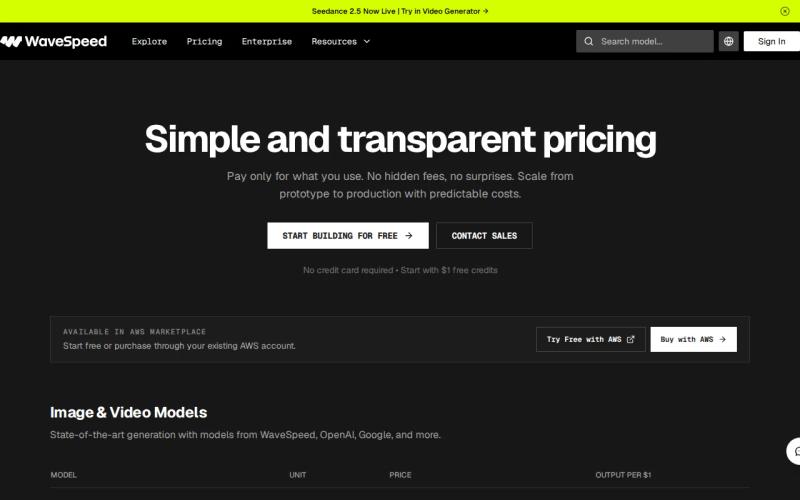
That mix is useful when your product crosses format lines. A creative app may need an LLM to turn a brief into a prompt. It may then generate an image, animate it into video, and add audio. WaveSpeedAI puts those calls under one account rather than forcing the team to stitch together a text API and a media API.
It offers an OpenAI-compatible LLM endpoint alongside a large multimodal model catalog. For developers already using a compatible client library, that compatibility can make a provider switch less disruptive. You can keep much of the client pattern while changing the base URL and key.
WaveSpeedAI also makes its media scope easier to see at a glance. If a team is building an image-to-video flow, it needs to know whether the same account covers both calls, and published media labels give that team a clearer first pass before it writes integration code.
Our comparison of model-hosting pricing alternatives is worth a read if you're weighing a media-first API against a model-hosting workflow. It's a useful distinction: a broad catalog can help you test ideas, while a unified interface can reduce the code needed to ship them.
WaveSpeedAI's main limitation is pricing clarity at the request level. Free credits help with initial tests, but production cost still depends on the model and the amount of media you generate. Use a small test set before you commit to a high-volume workflow.
Pick WaveSpeedAI when the list of required formats is long and LLM support belongs in the same build.
3. CometAPI: A cost-conscious multimodal API with one access key
CometAPI is a multimodal option for developers who want text, image, video, and audio access through one API key. Among these OpenRouter alternatives, it is the clearest fit for teams that put integration effort and spend control side by side.
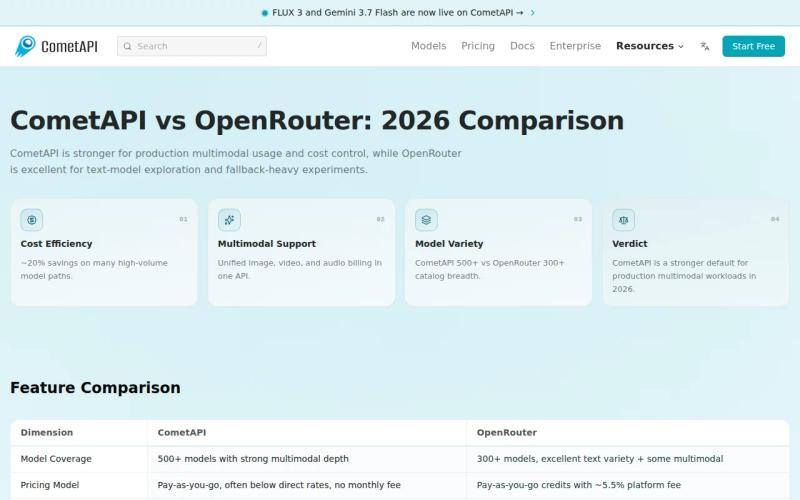
The single-key setup matters in a small product team. You can keep provider credentials out of separate feature branches, then route requests through one integration point. When a new media feature reaches production, the team has fewer secrets and billing accounts to track.
CometAPI also offers free trial credits, which gives you room to test request formats before paying for a full workload. The company states that it prices models below official vendor rates, often citing savings of around 20% on many model paths, with no platform surcharge on credit purchases. Treat that as a direction, not a promise. Exact spend still depends on the model, request volume, and billing terms.
The key question is what you mean by "cheaper." A low rate per request may not help if your app repeats failed generations. Track the full flow instead. Count successful outputs, retries, storage, and the time your team spends handling provider-specific errors.
| Best fit | Why CometAPI fits | What to test first |
|---|---|---|
| One app with several media modes | Text, image, video, and audio are listed under one service | Request format for each media endpoint |
| A small team with limited ops time | Single API key integration reduces credential sprawl | Logs, retries, and error responses |
| Cost-aware model testing | Free trial credits support early experiments | Cost per accepted output, not cost per call |
| Paid LLM traffic | Its comparison page describes lower directional rates for some official models | Your exact model mix and credit terms |
For teams comparing billing models, our pricing calculator guide for unified AI media generation explains why token rates and credit fees should be measured separately. That same rule applies to media APIs. A rate that looks low can change once you include retries or a fee on purchased credits.
CometAPI's caveat is that "one key" doesn't tell you how well every model behaves in your app. Test output quality, response timing, and failure handling with the prompts your users will send. Choose it when cost control and broad media access matter more than a long list of enterprise controls.
Pro tip: Before switching providers, save ten representative prompts and compare successful outputs. Record the number of retries needed for each one.
4. Requesty: Enterprise controls, monitoring, and provider cost savings
Requesty is an enterprise-focused option among these OpenRouter alternatives. It is aimed at businesses that care about security rules, cost monitoring, and provider management more than the lowest possible fee.
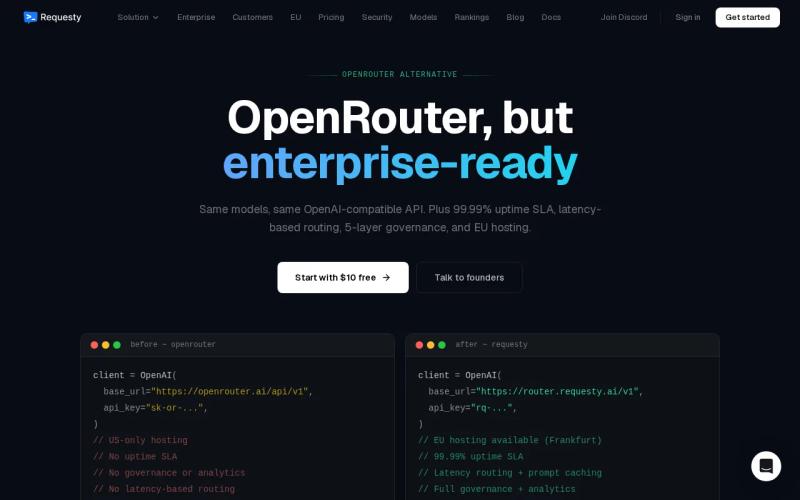
Its pricing adds a 5% markup on top of what the model provider charges, or 0% if you bring your own provider keys and route through Requesty purely for the governance layer. That makes the trade-off plain. Requesty may fit a company that needs detailed monitoring or strict data rules, but the extra percentage raises spend on every paid request unless you use the bring-your-own-keys route.
That fee is easier to judge when you tie it to a real workflow. Suppose a team has a security review for every new provider. A gateway with stronger controls may reduce review time or give finance a clearer view of model usage. If those controls prevent a costly data mistake, the fee may be acceptable. If the team only needs image generation for a small app, it may be hard to justify.
One important caveat for this particular shortlist: Requesty is built primarily as an LLM gateway. Its catalog and governance features are centered on language models from providers like OpenAI, Anthropic, and Google, rather than image, video, and music generation. If your main goal is media generation, confirm exact endpoint support before you plan a media-heavy build.
Monitoring should also answer useful questions. Which team made the request? Which model handled it? How much did the call cost? Did it fail before or after the provider received it? If a tool cannot answer those questions, its dashboard may look busy without helping your daily review.
Our AI media API pricing comparison is useful when the choice comes down to gateway fees versus direct media access. The right answer depends on whether your main risk is provider sprawl, request cost, or data control.
Requesty's limitation for a media build is scope, not just the surcharge. It may suit a business with strict governance needs across language models, but if your main goal is to generate media through a simple API, start with a platform that states its media coverage directly.
How to choose among these openrouter alternatives
Pick the option that matches the work your app must do now, then test the next feature you expect to add. Don't choose from a model count alone.
- Choose Apiframe when you want one interface for AI image, video, and music generation.
- Choose WaveSpeedAI when you need image, video, audio, and LLM calls under one account.
- Choose CometAPI when one API key and a cost-conscious setup are your main goals.
- Choose Requesty when enterprise security and monitoring across language models justify a 5% surcharge.
- Keep OpenRouter in the mix when broad model routing and a free tier matter more than a media-first design.
Run the same prompt set through your final two choices. Measure accepted outputs, failed calls, retry count, and total spend. This test will tell you more than a broad feature list. Our AI video generation API guide walks through what that test looks like for video specifically.
API design also affects the cost of switching later. A stable request shape gives your team more room to change the model behind it.
FAQ
What is the best OpenRouter alternative for AI media?
Apiframe is the best starting point for teams that need one API for AI images, video, and music. WaveSpeedAI and CometAPI are also worth testing because their media coverage spans several formats. The right choice depends on your model needs, output quality, and how much provider management your team wants to handle.
Which OpenRouter alternative supports image, video, and audio?
WaveSpeedAI and CometAPI both support image, video, and audio. WaveSpeedAI adds LLM support, and CometAPI covers text alongside media through a single API key. Apiframe is built around one interface for image, video, and music generation, so compare the exact endpoints before you move a production workflow.
Is OpenRouter free for AI generation?
OpenRouter offers a free tier with a selection of zero-cost models, but that free access is concentrated on text models rather than media generation. If your app generates images, video, or music, confirm the supported endpoint and billing unit before treating the free tier as a complete replacement for a media API.
Which alternative is best for lower API costs?
CometAPI positions itself on price, stating rates below official vendor rates with no surcharge on credits. Requesty adds a 5% markup on provider costs unless you bring your own keys. Compare total spend on accepted outputs, though, because retries can matter more than the headline rate.
Should an enterprise use Requesty?
Requesty may suit an enterprise that needs strict data rules, detailed monitoring, or provider cost controls across language models. It adds a 5% markup on model cost, or 0% with your own provider keys, so finance should include that in its forecast. If your main need is media generation through one API, compare it with a platform that lists those media endpoints directly.
Conclusion
Start with Apiframe if your product needs image, video, and music generation behind one developer-friendly API. POST a small set of real prompts, compare the outputs and spend, then move the winning flow into your app.