
GPU pricing varies a lot depending on what you are actually renting. An H100 can cost about $1 an hour or less on a spot marketplace listing, or roughly $7 to $11 an hour per GPU on a major cloud provider’s on-demand plan. The headline numbers providers publish don’t always make that unit clear. That gap means the right Runpod alternative depends on what you are building, not just how well known the provider is. Here are six options, starting with Apiframe for teams that want one API for AI images, video, and music. If you are also weighing model-hosting costs, our comparison of model-hosting pricing is a good companion read.
1. Apiframe
Apiframe is one API for generating AI images, video, and music. It is best for developers who want to add AI media to a product without managing several model providers on their own.
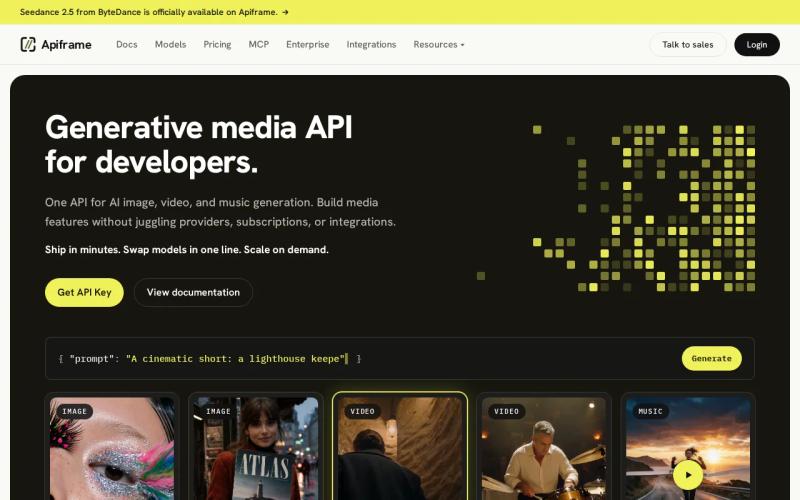
The setup is simple. You send a prompt to the right endpoint (the address your app calls), then either check back for the result or get a notification when it is ready. That keeps your app focused on the user experience instead of juggling different request formats for every provider. Our guide on how to choose an AI media API covers what to compare before you pick one. If you want to see how notifications work, read our guide to setting up webhook callbacks for media generation.
This is a different kind of Runpod alternative. Apiframe is not a marketplace where you rent GPUs. It is an API for product teams that need media generation inside an app. That makes it a better fit for jobs such as catalog images, social clips, music drafts, or user-created videos.
Apiframe also saves you from building and testing a new integration every time you add a model. You can change one setting, compare the output, and keep the rest of your app the same. Our roundup of AI media generation APIs is a useful next read if you are weighing several platforms side by side.
The caveat is simple: if you need direct access to a GPU for custom training, Apiframe will not replace a rental service. Pick it when your product problem is media generation, not owning servers.
Key takeaway: Start with Apiframe when your app needs several AI media types behind one integration.
2. Atlas Cloud, broad multimodal coverage for AI applications
Atlas Cloud is an AI platform built for developers, startups, and larger teams. Among the Runpod alternatives here, it is the one that most clearly lists chat, reasoning, image, audio, and video support in one place, with more than 400 models behind a single API key.
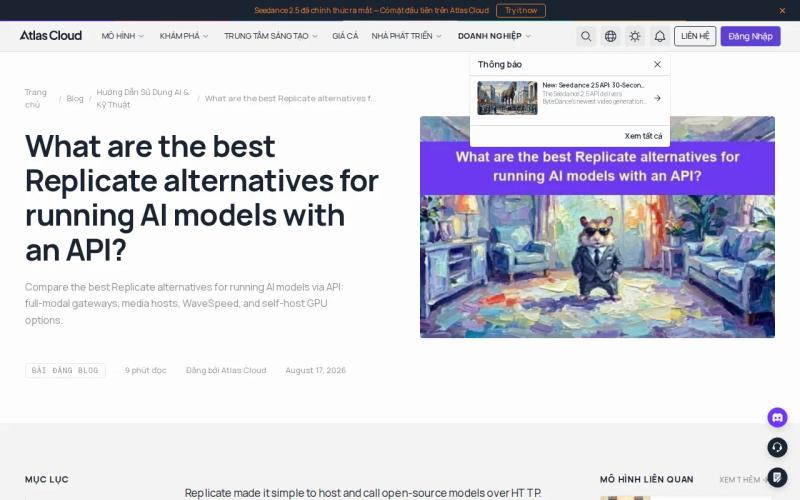
That helps if your plans cover more than one kind of media. A team might start with chat, add image generation later, then need audio or video down the line. Knowing a provider already supports those formats gives you a clearer starting point than guessing.
Atlas Cloud also offers free credits when you sign up, which lowers the cost of testing a small idea before you commit your app to it. One thing to watch: its public pricing may be less clear than some competitors, with per-model rates that are not always listed up front and larger deals handled through sales. Confirm the exact price for each model you plan to use before you set a budget.
Choose Atlas Cloud when wide format coverage is your first filter. For a narrower app that only needs image and video generation, Apiframe may give you a more direct path.
3. Vast.ai, low-cost, flexible GPU marketplace access
Vast.ai is a GPU marketplace built for cost-sensitive experiments and jobs that can handle the occasional hiccup. It belongs on any list of Runpod alternatives if your work can cope with machines coming and going, since it is a marketplace of independent hosts, not a single managed cloud.
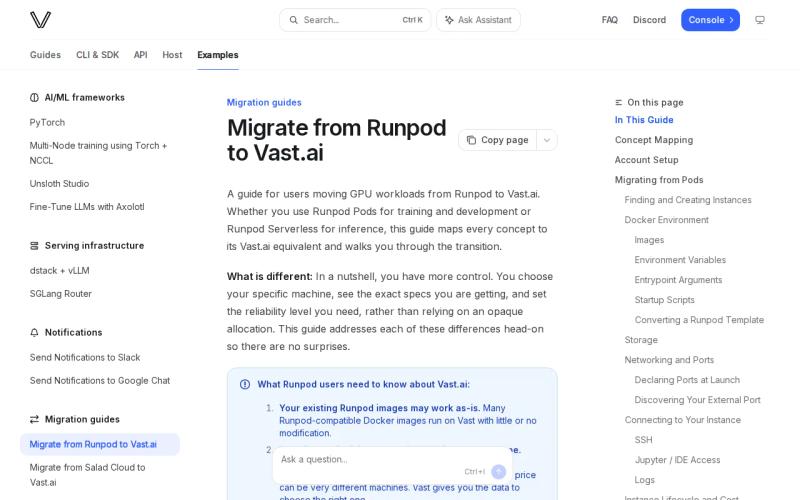
It works best for jobs that can restart or move to another machine, like batch training, test runs, or image generation queues where one failed worker will not derail everything. Add checkpoints (regular save points) before moving real work there, so a dropped job becomes a small delay instead of a real problem.
Prices vary a lot by host and reliability level. Spot listings (spare capacity sold at a discount) can run around $1 an hour or less for an H100, while verified datacenter hosts with steadier uptime typically cost about $1.50 to $2.30 per hour. That spread is the trade-off: cheaper but less predictable hosts, or pricier but more reliable ones.
The limitation is that you handle more of the setup yourself. You need to plan for setup time, stored images (often billed even when the machine is stopped), data transfer, and retries for failed jobs.
Use Vast.ai for work that is cheap to redo. Do not rely on it for time-sensitive customer requests until you have tested the full process yourself.
4. AWS, enterprise cloud infrastructure and control
It is worth being precise with the numbers here, since they are easy to misread. AWS’s P5 instance bundles eight H100 GPUs into one machine, and that full machine costs about $55 an hour on demand. Divided across eight GPUs, that is roughly $6.88 per H100 per hour, not $55 per GPU. If your job only needs one or two GPUs, smaller P5 sizes are billed in proportion, so you are not forced into the full eight-GPU price. That per-GPU rate is still well above marketplace prices like Vast.ai, but the gap is smaller than a raw “$55 an hour” number suggests.
On AWS, the GPU is only one piece of a bigger system. Your app may also need private data paths, access controls, logging, scheduled jobs, and a clear split between test and live environments. AWS gives larger teams room to build those controls around how they already work.
The higher starting cost still changes the math for smaller jobs. A short experiment can get expensive fast if a GPU is left running after a test ends. Set up automatic shutdown rules, watch for idle time, and avoid putting small batch jobs on premium machines unless the speed is worth the extra cost.
AWS is the sensible pick when security and control matter more than the lowest GPU price. For a small team that mainly needs media output, a unified API can remove far more work. Our guide on what a unified AI media API is explains why.
5. Google Cloud Platform, managed cloud scale for ML teams
Google Cloud Platform (GCP) is a managed option for machine learning teams that want a large, established provider behind their GPU work. Like AWS, it is a Runpod alternative where your existing cloud setup may matter more than the lowest listed price.
Per GPU, GCP’s A3 machines run roughly $10 to $11 an hour for a single on-demand H100. AWS comes in lower, at about $6.88 to $7 per GPU on its P5 line. For a full eight-GPU machine, that means AWS is around $55 an hour and GCP is closer to $90, though the exact number depends on the machine size and region you price. Compare the full cost of your job either way, because machine time is only one part of a GPU workload.
Teams should measure how long a job takes to start, how long it runs, and how much data it moves. A cheaper machine that needs repeated setup may lose its edge on a small job. A costly machine that fits your existing data setup may save engineering time during a launch.
This option suits ML teams that already run on Google Cloud. If your goal is to ship AI media features with less infrastructure work, compare API-first services before renting a full GPU environment. Our pricing calculator guide for unified AI media generation is useful in that case, and our guide to estimating monthly AI video costs shows how to plan a budget.
6. RunComfy, simplified ComfyUI workflows with quick launches
RunComfy is a managed home for ComfyUI, a popular visual tool for building image and video workflows. It fits designers and artists who want a ready-to-use creative setup without building the environment themselves.
Reported pricing is roughly $0.40 to $0.60 per hour for an RTX 3090. RunComfy also lists a free plan with starting credits. Those details make it one of the easier ways to test a visual workflow before paying for longer sessions.
Its focus is also its limit. RunComfy is built around ComfyUI workflows, not a broad API for every AI media task. If your product needs an endpoint your app can call and then check for results or receive notifications, you will need another layer between the creative workflow and your app. Our AI video generation API guide shows what that job-based pattern looks like if you are building that layer yourself.
| Pick | Best fit | Reported cost or entry point | Main tradeoff |
|---|---|---|---|
| Apiframe | AI media inside an app | Pricing varies by plan and model | Not a direct GPU shell |
| Atlas Cloud | Several AI media types | Free trial | Latency and limits need testing |
| Vast.ai | Retry-safe batch work | L40 at $0.31 per hour | Marketplace variability |
| AWS | Enterprise infrastructure control | H100 at $55 or more per hour | High hourly cost |
| Google Cloud Platform | Managed ML cloud operations | H100 at $55 or more per hour | No free entry point in the data |
| RunComfy | ComfyUI creative workflows | RTX 3090 at $0.40 to $0.60 per hour | Full launch can take one to three minutes |
Choose RunComfy when the workflow itself is the product. Choose Apiframe when your users need to request media through your application.
Pro tip: Test the full queue path, not only the GPU price. Include startup time, retries, storage, and the time your team spends maintaining the setup.
FAQ
What is the best Runpod alternative for AI media?
Apiframe is the best fit if you need image, video, and music generation inside an app, through one developer-friendly API instead of separate integrations for each provider. Atlas Cloud is worth testing if you need chat, reasoning, image, audio, and video coverage in one place. Choose a GPU marketplace instead if you need direct control over the computing power itself. You can also see how these platforms fit together in our guide to the best AI inference platform tools.
What is the cheapest Runpod alternative?
Vast.ai offers the lowest entry prices through its marketplace, with spot listings around $1 an hour or less for an H100 and verified datacenter hosts typically between $1.50 and $2.30. RunComfy costs $0.40 to $0.60 an hour for an RTX 3090, which is a much smaller GPU. These are not the same hardware or workload, so compare the full cost of a job, including setup time, storage, retries, and data transfer, not just the headline rate.
Which Runpod alternatives have a free tier?
Atlas Cloud offers free credits when you sign up, and RunComfy offers a free plan with starting credits. Vast.ai does not advertise a comparable free tier. AWS and Google Cloud sometimes offer new-customer credits, but check whether they cover GPU machines. A free starting point is useful for testing, but you should still estimate your real cost before committing.
Is AWS cheaper than Runpod?
Not on raw GPU price. AWS’s cost per H100, once you divide its eight-GPU machine price correctly, is still several times higher than marketplace options like Vast.ai. AWS can still fit teams that need its wider cloud controls and already keep their data, access rules, and monitoring there.
Should I choose a GPU marketplace or an AI media API?
Choose a GPU marketplace if you need control over the machine and are comfortable managing it yourself. Choose an AI media API if your product just needs a simple way to request generated media. If you focus on music, our roundup of the best AI music generation APIs is worth comparing against a general-purpose media API.
Conclusion
Start with Apiframe if your goal is to ship AI image, video, or music features without maintaining several model integrations at once. Send one small test request, check the output and how the job flows, then estimate cost at the batch size you expect to run. Our Getting Started with Apiframe guide walks you through your first call. If you need direct control over a GPU instead, look at Vast.ai for retry-friendly work, or RunComfy for ComfyUI-based workflows.


