Midjourney is strong for visual work, but it is not built for every product workflow. Developers often need one API for images, video, and music instead of several separate model accounts. Here are the best Midjourney alternatives for AI media, with the right fit and trade-offs for each.
One point to set straight first: Midjourney is no longer image-only. Its V8.1 model became the default in June 2026, and Midjourney also offers a separate video model that turns images into short clips of about 5 seconds, which you can extend to around 21 seconds. The bigger problem for developers is not the media scope. Midjourney still has no official public API, so every “Midjourney API” on the market is a third-party service that works through the Discord bot or the web app. That access question, more than image quality, is what usually pushes teams to look elsewhere. For a deeper look at the options, see our list of the best Midjourney API alternatives.
1. Apiframe
Apiframe is one API for generating AI images, video, and music through a developer-friendly interface. It is the best fit for product teams that want several media types without managing a separate provider for each one.
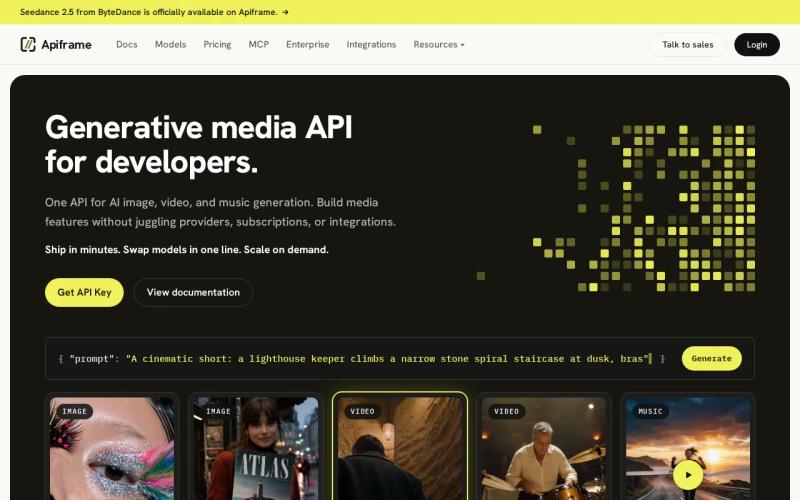
The main advantage is how it connects to your app. Your code talks to one API instead of building a new connection for each image, video, or music service. That cuts the work needed for sign-in, request formats, handling results, and switching providers later on.
Apiframe also suits teams that want room to test different models. A creative app might start with image generation, then add short video clips or music later. One connection point makes that growth easier to plan from the start. Our guide on what a unified AI media API is explains this approach in more depth.
If Midjourney itself is what you want, Apiframe also runs a managed Midjourney API that handles accounts for you, so you do not risk your own account with Discord automation. That makes Apiframe less of a pure “alternative” and more of a way to access Midjourney, depending on what you need. If you are still learning the tool, our Midjourney prompt guide can help you write better prompts.
Developers looking at image-first options can compare models in our AI image generator API roundup. The useful question is not only which model makes the best-looking image. It is also how much code your team has to maintain after launch.
The caveat is simple. A unified API can hide settings that are specific to one model. If your workflow depends on one model’s exact controls, check the details before you commit.
Key takeaway: For teams with mixed media needs, Apiframe is the clearest first test. Send one image request, then see how the same integration fits your next media job.
2. Renderful: Predictable costs across mixed AI media workloads
Renderful is an AI media API covering image, video, audio, music, and 3D generation. It is aimed at teams that want many models on one bill and a clearer view of total spending.
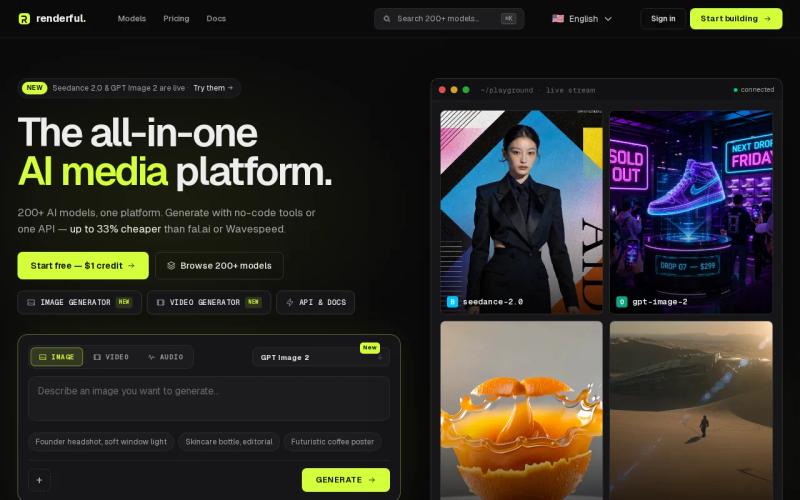
Its main selling point is a flat price for each generation across a large catalog. Renderful has shared different model counts over time (144-plus in some materials, 200-plus on its site now), so check the current number instead of relying on one figure. It also offers free credits when you sign up, which gives your team room to test before moving into paid use.
This billing style helps with uneven workloads. Image requests might run steadily all day, while video jobs arrive in bursts. One shared bill makes it easier to review everything as a single media budget instead of several unrelated invoices. Published prices run from roughly $0.003 to $0.24 per image and $0.13 to $3.20 per video, depending on the model, which gives you a useful starting range.
The trade-off is catalog size. A large set of models gives you choice, but it can slow down the process of picking one. Your team still needs to record which model fits each job, what it returns, and what each request really costs once retries are included.
For a wider look at cost models, our comparison of Replicate pricing alternatives explains the difference between flat per-generation pricing and billing based on computing time.
3. WaveSpeedAI: One API key for image, video, audio, and LLM models
WaveSpeedAI is a unified platform for image, video, audio, and language models (LLMs, or text AI). It is best for developers who want broad model access behind one API key. Our WaveSpeed AI API guide covers its pricing, model list, and a working code example in more detail.
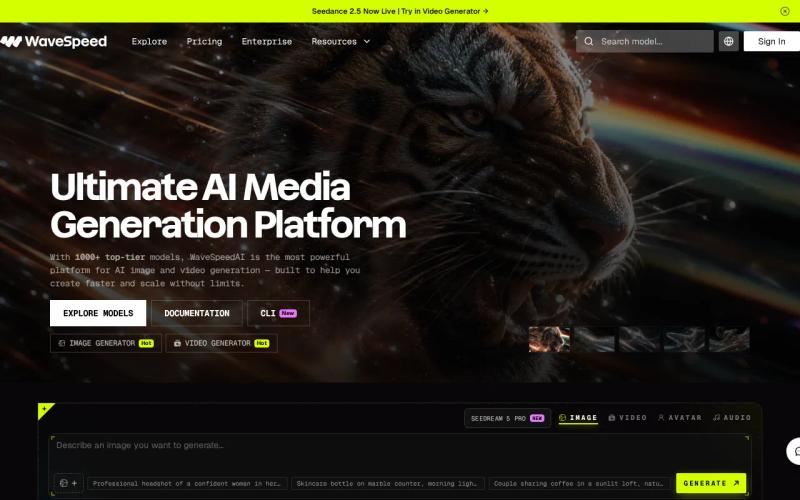
The platform offers more than 1,000 models across those categories. That range helps a team build a test setup without connecting each model to a separate provider. Send a request, compare the output, then keep the model that fits the job.
A single key also removes a common headache in a growing app. Your server has one credential to protect and one provider to keep track of. You still need rate limits and error handling, but there are fewer moving parts.
The caveat is that costs are hard to see at the request level. WaveSpeedAI prices each model separately instead of publishing one flat rate, so ask how each model you plan to use is billed before you work out margins for a customer-facing feature.
WaveSpeedAI makes sense when experimenting matters more than a small catalog. For a production team that wants image, video, and music behind one interface, Apiframe is still the more direct fit.
Keep a small test set ready. Use the same prompts and input files across models, then compare speed, output quality, and cost in your own workflow.
4. fal.ai: Straightforward per-generation pricing for model access
fal.ai is an AI model platform known for usage-based pricing, with two billing options: a price per output for individual generations, and hourly GPU pricing for teams that want dedicated computing power.
Per-generation billing is easy to explain in a product plan. If a feature creates one image per request, your team can tie usage to that event. The same logic helps with internal tests, where you want to compare model output without tracking GPU runtime by hand.
This pricing style also makes early estimates less abstract. Start with the number of expected generations, then add the cost of retries, failed jobs, and higher-quality output. You still need to test, but the unit is easy for a product manager to discuss. Our fal.ai pricing breakdown goes deeper on how the two billing options compare.
fal.ai is less suited to teams that want one clear media layer across images, video, and music. Its main strength here is how it charges, not how many media types it covers.
Watch for request formats that differ by provider. A low price does not help much if your code has to change every time you switch model families. Keep your own input format stable where you can.
Choose fal.ai when a known per-generation cost is the deciding factor. Choose Apiframe when the bigger problem is combining several media types in one product.
5. Replicate: Broad model access with usage-based GPU billing
Replicate gives developers access to many AI models, with many of them billed by GPU computing time. It is best for teams that are comfortable with changing infrastructure costs in exchange for a wide choice of models.
Billing by GPU time ties spending directly to the resources a job uses. That works well for technical teams that already track runtime and hardware demand. It also means the cost of a single request is harder to predict, since it depends on the model, the settings, and how long the job runs.
Imagine a product that lets users generate short clips. One request may finish quickly, while another takes longer because of its settings. Your cost model has to account for that range. A simple price per task may not tell the full story.
Replicate suits research work where developers test models one at a time. It is less direct for a team that wants image, video, and music through one consistent API.
Before launch, log the model name, run time, output size, and retry count. Those details help you spot which features drive spending, and they make a later provider comparison less dependent on guesswork.
Midjourney alternatives comparison table
The best choice depends on the job your backend must support. Use this table to narrow your shortlist before you test output quality.
| Option | Media scope | Billing or access angle | Best fit |
|---|---|---|---|
| Apiframe | Image, video, music | One developer-friendly API | Product teams building mixed AI media |
| Renderful | Image, video, audio | Predictable cost structure across 144+ models | Teams watching mixed workload spend |
| WaveSpeedAI | Image, video, audio, LLM | One key for 1,000+ models | Teams testing many model types |
| fal.ai | — | Flat per-generation pricing | Teams that prefer a clear unit cost |
| Replicate | — | GPU compute time billing | Model research and technical testing |
Image-only tools can still win a narrow quality test. But if your plans include motion or sound, start with a provider that already covers those media types. For a side-by-side look at image models, see our comparison of the best AI image APIs and our guide to Flux, Stable Diffusion, and Midjourney APIs.
What to look for in a Midjourney alternative
Start with the media your product will need six months after launch, not only the first demo. A tool that makes great images may force a second integration when you add video or music. Our guide on how to choose an AI media API goes deeper on these points.
- API design. Check sign-in, request fields, background jobs, webhooks (automatic notifications when a job finishes), and error messages.
- Cost model. Find out how retries, long video runs, and high-quality output affect spending.
- Model choice. Test the models with prompts from your own product.
- Output handling. Confirm how files are returned, stored, and passed to your app.
- Failure controls. Look for timeouts, rate limits, job status checks, and safe retry rules.
Our AI video generation API guide walks through how that background job flow works in practice, which is the part most teams underestimate when moving beyond still images.
Pro tip: Send the same small test set through two providers. Compare the code first, then compare the pictures.
FAQ
What is the best Midjourney alternative for developers?
Apiframe is the best fit for developers who need image, video, and music generation through one API, since it gives product teams a single integration point instead of separate provider connections. If you only need images, compare output quality and prompt control too. For mixed media needs, unified access should matter more than a single image test.
Is there an official Midjourney API?
No. Midjourney has not released an official public API, and has not announced plans for one. Every “Midjourney API” available is a third-party service that works through the Discord bot or the web app. Midjourney’s terms restrict automation, so personal accounts used this way can be suspended. Managed services that run their own pool of accounts take on some of that risk, but you should understand it before building a live feature on top of one.
Which Midjourney alternative supports video and audio?
Apiframe, Renderful, and WaveSpeedAI all go beyond image generation. Apiframe covers images, video, and music through one API. Renderful spans image, video, audio, music, and 3D across a large catalog. WaveSpeedAI offers image, video, audio, and language model access behind a single key. Midjourney itself also offers image-to-video through a separate video model, though still without an official API.
Which AI media API has the clearest pricing?
Renderful is built around a flat price per generation across its catalog, which makes each request easy to quote before you call. fal.ai offers a choice between per-output and hourly GPU pricing depending on your workload. Replicate bills many models by GPU computing time, which tends to make costs harder to predict up front. Ask each provider how retries and long-running jobs are handled before comparing headline prices.
Can I use an AI API instead of Midjourney?
Yes. An AI API can replace Midjourney when your product needs generation from code. Models like Flux, Recraft, and Nano Banana can compete with Midjourney on quality for many kinds of images, and they come with official APIs, which removes the account-risk question entirely. Learn more in our Flux API guide and Nano Banana API guide. Test prompt fit, output quality, cost, and how results are returned with your own requests before switching a live workflow.
Conclusion
Choose Apiframe if your product needs more than image generation and you want one API to manage the whole media layer. Start with a small image request, then test a video or music job through the same account. Review the model list and pricing, then try it with your own prompts before committing to a larger build. Our Getting Started with Apiframe guide walks you through your first API call.


