
Video API pricing can swing from cents per request to several dollars per minute. The billing unit matters as much as the model, especially when your app retries jobs or generates clips with different lengths.
Here are five options for comparing unified media API pricing per video minute versus per request, plus a cost table for matching each one to your workload. For a wider view of video costs, see our AI video API pricing guide.
1. Apiframe, one API for multi-provider AI media generation
Apiframe is one API for generating images, videos, and music through a single developer interface. It fits product teams that want to test several models without maintaining a separate key, request format, and billing account for each provider.
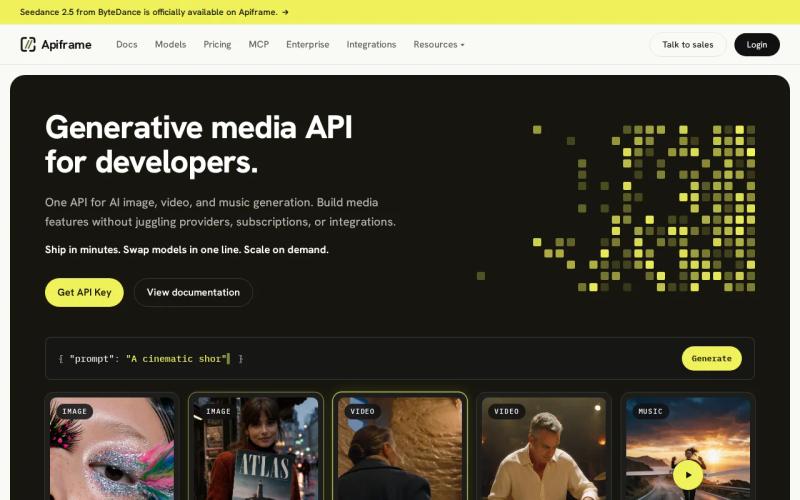
Apiframe uses credits instead of one flat per-minute or per-request fee. One credit equals $0.01, and every plan includes access to more than 70 models. That shared balance can cover media jobs across image, video, and music, so your finance sheet tracks one account instead of several vendor meters.
Enterprise uses custom credit volumes. Plan credits reset at renewal and do not roll over. Credits are reserved when a request is accepted, then refunded automatically if the job fails.
That setup helps when your app may switch models. Change the model value instead of rewriting the whole integration. The REST API returns a job ID, and you can check the job or receive a webhook (an automatic message sent to your server) when the output is ready. Our guide on setting up webhook callbacks explains how.
There is a trade-off. You still need to check the credit cost for the exact model, length, resolution, and options. A credit balance simplifies the bill, but it does not remove the need for a small workload forecast. Our pricing calculator guide for unified AI media generation shows how to build one.
For a team building more than one media feature, Apiframe is the strongest first choice because the integration and budget stay in one place.
2. Fal.ai, low per-second costs for high-volume video generation
fal.ai uses usage-based billing for developers who want low costs at high generation volume. It suits teams that are comfortable checking the price and limits for each model before they send production traffic. Our fal.ai pricing breakdown covers its billing in more depth.

The pricing research lists 66 free credits each day, which is roughly enough for six videos under the cited estimate. That allowance can help during early tests, but it should not be treated as a production budget. Your actual video cost depends on the selected model and output settings.
fal.ai’s key appeal is the low per-second cost reported for high-volume video generation. A short-form content system can benefit when it produces many clips with similar settings, since the team can measure the cost of a representative render and multiply it across expected volume.
There is more pricing work on your side. A single starting figure does not tell you what retries, higher resolutions, audio, or other model modes will cost. Write down the target clip length before comparing this option with a flat per-request API.
fal.ai makes sense when model-level control matters more than one shared credit wallet. If your product also needs image and music generation through the same setup, Apiframe may reduce the amount of billing logic your team has to maintain.
3. Google Gemini Omni, per-minute multimodal generation
Google Gemini Omni uses per-minute pricing for multimodal generation across text, image, and video. It fits teams that want one model family for workflows that move between different media inputs.

The cited pricing starts at $0.12 per video minute. The listed free allowance is 100 seconds per month. That is enough for a narrow proof of concept, but it will not support much batch testing once your app begins generating many clips.
Per-minute billing is easy to explain. If the finished output is one minute, multiply one minute by the listed rate. If the output is longer, the bill grows with the finished length. This works well when your users request predictable lengths.
The catch is that a per-minute figure can hide the cost of iteration. Imagine a workflow that produces ten short drafts before a user approves one final cut. You need to price every generated draft, not only the clip that reaches your storage.
Gemini Omni is worth a look when multimodal input is the main requirement. For a product that may add separate image and music features later, a unified layer such as Apiframe gives you more freedom to change models without adding another provider contract.
The most useful test is simple: run the same prompt set at the same target length, then record successful jobs and failed retries separately.
4. Kling, a low-cost per-request option for video generation
Kling is listed with a reported price of about $0.45 per request. It fits developers who want a low-cost route for short video generation and have a clear view of how each request maps to an output. Our Kling 3.0 API guide and comparison of Kling 3.0 API providers cover its pricing in more depth.
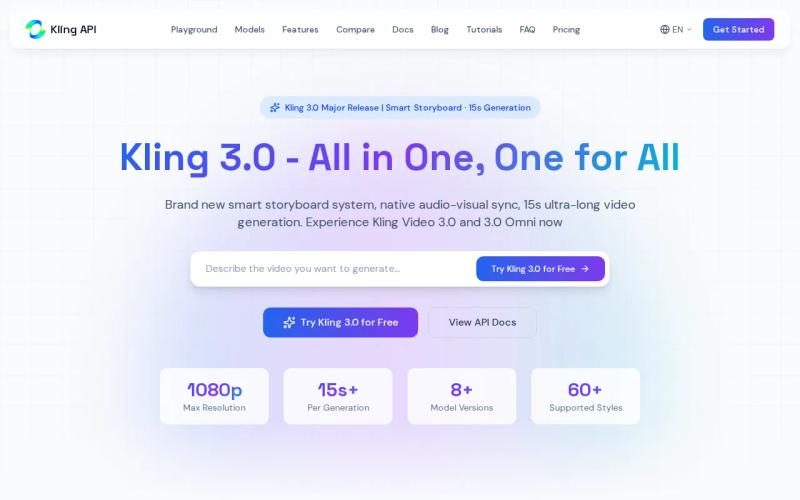
The per-request figure can look attractive next to a per-minute rate, but compare like with like. A request may have a fixed charge even when the clip is short. A longer output may also make the effective cost per finished second less favorable.
The research on Kling 3.0 pricing also points to a difference between simple generation routes and workflows with added reference or editing controls. That distinction matters when you build a product form. A basic text prompt may sit in one cost band, while a more involved route can push the budget higher.
Think about a social ad tool that creates five-second clips. A flat request price is easy to place in a job record. It becomes less clear when users can select different lengths, quality modes, or advanced controls.
Kling is a reasonable fit for a focused video feature. It is less convenient when the same product must support many models across images, videos, and music. In that case, Apiframe lets you keep one background job flow while changing the selected model.
Before launch, test the shortest clip your users can request. That is where a flat request charge can look very different from a per-minute calculation.
5. Replicate, compute-based billing for variable workloads
Replicate charges for the computing resources a job uses, instead of one fixed price per finished video minute. It fits developers whose workloads vary by model, render time, and job complexity. Our Replicate API guide explains how it works.
Compute billing follows the time and resources used by a job. A simple render may consume less than a complex one. That can be fair when your outputs vary widely, but it makes forecasting harder than multiplying a fixed per-minute rate.
For example, two clips can have the same final length but different workloads. One may use a basic composition. The other may need heavier processing. Under compute billing, those jobs can land at different costs even though both produce one-minute files.
Replicate’s model is useful for teams that want to pay for the computing they use. It also means your cost sheet should track the chosen model and actual usage, not only the number of API calls. See our Replicate pricing comparison for more.
Variable workloads need guardrails. Set a maximum job length in your own app. Add limits for free users. Save the job ID before retrying so a network timeout does not trigger a duplicate render.
Replicate can suit model testing and uneven workloads. If your product needs a shared balance across multiple media types, Apiframe is easier to budget at the account level.
Pricing comparison: per-minute, per-request, per-second, and compute billing
The right billing model depends on the shape of your jobs. Per-minute pricing tracks finished output, while per-request pricing charges for the submission. Compute billing tracks the work done by the provider’s hardware.
Usage credits sit between those approaches. They can hide model-level differences behind one balance, but you must still know how many credits each job consumes. In short, usage-based pricing means your payment changes with how much you use, not only with a fixed subscription.
| Option | Billing signal | Best fit | Main watchout |
|---|---|---|---|
| Apiframe | Shared credits, $0.01 per credit | Products using image, video, and music | Check current credit cost by model |
| Fal.ai | Usage-based, with reported daily free credits | High-volume model use | Model-level pricing needs review |
| Google Gemini Omni | Per video minute | Predictable output lengths | Short drafts still consume paid minutes |
| Kling | Per second, with reported per-request figure | Focused short-video features | Advanced routes may change cost |
| Replicate | Compute usage | Variable model workloads | Harder monthly forecasting |
For a deeper pricing view, compare your own representative job across providers using our pricing calculator guide. Use the same length, resolution, retry rate, and approval flow for every option.
The figures in this shortlist show why one cheap unit does not settle the question. The reported per-minute spread runs from $0.12 for Gemini Omni to $4.20 for xAI Grok Imagine. Per-request figures also vary. Those numbers are useful reference points, not a promise that every job has the same final cost.
Model pricing can vary by service and model type, so check the exact route before building a forecast. Your cost model should include successful output, failed jobs, retries, and storage after the provider’s retention window. Our guides to estimating monthly AI video costs, unified AI media API pricing per image, and AI music API pricing can help.
Key takeaway: Match the billing unit to your output pattern, then price the complete workflow instead of one isolated request.
FAQ: Unified media API pricing per video minute vs per request
Is per-minute video API pricing cheaper than per-request pricing?
Neither model is always cheaper because the result depends on clip length and retry volume. Per-minute pricing can suit steady output lengths. Per-request pricing can work well for short, fixed jobs. Compare the full cost of your normal workflow, including drafts that users reject.
What is the cheapest unified media API pricing model?
There is no universal cheapest model for unified media API pricing. The shortlist includes per-minute, per-request, per-second, compute, and shared-credit approaches. Apiframe uses credits at $0.01 per credit, while the exact job cost depends on the model and selected options.
How do I calculate video API cost per minute?
Multiply the provider’s rate by the finished video length, then add expected retries. A one-minute rate does not show the cost of ten rejected drafts. Include resolution, audio, model mode, and any monthly plan fee in your working estimate. Our guide on how to choose an AI media API covers more of what to compare.
Does Apiframe charge per video minute or per request?
Apiframe uses a credit-based system instead of one published per-minute or per-request rate. Credits are shared across its supported image, video, and music models. Failed jobs are refunded automatically, but you should check the current credit cost for the model and settings you plan to use.
Which pricing model is best for an AI media app?
A shared credit model is often easier when your app may use several media types or switch models. Per-minute pricing is clear for fixed-length video. Compute billing suits uneven jobs. Start with one representative workflow, then compare the bill, retry behavior, and integration work. Our unified AI API guide explains the idea in more detail.
Conclusion
Choose Apiframe first if your app needs several AI media models behind one API and one shared credit balance. To test the workflow, estimate your normal job mix, then follow our Getting Started with Apiframe guide to send a small batch through the API before setting production limits.


