Most Pika-related searches lead to video generation tools. Apiframe is the outlier here, with one developer interface for image, video, and music generation. Here's how the two compare, what each one does well, and where each one falls short.
A quick note before we start: you'll see the product referred to as "Pika API," "Pika AI," "Pika Labs," and just "Pika" across the web. These all describe the same company, Pika (originally launched as Pika Labs by Stanford researchers in 2023), rather than separate competing products. What actually differs is the access route, an official paid API versus the free Discord and web app, so this guide compares those routes directly instead of treating naming variations as separate options.
1. Apiframe (Our Top Pick)
Apiframe is a unified API for developers who need AI images, video, and music inside one app. It fits product teams that don't want to manage a separate key, billing flow, and job format for every model provider.
The main advantage is scope. You can build a product that starts with an image prompt, adds a generated soundtrack, then turns the result into a short video, all without switching API vendors. That matters when your app has several media features rather than one isolated video button. Our AI image API guide is a good starting point if you're mapping out what that kind of multi-step workflow could look like.
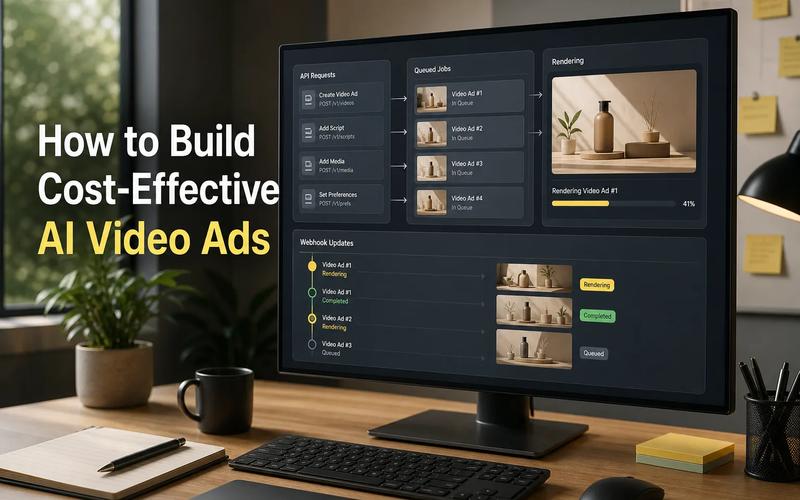
Apiframe also gives developers a consistent way to work with generation jobs. A typical request returns a job ID, and your server can poll the job or receive a webhook when the file is ready. Our text-to-video API guide walks through this pattern in more detail.
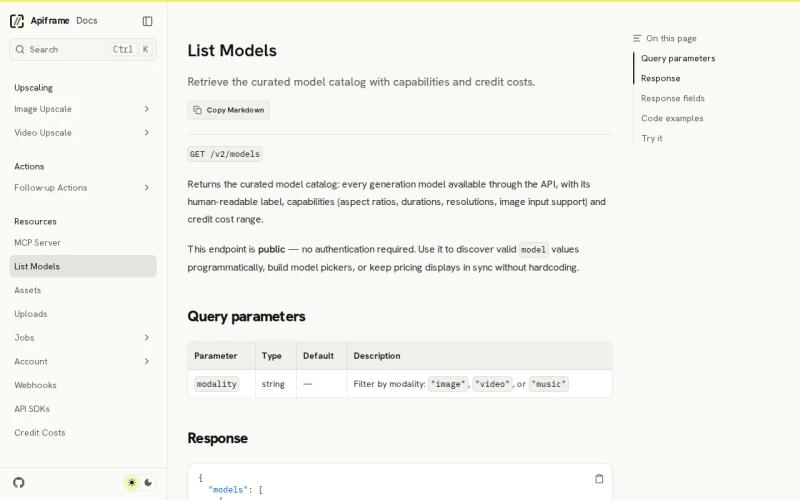
Model choice is another reason to put Apiframe first. The public model catalog can be filtered by image, video, or music modality, which helps you build a model picker without hardcoding every option.
There is a trade-off worth knowing up front. Apiframe offers 100 free credits on signup, with phone verification required, so check the current signup and usage terms before setting a test budget. Latency also isn't published as a fixed number, since it depends on the model and job type, so you'll want to measure queue time and completion time against your own workload.
Key takeaway: Pick Apiframe when your app needs more than video and you want one integration path.
2. Pika's Official API: Developer Access to Pika's Video Models
Pika offers a developer API for programmatic access to its video generation models, separate from the free web app and Discord bot. Its listed media focus is video, most notably image-to-video transformation, along with the signature effects (melting, squishing, inflating an object, that kind of thing) that made Pika popular as a creative tool in the first place.
The API is aimed at developers building automated workflows or apps around Pika's visual style, rather than a creator who only wants a browser editor. Picture a social app where a user uploads a selfie: your backend can send that image into a video generation workflow, then return the finished clip to the user. The appeal is the visual effect, not a broad media stack. If your roadmap later adds music generation or several unrelated models, a single-model integration may need more work.
Two things are worth confirming directly with Pika before you commit engineering time. First, API access has historically required a paid Pro or Enterprise plan rather than being open to all users, so check current eligibility and pricing on Pika's own site rather than assuming API access comes bundled with every tier. Second, reported per-second or per-generation pricing varies quite a bit across third-party write-ups, so treat any specific number you see elsewhere as unverified until you see it on Pika's own pricing page. A low per-generation cost can still become hard to predict when users retry failed or weak outputs, and average latency isn't published, which matters for your loading state and timeout rules.
Choose this route when Pika's visual style is the feature your product is built around, and you've confirmed current API pricing and access terms directly with Pika.
3. Pika's Free Tier: Discord and Web App for Non-Commercial Use
Separate from the paid API, Pika offers a free tier through its web app and Discord bot, with 80 credits a month at 480p resolution. That's enough for light testing and non-commercial experimentation, not a production workflow.
This route is useful for early creative tests. You can try short concepts without first setting up a paid API integration. A student, hobbyist, or small team testing a visual idea may value that more than immediate API access.
The trade-off is the interface and scope. The free route runs through Discord or Pika's own web app, which isn't the same as a developer API your own app can call in the background. If your product needs a user-facing button, structured job status, or automatic file delivery, this free tier isn't built for that. Commercial use also needs care: confirm the current license terms before building any paid customer workflow around free-tier output, since free-tier terms are generally scoped to non-commercial use.
Pika's free tier wins on cost-free experimentation. It loses ground when you need a clean, embedded API layer. For that kind of build, compare the job flow against our roundup of AI media generation APIs.
Pro tip: Log queue time, generation time, retry count, and output size during your first test batch, whichever route you choose. Those numbers will shape your UX more than a model name alone.
4. Pika Labs, Free video generation for non-commercial projects
Pika Labs is the strongest fit for people who want free video generation for non-commercial work. Its listed differentiator is a free Discord bot with no stated usage limit.
That makes Pika Labs useful for early creative tests. You can try short concepts without first setting up a paid API workflow. A student, hobby creator, or small team testing a visual idea may value that more than access to image or music endpoints.
The trade-off is the interface and scope. The free route is tied to video generation through Discord. That isn't the same as a developer API that your own app can call in the background. If your product needs a user-facing button, structured job status, or automatic file delivery, a bot-based workflow may not fit.
Commercial use also needs care. The research identifies the best use case as non-commercial short video. Don't build a paid customer workflow around the free offer until you confirm the current license and access terms.
Pika Labs wins on cost-free experimentation. It loses ground when you need a clean, embedded API layer. For that kind of build, compare the job flow with a dedicated AI video generation API shortlist.
5. Pika, Reality-bending image, video, and audio generation
Pika is a broader creative product with image, video, and audio listed as supported media types. It is aimed at creators who want to make unusual short-form visuals with simple inputs.
The clearest use case is photo-to-video transformation. Upload a photo, apply a concept, and turn the still into a clip with surreal motion. The product page also describes trend-focused creation using a selfie and sound, which points to quick social content rather than long film production.
That creative focus can be useful for an app built around playful effects. Imagine a camera tool that lets users melt, squish, or reshape an object in a short clip. The product's value would come from the effect itself, while your app would handle upload, moderation, storage, and delivery.
Don't confuse listed media types with a unified developer workflow. The research does not give enough detail to judge endpoint design, authentication, model switching, or webhook support for this option. Those are the questions to ask before you commit engineering time.
Pika also has no reported latency figure in the comparison data. That matters if your app shows a live progress bar or promises a result during a short user session. Test the full request path, not only the time spent generating the file.
This is a reasonable option for a visual product that wants Pika's creative identity. Apiframe remains the safer first choice when the team wants one API across several media jobs.
Pro Tip: Log queue time, generation time, retry count, and output size during your first test batch. Those numbers will shape your UX more than a model name alone.
Pika API Options Compared
The best Pika API choice depends on what your app must do after the first video prompt. The table below compares each option by media scope, access style, and its clearest fit.
| Option | Media scope | Best fit | Main trade-off |
|---|---|---|---|
| Apiframe | Images, videos, music | Multi-media apps with one developer interface | 100 free credits; no listed latency figure |
| Pika API | Photo, video, sound | Apps built around Pika generative models | Pricing and latency need confirmation |
| Pika AI | Video | Short reels from still images | Video-first scope |
| Pika Labs | Video | Free, non-commercial experiments | Discord bot access |
| Pika | Image, video, audio | Playful photo-to-video experiences | Developer workflow details are limited |
If your product needs other video styles beyond Pika's, it's also worth glancing at real competitors like Runway, Luma, or Kling, since Pika is strong on playful effects and short-form transformations specifically, not every video generation use case. Our guide to choosing an AI media API covers the broader criteria worth weighing across any of these.
Latency is missing from public data for most of these options. That's a material gap for any team planning scale, since media apps need to split total delay into queue time and generation time, not just one number.
If your wider product also needs AI workflow automation, a media API can sit beside a complementary automation service. The two address different layers: media generation on one side, customer-service or sales automation on the other.
FAQ
What is the best pika api option for developers?
Apiframe is the best first option for developers who need image, video, and music generation through one interface, since it avoids building separate provider adapters for each media type. Choose Pika's official API directly when its specific visual effects and video style are the central feature of your app, and confirm current API access and pricing before committing engineering time.
Does Pika have an API?
Yes. Pika offers a developer API alongside its web app and Discord bot, but API access has historically required a paid Pro or Enterprise plan rather than the free tier. Confirm current endpoint access, pricing, and usage terms directly with Pika before building a production integration.
Is Pika’s free tier the same as API access?
No. Pika's free tier runs through its web app and Discord bot, capped at 80 credits a month at 480p resolution, which is enough for light testing but not regular production use. Developer API access is a separate, paid track with its own terms.
Can an AI media API generate music and video?
Yes, some AI media APIs cover music and video within the same product. Apiframe is the clearer option here, since its unified API supports images, video, and music, while Pika focuses primarily on video with some audio and lip-sync features layered in. Check each provider's supported media types before you design your database and user flow around them.
What factors matter when choosing a video API?
Test output quality, queue delay, generation time, retry behavior, file delivery, and commercial usage rights before committing. Published pricing and speed claims don't always match real-world performance, so your own test log matters more than a headline number. Run the same prompts through each candidate under the traffic pattern you expect in production.
Conclusion
Choose Apiframe if your AI media app needs more than a single video feature. Start by sending one image or video generation request, then measure completion time and output quality before adding the workflow to production. That small test will show whether one API can cover your next media feature without needing a second provider integration.