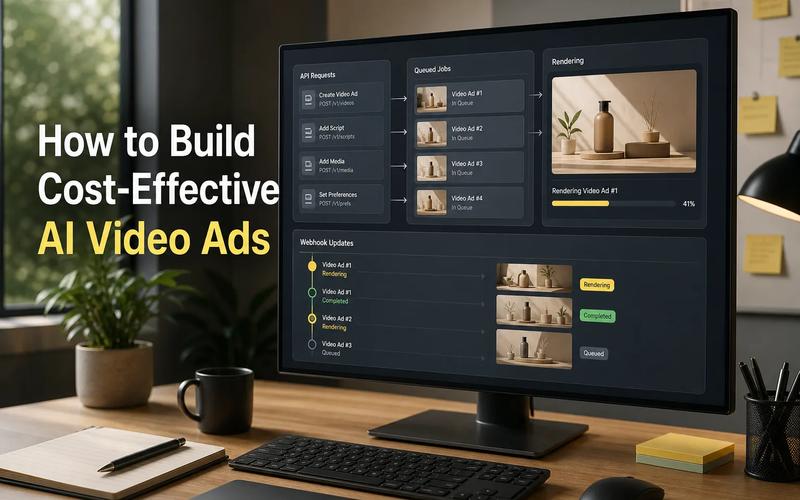
Most write-ups about the Veo API focus on video alone. Apiframe stands out because it covers images, video, and music through one developer-friendly interface. Here are three real options worth reviewing, along with the trade-offs that matter when you ship an AI video feature.
1. Apiframe
Apiframe is a unified API for AI images, video, and music. It's a strong fit for product teams that want one backend instead of separate integrations for each media model.
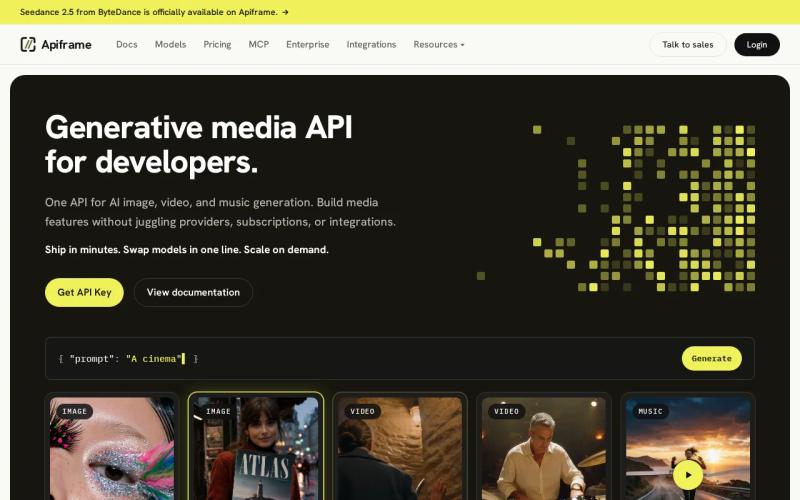
For video, Apiframe uses a single endpoint for Veo 3.1, Veo 3.1 Lite, and other leading video models. You send a prompt with a model ID, get back a job ID, then poll for the result or use a webhook once the file is ready. That async pattern fits apps where video generation takes a while and shouldn't block the rest of a user request. See the Veo 3 API guide for the full setup, pricing, and a working code sample.
The main benefit is model choice. You can switch models by changing one field, which makes it easy to compare output quality, cost, and speed without rebuilding your backend each time a new model launches. This also means you don't need a separate Google Cloud account just to test Veo.
Apiframe's wider scope matters once a product needs more than clips. A content app might generate a hero image, turn it into a short video, then add music, all through the same account. If you're weighing this approach against calling video models directly, our AI video generation API guide walks through both paths.
One caveat: a unified API cuts down on integration work, but it doesn't make every model behave the same way. You'll still want to test each model against your own prompts before committing.
2. Veo 3.1 API, Flexible Multi-Model Switching
Veo 3.1 API access, such as the endpoint Apiframe exposes for it, is aimed at developers who want to switch between Veo and other video models without rebuilding their backend. It's a fit for teams that want to keep their provider options open.
The useful part is the shared request format. Your app can keep the same request shape while the model underneath changes. That helps when one model suits cinematic shots and another works better for a quick, low-cost draft. Apiframe's Veo 3 API guide shows how this switching pattern works in practice, along with setup and pricing.
That flexibility also changes how you test. Instead of wiring several providers into a prototype, you can keep your app code stable and compare results by changing one field.
Two things are worth checking before you rely on this for a live feature: exact latency and total cost can vary by model and by provider, so don't assume they'll match Apiframe's own baseline numbers. Measure queue time and completion time with your own prompts before you commit to a customer-facing flow.
Key takeaway: Use this option when backend flexibility matters more than locking into one fixed integration.
3. VEO 3 API, Low-Cost Video With Audio
A number of third-party "VEO 3 API" services give you access to Google's Veo 3 model without requiring your own Google Cloud setup, and they're often priced below Google's direct per-second rate. Sample pricing for a short clip with audio can land well under $1, though rates vary by provider and by output length, so a fixed number here would be misleading. This is a helpful option for teams that want a quick way to test video with sound before building a full billing plan.
Audio is the main draw. A short clip with audio gives you a useful test case for social posts, quick ads, or a product demo where silence would feel unfinished. That said, the term "unified API" can mean different things depending on the provider: some support only Veo, while others (like Apiframe) support many other models and media types too. That distinction matters if your app might later need still images or music, not just video.
Keep two limits in mind. Most of these services list video as the only supported media type, so don't assume image or music generation comes with it. Latency also isn't usually published, so test the full job cycle before relying on it in a live product.
If your first release needs short video with sound and a lower price than Google's direct API, this route is worth a controlled test. Keep the integration behind a service layer so you can swap providers later if pricing or quality changes. Our AI video API pricing guide breaks down how per-second rates compare across access routes.
Key takeaway: Third-party Veo access can undercut Google's direct pricing, but always confirm the current rate and what's included before you commit to a workflow.
4. Veo3, Built-In Audio for Cinematic Video
Veo3 is Google DeepMind's own video model, the one every option above is ultimately built on. It's a strong fit for cinematic text-to-video work where dialogue, ambient sound, or effects need to arrive together with the picture.
Google DeepMind describes Veo 3 as a video generation model with native audio. Its official examples include sound effects, ambient noise, music, and dialogue generated with the scene. That makes it a natural fit for a short story beat where a separate sound edit would otherwise slow things down. You can access it directly through Google's Gemini API or Vertex AI, though that route requires setting up a Google Cloud project and billing first.
Audio changes how you write the prompt itself. You can describe the camera move, the action, and the sound in one request. For example, a prompt might call for a close shot of a rain-soaked street, distant traffic, and a short line of dialogue. The output still needs review, since spoken words and sound timing can vary between generations. Our guide on APIs that support synchronized audio with generated video covers what to check before you rely on this in production.
As of this writing, Google's published rate for standard Veo 3 or Veo 3.1 with audio is about $0.75 per second, which works out to roughly $3.75 for a five-second clip. That's the official, direct-from-Google price, and it's typically higher than what third-party access routes charge, since Google's rate includes enterprise-grade infrastructure and support.
Going direct through Google makes sense when you need the official source and already work inside Google Cloud. If your product needs a still-image step or a music endpoint too, you'll need another integration unless you put Veo3 behind a wider API layer such as Apiframe's.
Key takeaway: Choose Veo3 directly for sound-led video work when official access matters more than price or a single combined interface.
Compare These Veo 3 API Options
The right Veo 3 API depends on what your app needs after the first successful render. Video quality is only one part of the decision. Scope, model choice, price, and job timing can shape the build as much as the prompt itself.
Use this matrix to narrow the shortlist before you run tests. A dash means the detail is not published.
| Option | Best fit | Media listed | Known price | Main trade-off |
|---|---|---|---|---|
| Apiframe | Multi-media apps | Images, video, music | — | Test each model for output and timing |
| Veo 3.1 API | Model switching | Video | — | Latency and price are not stated |
| VEO 3 API | Short video with audio | Video | $3.75 for 5 seconds with audio | Media scope is narrower in the supplied data |
| Veo3 | Cinematic video with sound | Video, audio | — | Images are not listed |
For most product teams, Apiframe is the strongest starting point because it reduces the number of separate media paths you need to maintain. Its video documentation covers the shared endpoint, job-based response, and webhook pattern, giving your engineers a clear place to start before testing model quality.
Cost planning still needs care regardless of which option you pick. Ask how failed jobs are billed, what counts as a billable generation, and how long results stay available. Then track the full time from request to finished asset, since average latency isn't published for most of these options. Our guide on estimating monthly AI video costs can help you build that budget ahead of time.
If you want to see how Veo compares against other video models entirely, our roundup of Sora API providers is a good next read.
If you need to explain the spend to a finance lead, track the number of requests, successful outputs, review time, and final assets actually used. Those figures frame the engineering work in terms a budget conversation can work with.
Pro tip: Start with one prompt set, then run it through two models. Keep the prompt, input image, output size, and review rule the same across both tests.
Apiframe is the sensible first test for most teams here. The other three options make sense when their narrower focus matches your first release.
FAQ
What is the best veo 3 api?
Apiframe is the best starting point for most teams because it supports images, video, and music through one API and lets you switch video models without rebuilding your backend. If your project only needs one short video workflow, it's still worth testing the more focused options too.
Does Veo 3 API include audio?
Some Veo 3 API options include audio, but support differs by route. Google's direct API includes native audio as part of Veo3's design, and several unified and third-party options support it as well. Check the exact model parameters before you plan a separate audio step.
How much does VEO 3 API cost?
Google's official rate for Veo 3 with audio is about $0.75 per second, or roughly $3.75 for a five-second clip. Third-party access routes often price below that, sometimes well under $1 for a short clip, though exact rates vary and should be confirmed before you budget a production run.
Can I switch AI video models through one API?
Yes. Some unified API products support model switching through one backend. Apiframe is built around this pattern, so you can change the model field while keeping your main request flow intact. Still test each model's prompt rules, output limits, job time, and cost before relying on it.
How long does Veo video generation take?
None of the options compared here publish an average latency figure. Plan for an asynchronous workflow instead of a blocking request: return a job ID, poll for status, or use a webhook, then measure the full wait time in your own app.
Conclusion
Pick Apiframe if you want one API for AI images, video, and music, with room to change video models as your product grows. Start by sending one test prompt through the video endpoint, then compare output quality, cost, and completion time. Try Apiframe's AI video API with a small batch before you commit to a larger build.