Free AI access often comes with a hard daily cap. OpenRouter limits free model use to 50 requests per day for accounts with under $10 in lifetime credit purchases, which can change your budget fast.
Here's how OpenRouter's pricing actually works, and how it compares to a media-focused alternative like Apiframe if your product needs image, video, or music generation alongside language models.
1. Apiframe: One API for AI media generation
Apiframe is a unified API for generating images, videos, and music through one developer-friendly interface. It's best for product teams that want AI media in an app without managing several model vendors.
OpenRouter's pricing is built around language model access. Apiframe takes a more media-first approach. You can send requests through one API while switching between image and video models behind the same integration. That matters when a product starts with image creation but later adds video, edits, or sound.
The credit model also gives your team one unit for usage across supported media tasks. Apiframe's pricing plans list credit-based packages, no per-seat fees, REST API access, webhooks, and access to more than 70 models on each plan. The plan details also show different concurrency levels, which is useful when a queue grows beyond a small prototype.
For image work, model cost can change with resolution and quality. That is a better way to budget than treating every generation as equal, since a low-cost draft and a high-resolution final may consume very different amounts. You can review the AI image API pricing breakdown when estimating costs. Resolution, quality, and retry volume all belong in the estimate, and a simple monthly forecast should include both successful jobs and a retry buffer.
| Decision point | Why Apiframe fits | What to confirm first |
|---|---|---|
| Media type | One API covers image, video, and music generation. | Check the model page for the exact output you need. |
| Billing view | Credits give teams one usage unit across models. | Map credits to your expected jobs before launch. |
| Scale | Plans list higher concurrency as usage grows. | Choose a plan that matches peak jobs, not average traffic. |
| Integration | REST API and webhooks support app workflows. | Test retries and failed-job handling in your own queue. |
For image work, model cost can change with resolution and quality. That is a better way to budget than treating every generation as equal, since a low-cost draft and a high-resolution final may consume very different amounts. You can review the AI image API pricing breakdown when estimating costs. Resolution, quality, and retry volume all belong in the estimate, and a simple monthly forecast should include both successful jobs and a retry buffer.
Apiframe does have a caveat. Credit pricing can feel less direct than token billing when your team mainly builds text workflows. You'll need to test a few sample jobs and record the credit use before setting a firm monthly budget.
Best fit: developers building AI image, video, or music features who want one media API instead of separate provider integrations.
Key takeaway: Pick Apiframe when your product needs media generation and you want billing and model access behind one API.
2. OpenRouter.ai: Pay-as-you-go access to free and paid models
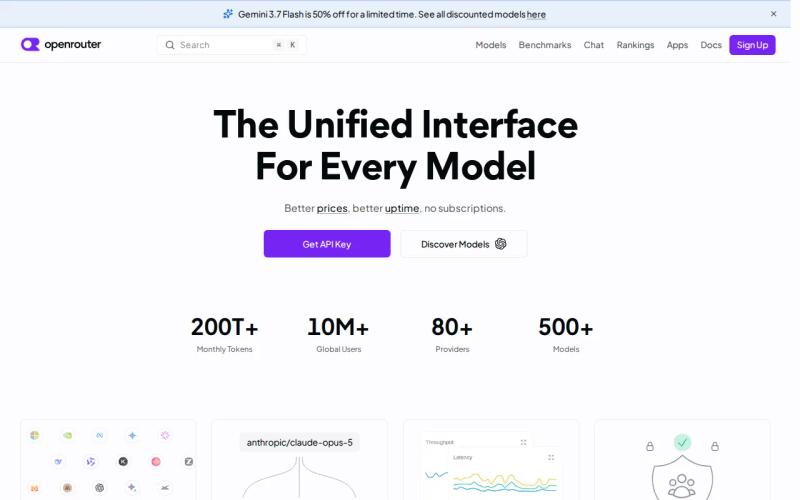
OpenRouter is a single platform (sometimes referred to informally as OpenRouter.ai) that gives developers one API key and one credit balance to reach hundreds of language models from dozens of providers, without signing separate contracts with each one. It's best for teams that want flexible model access for text or reasoning tasks and are comfortable tracking token-based cost.
Free tier: OpenRouter offers a set of free-tagged models at $0 per token. Accounts with less than $10 in lifetime credit purchases are capped at 50 free-model requests per day (and 20 requests per minute). Once an account has purchased at least $10 in credits, that daily cap rises to 1,000 requests. Failed requests can still count against your quota, so a public app or repeated testing can burn through the free allowance faster than expected. Treat the free tier as a sandbox for prototyping rather than a production backend.
Paid usage: OpenRouter doesn't mark up the underlying model's token price. Instead, it charges a 5.5% fee on credit purchases (so a $100 top-up nets you roughly $94.50 in usable credit), plus a minimum $0.80 fee on card purchases or a roughly 5% fee on crypto payments. If you bring your own provider API key (BYOK), the first $25,000 a month of list-price inference runs fee-free, and OpenRouter charges 5% of the equivalent list price beyond that.
Routing controls: OpenRouter's Auto Router can automatically select which model handles a request, and you can set preferred vendors to influence that choice. The response is billed at the rate of whichever model actually handled it, so routing decisions directly affect your final cost. This can reduce the amount of manual fallback logic you write yourself, but you should still log which model handled each production request, since a routing change can shift output quality, latency, and spend all at once.
Because pricing is token-based, cost depends on how much text a model reads and returns, not just how many requests you send. A short classification call may cost very little, while a long response from a large-context model can use far more tokens. Track input and output tokens in your own logs before quoting a fixed cost to customers.
OpenRouter also requires specific headers, including HTTP-Referer and X-Title, on requests. These are simple to add in a standard server request, but worth checking against async SDK patterns or shared client wrappers, which can sometimes drop custom headers without you noticing.
OpenRouter is less suited to a team that needs one clear per-image or per-video rate. Token pricing makes sense for text calls, but it's harder to compare against media jobs, where cost depends on duration, resolution, or output type instead.
Best fit: engineering teams that want broad language model access, automatic routing, or fallback support, and are willing to monitor which backend handles each request.
Pro tip: Store the selected model, input tokens, output tokens, and response status with every request. That record turns a surprise invoice into a traceable event.
How to choose between these pricing models
Start with the unit your team can measure. Text systems usually track tokens. Media systems often track credits, duration, resolution, or successful generations.
- Choose Apiframe when one media API for image, video, and music matters most.
- Choose OpenRouter when broad language model access, automatic routing, or fallback support is part of the design.
Then run the same test set through your preferred option. Use the same prompt, output size, retry rule, and concurrency level. A headline rate is only useful when the workload matches it.
Key takeaway: OpenRouter's 50-request free daily cap is real, but it's one platform's limit, not a distinction between separate services. Free access there is meant for prototyping, not unlimited testing.
FAQ
What is the cheapest openrouter pricing option?
The cheapest option depends on your workload, not only the listed rate. OpenRouter's free-tagged models are free to use but capped at 50 requests a day (1,000 once you've purchased $10 in credits). For media jobs like images, video, or music, compare successful output cost through Apiframe instead of comparing text-token prices, since the two aren't measuring the same thing.
Does OpenRouter have a free tier?
Yes. OpenRouter offers a set of free models with a 50-request daily limit for accounts under $10 in lifetime credits, rising to 1,000 a day above that threshold. The cap applies to testing volume, so it may not cover a public app or a large prompt set. Check OpenRouter's current pricing page before treating free access as part of a production budget.
What is the difference between OpenRouter.ai and Open Router?
OpenRouter.ai is described as pay-as-you-go access to free and paid models, with token-based charges for paid use. Open Router is described as a prepaid credit service with a $10 minimum purchase. Their names are similar, but their fee rules and usage limits differ.
Is Apiframe cheaper than OpenRouter?
There's no fair answer without matching the same job. OpenRouter's pricing is mainly expressed through model and token usage, while Apiframe uses credits for AI media work. Compare one complete workflow, including retries and output size. For images or video, a media-specific credit estimate is usually easier to budget against than a token rate.
How do I budget for AI API costs?
Budget with measured test jobs, not a headline price. Record request count, model choice, output size, failed jobs, and retry volume. Then multiply the average cost by expected monthly jobs, and keep a separate allowance for traffic spikes. This method works for token billing, prepaid credits, and Apiframe's usage-based plans alike.
Conclusion
Choose Apiframe if you're building an AI media feature and want one API for image, video, and music generation. Start with a small test set, measure credit use per successful job, then compare it against the AI video API pricing breakdown or another model that matches your output. When your test works, get an API key and start with free credits on the plan that fits your expected volume.