
Grok Image Fast API
by xAI
Fast, cheap image generation from xAI.
Generate AI images with xAI's fast Grok image model through one unified API. A single REST endpoint, async jobs, and webhooks, with no separate xAI account to manage.
- 2 credits
- Flat per image
- ~8s
- Avg. generation
- 5
- Aspect ratios
 Image · example
 Playground
Try Grok Image Fast right here.
Capabilities
What's new in Grok Image Fast.
Built on xAI's Aurora engine
It runs on Aurora, an autoregressive mixture-of-experts model (now in its Aurora-2 generation) trained for photorealistic rendering and precise text-instruction following.
A natural, less synthetic look
It leans into realistic, "imperfect by design" imagery rather than the over-polished stock-photo feel, which reads as more authentic in brand and social content.
Strong text and instruction following
It renders readable text inside images and follows detailed prompts closely, which suits ads, posters, and labels.
A full editing workflow, not just generation
Beyond text-to-image, it edits existing images with natural language, combines multiple input images in one pass, applies style transfer, and refines across multiple turns.
The fast, cheap Grok image model
Use this when you want volume and speed. For 2K output and a quality control, switch to Grok Image 2 (Imagine Image 2.0).
Part of the wider Grok pipeline
Image outputs flow into Grok Video on the same key. On Apiframe pricing is a flat 2 credits ($0.02) per image, for both generation and editing.
Showcase
See what Grok Image Fast can create.
Real outputs generated with Grok Image Fast on Apiframe, each with the prompt behind it.
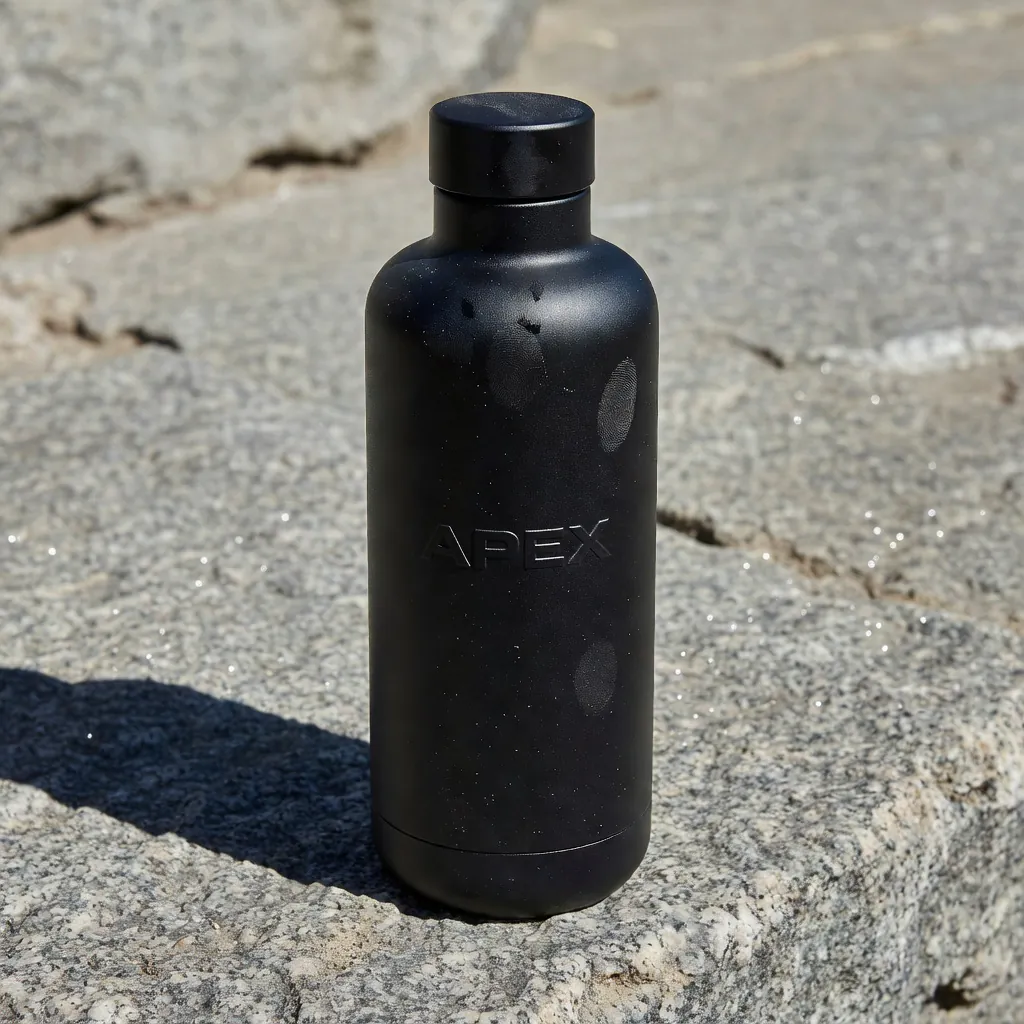
Photoreal matte black APEX water bottle on a granite ledge in harsh noon light, dust, fingerprints, natural daylight, less synthetic.
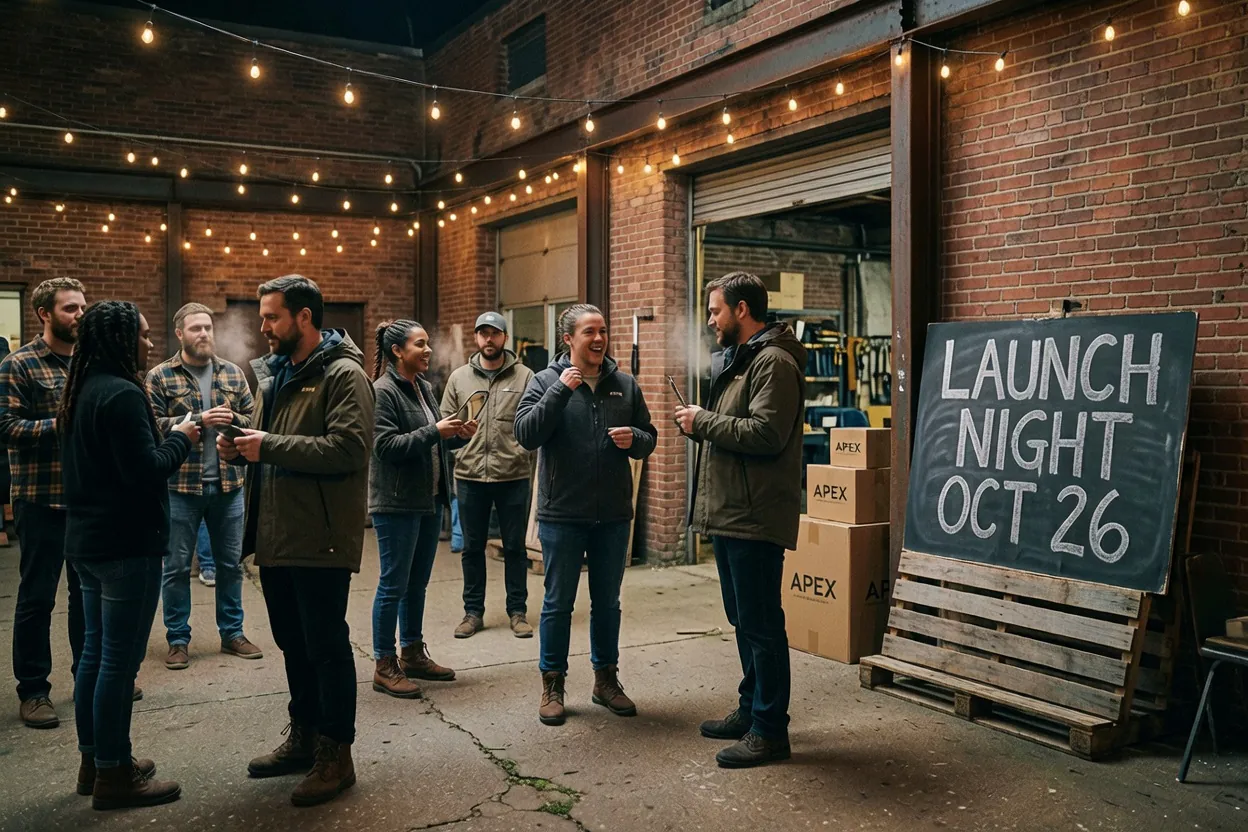
Photographic night pop-up for APEX outdoor gear in a warehouse courtyard, string lights, real people trying on jackets, a handmade chalkboard reading LAUNCH NIGHT OCT 26, candid, grain, not a graphic poster.
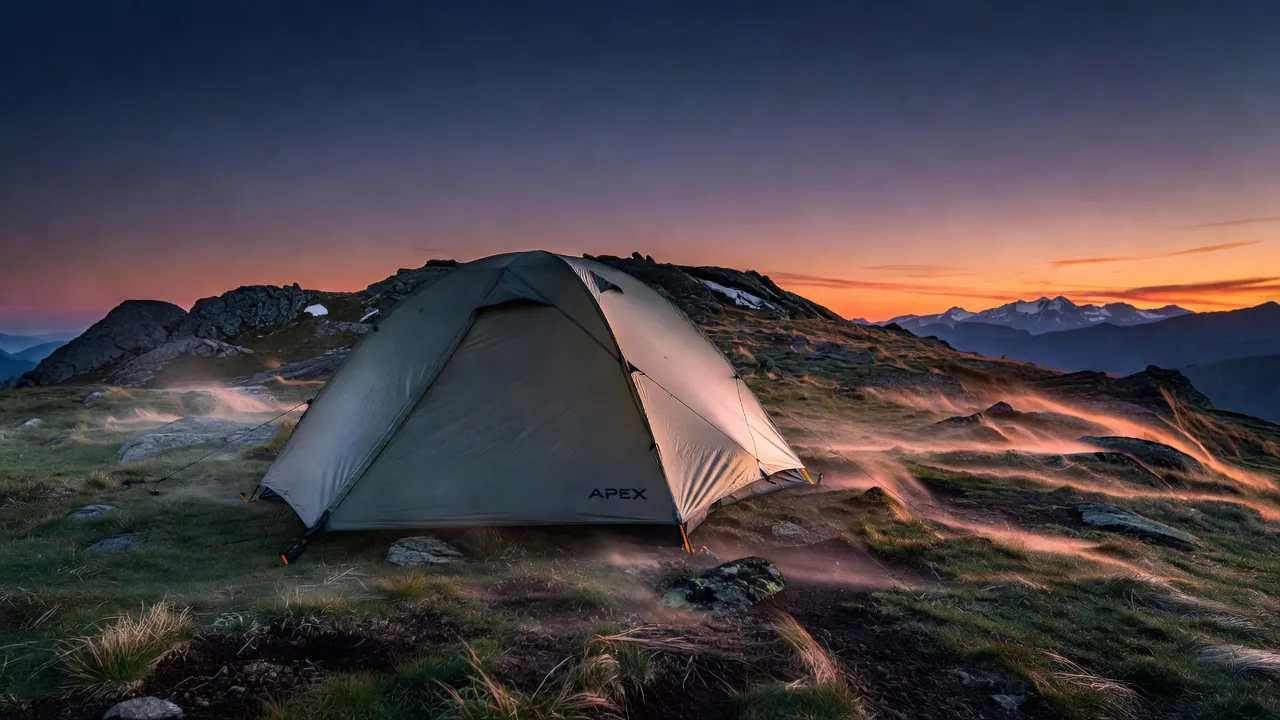
Branded outdoor hero photo: an APEX two-person tent on a windy ridge at dusk, small APEX wordmark on the fly, photographic, natural color, not CGI.

Vertical candid photo of a hiker in an APEX jacket walking toward camera on a dusty ridge, late sun, dust at the boots, imperfect handheld, natural skin.
Candid imperfect photograph of three friends laughing on a dusty trail at golden hour, backpacks, natural skin texture, slight motion blur, handheld feel, APEX outdoor caps barely visible.
Pricing
Simple per-generation pricing.
2 credits per generation ≈ $0.02
- You only pay for successful generations. Failed jobs are refunded automatically.
- One credit balance across every model on Apiframe, no per-model plans.
- Start with free credits. No subscription required.
- Volume discounts on larger plans.
Specs
At a glance.
Comparison
Grok Image Fast vs Imagen 4 Fast vs Nano Banana
Grok Image Fast against the other budget-tier image models on Apiframe. All flat-priced.
| Feature | Grok Image Fast | Imagen 4 Fast | Nano Banana |
|---|---|---|---|
| Price per image | 2 credits flat (≈$0.02) | 2 credits flat (≈$0.02) | 5 credits flat (≈$0.05) |
| Avg. generation | ~8s | ~8s | ~15s |
| Image input | Reference image | — | Multi-image editing |
| Signature strength | Natural look, video pipeline tie-in | Speed-first Imagen tier | Conversational editing |
| Best for | Cheap volume with an I2V path | Real-time experiences | Edit-heavy workflows |
Specs reflect what each model supports on Apiframe today, from the live catalog.
Quickstart
How to call the Grok Image Fast API.
Send one POST /v2/images/generate request with your API key. The call returns a jobId you can poll, or pass a webhook_url and the result is pushed to you the moment it's ready.
Swap grok-imagine-image for any other model and nothing else changes.
const response = await fetch("https://api.apiframe.ai/v2/images/generate", {
  method: "POST",
  headers: {
    "X-API-Key": "afk_your_api_key_here",
    "Content-Type": "application/json",
  },
  body: JSON.stringify({
    "prompt": "a sleek silver sports car on a coastal highway at sunset, hyper-realistic",
    "model": "grok-imagine-image",
    "grokImagineParams": {
      "image": "https://example.com/input.jpg"
    }
  }),
});
const { jobId } = await response.json();
console.log(jobId);Input schema
Every field Grok Image Fast accepts, with types and defaults. The full reference lives in the docs.
| Field | Type | Description |
|---|---|---|
| prompt required | string | Text description of what to generate. |
| model required | string | The model identifier for this endpoint. Default:"grok-imagine-image" · "grok-imagine-image" |
| grokImagineParams.image | string (URL) | Reference image (URL) |
Grok versions
Every Grok image model on Apiframe. Switch with one parameter.
Use cases
What teams build with Grok Image Fast.
Volume generation
At a flat 2 credits (≈$0.02) and ~8-second turnarounds, Grok Image Fast is the cheapest Grok path on Apiframe to fill a feed, test creative, or seed a dataset.
Step up to Grok Image 2 when it counts
Need 2K and a quality control? Switch the model id to grok-image. Same family, same key.
First frame for Grok Video
Generate the still here, then animate it with Grok Video 1.5, one pipeline, one provider aesthetic, one API key.
A natural, less synthetic look
Grok’s output leans photographic rather than overpolished, which suits UGC-style and editorial contexts.
Reviews
9,800+ developers. One API.
Real Apiframe reviews from Trustpilot and G2.
Speeds up our ad creative iteration
The API integrates directly into my existing pipeline, so I can generate and iterate on image variations for Meta ads without jumping between tools. We can go from concept to a testable ad in the same day instead of spreading it across a week.
Fast, reliable, easy to integrate
Image generation requests are processed quickly, and the results are consistently high quality. Customer support has also been responsive whenever I had questions. It has saved me a lot of development time.
Seamless integrations, effortless setup
Generating ad creatives for Facebook and Google ads is more streamlined now since we use APIFRAME to manage the workflow, which used to require a lot of time with official APIs. The initial setup was very easy, just a matter of using curl.
Grok Image Fast questions
What teams ask before shipping with Grok Image Fast. Everything else lives in the docs.
Can Grok generate images?
Yes. Grok Image Fast creates images from text prompts and also edits existing ones with natural language. For higher-fidelity 2K work, use Grok Image 2.
What engine powers it?
xAI's Aurora model, an autoregressive mixture-of-experts system now in its Aurora-2 generation.
Can it edit images, not just generate them?
Yes. It supports natural-language edits, combining multiple reference images, style transfer, and multi-turn refinement.
Should I use this or Grok Image 2?
Use Grok Image Fast for cheap, quick drafts. Use Grok Image 2 (grok-image) when you want 2K output, a quality control, and tighter instruction following.
How much does it cost?
On Apiframe, a flat 2 credits ($0.02) per image, whether you generate or edit.
Where can you access it?
Through Apiframe, as well as the Grok app and the xAI API.
Related models
All image models
Flux 2 Max
by Black Forest Labs
Highest-quality Flux 2 tier.
View model
Midjourney
by Midjourney
Iconic stylised, cinematic look.
View model
Nano Banana 2
by Google
Next-gen Nano Banana with refined detail.
View model
Seedream 5.0 Pro
by ByteDance
Flagship ByteDance model with sharp 1K/2K output and up to 10 reference images.
View model9,800+
developers & companies
Official partner of



Power your next AI product with Apiframe.
Instant access to 70+ media models through a single API. Start free and scale when you're ready.