

Wan Image 2.7 API
リアリティに優れた Wan の画像モデル。
Wan Image 2.7 を1回のAPIコールで統合できます。1つのキー、1つの統一エンドポイント、そしてApiframe上のすべてのモデルで共通の請求。
model: "wan-image-2.7" 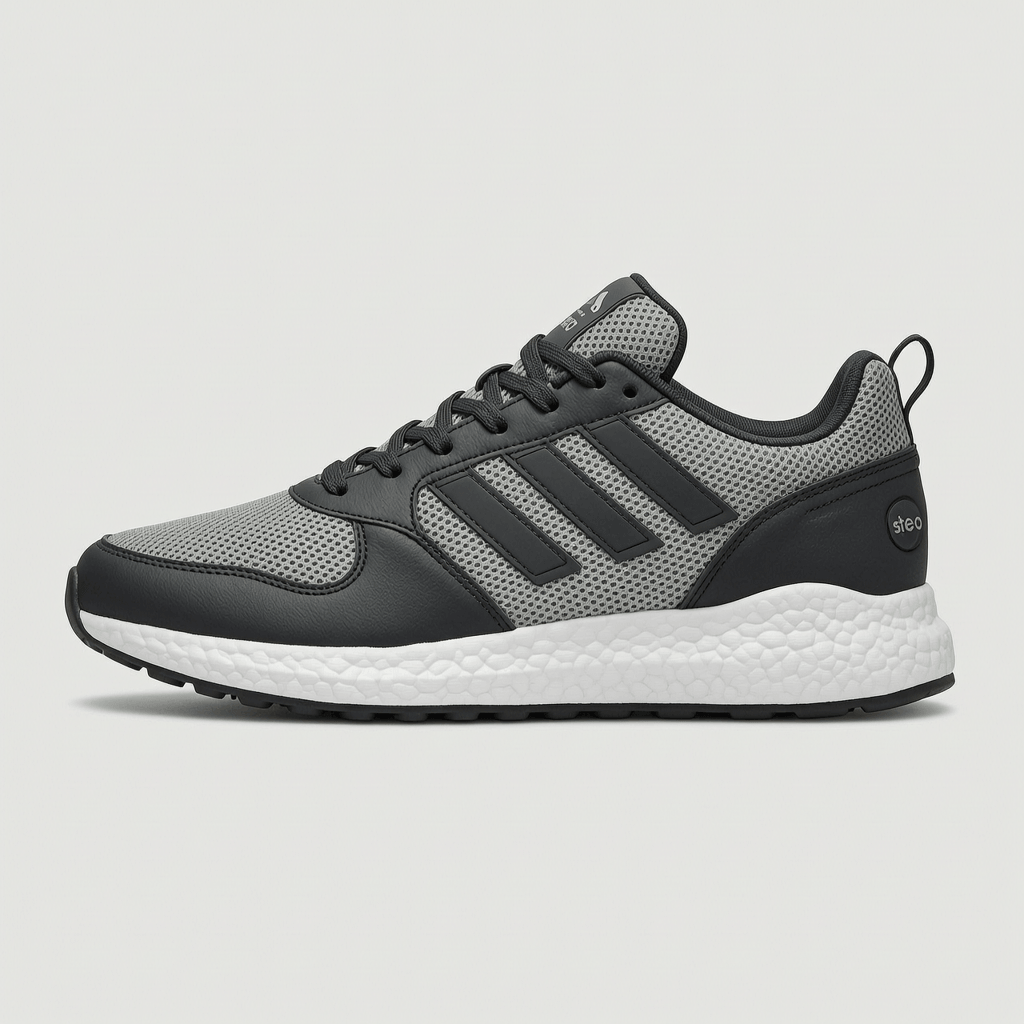
Wan Image 2.7 の特長
- 1:1, 2:3, 3:2 を含む 8 種類のアスペクト比に対応。
- 画像から画像への編集と参照画像に対応。
- 高速処理 — 1回の生成あたり平均約15秒。
- Alibaba のアカウント不要の従量課金。成功した生成分だけお支払いいただきます。
- Apiframe のすべてのモデルで、1つのAPIキー・統一請求・冪等性・Webhookに対応。
Wan Image 2.7 で作成
Apiframeの Wan Image 2.7 API で生成した出力例です。
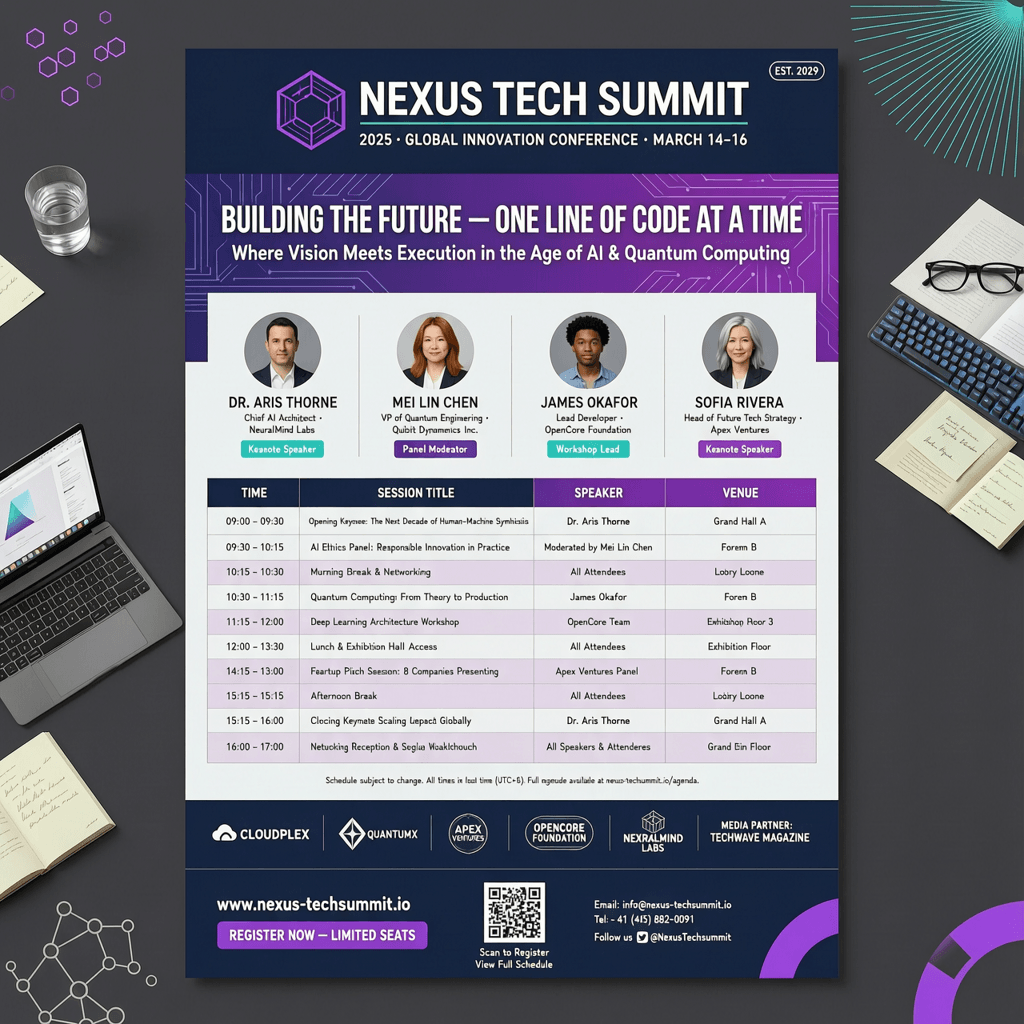
An A4 tech conference poster with a structured layout, readable headings, and a schedule table.
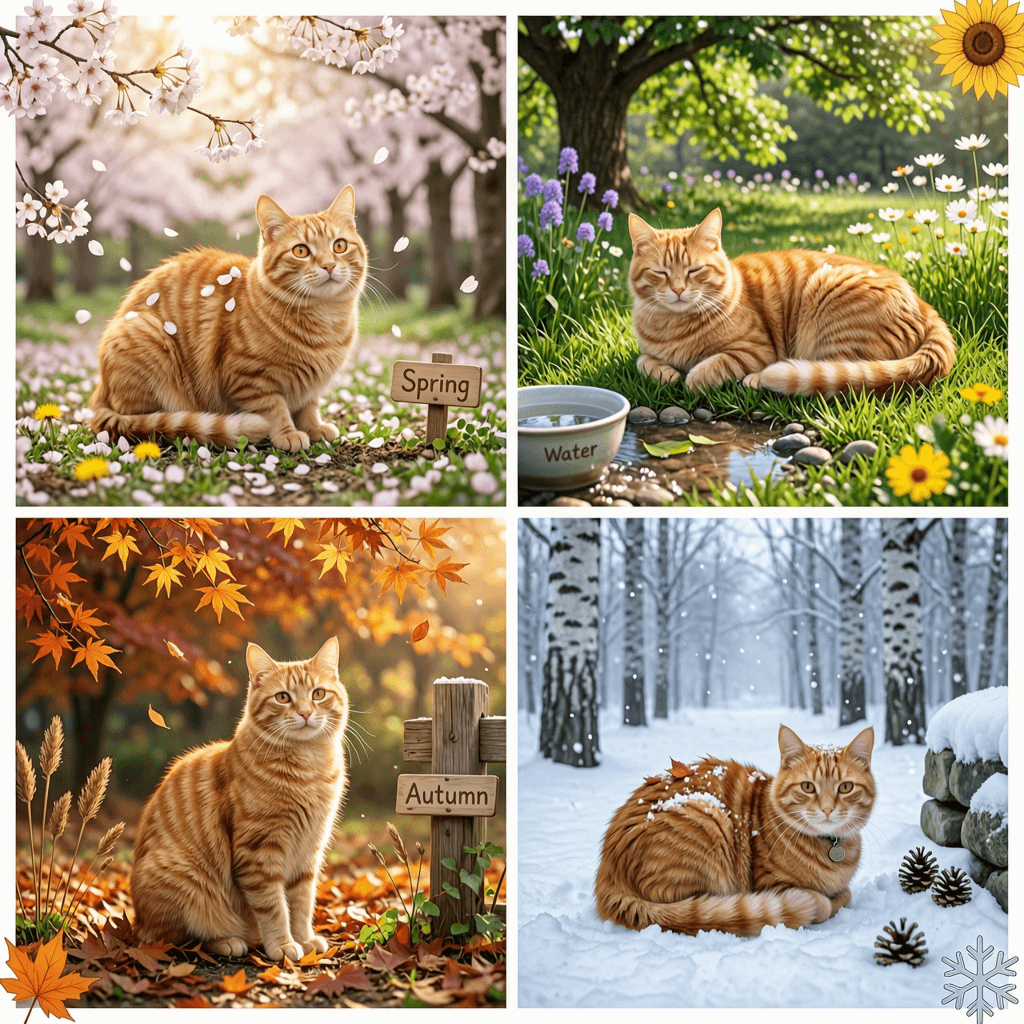
A coherent set of four images of the same orange cat across spring, summer, autumn, and winter.
A clean e-commerce product shot of a sneaker on a white background, sharp detail.
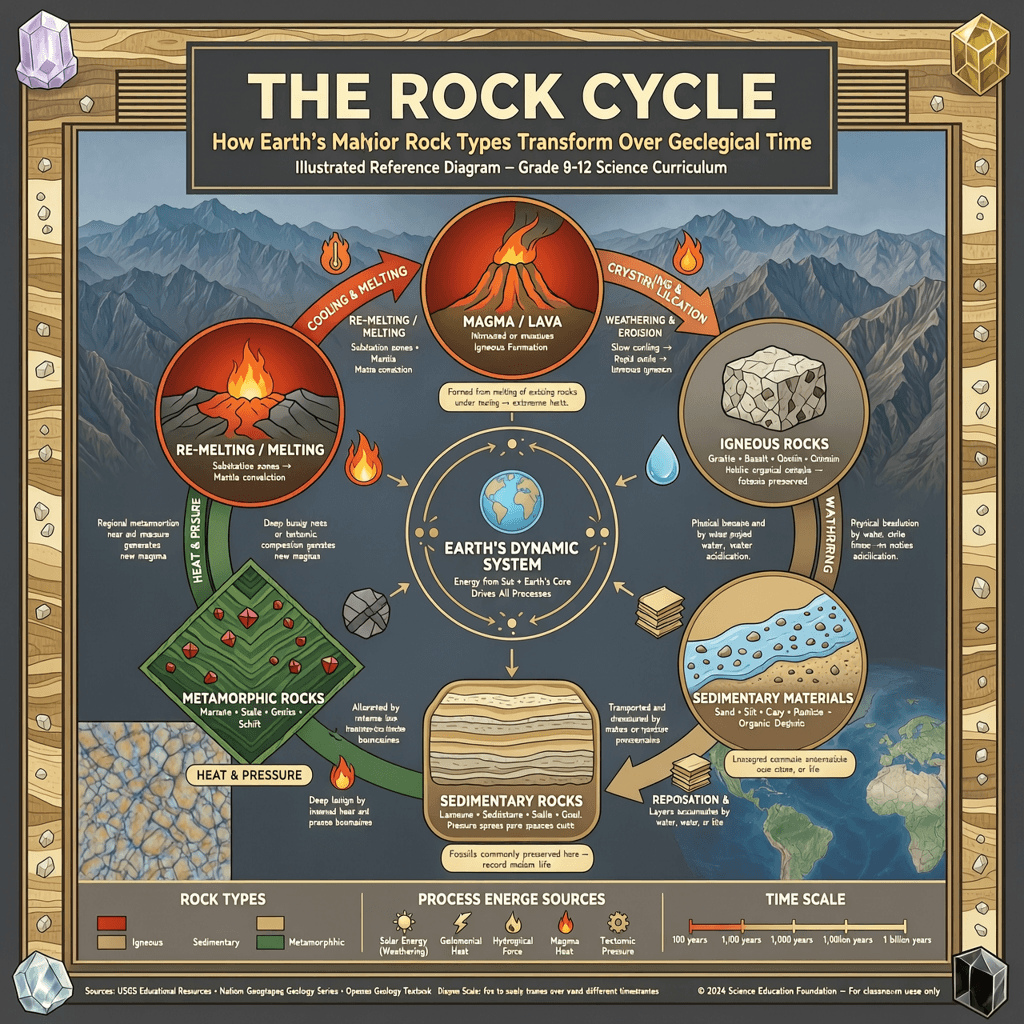
An educational diagram explaining the rock cycle with labeled stages and readable captions.
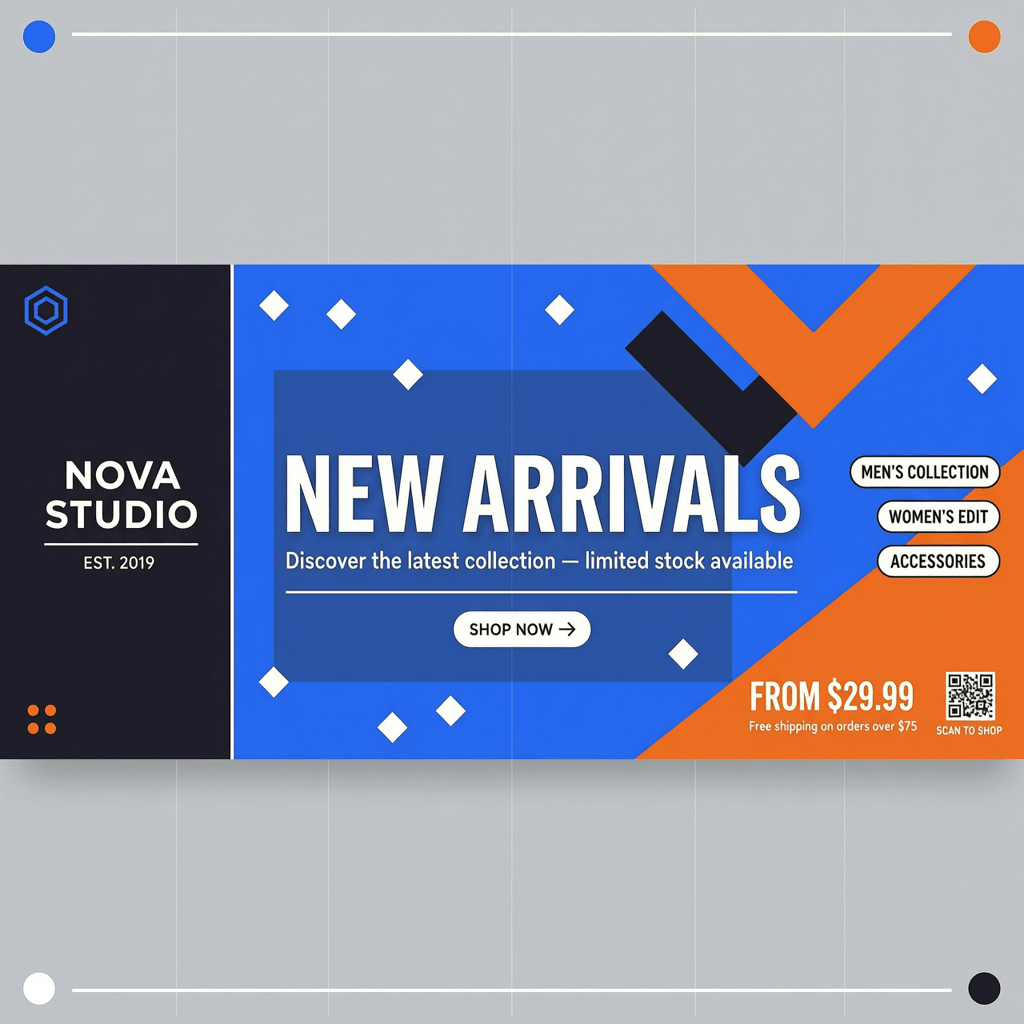
A brand banner using these exact hex colors, with the headline 'NEW ARRIVALS' in bold type.

Change the background of this portrait to a beach sunset, keeping the face, pose, and clothing unchanged.
概要
- エンドポイント
- POST /v2/images/generate
- モデルID
- wan-image-2.7
- パラメータキー
- wanParams
- モダリティ
- 画像
- プロバイダー
- Alibaba
- 平均完了時間
- ~15s
機能
クイックスタート
APIキーを添えて POST /v2/images/generate に1回リクエストを送るだけで Wan Image 2.7 による生成が始まります。レスポンスには、ポーリングまたはWebhookで受け取れる jobId が返ります。
curl -X POST https://api.apiframe.ai/v2/images/generate \
  -H "X-API-Key: afk_your_api_key_here" \
  -H "Content-Type: application/json" \
  -d '{
        "prompt": "a sleek silver sports car on a coastal highway at sunset, hyper-realistic",
        "model": "wan-image-2.7",
        "wanParams": {
            "image": "https://example.com/input.jpg",
            "thinking_mode": false,
            "seed": 1
        }
}'import requests
response = requests.post(
"https://api.apiframe.ai/v2/images/generate",
headers={
"X-API-Key": "afk_your_api_key_here",
"Content-Type": "application/json",
},
json={
"prompt": "a sleek silver sports car on a coastal highway at sunset, hyper-realistic",
"model": "wan-image-2.7",
"wanParams": {
"image": "https://example.com/input.jpg",
"thinking_mode": False,
"seed": 1
}
},
)
print(response.json()) # { "jobId": "...", "status": "QUEUED" }const response = await fetch("https://api.apiframe.ai/v2/images/generate", {
method: "POST",
headers: {
"X-API-Key": "afk_your_api_key_here",
"Content-Type": "application/json",
},
body: JSON.stringify({
"prompt": "a sleek silver sports car on a coastal highway at sunset, hyper-realistic",
"model": "wan-image-2.7",
"wanParams": {
"image": "https://example.com/input.jpg",
"thinking_mode": false,
"seed": 1
}
}),
});
const { jobId } = await response.json();
console.log(jobId);レスポンスとジョブのライフサイクル
生成は非同期で行われます。送信が成功すると 202 Accepted と jobId が返ります。ステータスが COMPLETED になるまで GET /v2/jobs/{id} をポーリングする(または webhook_url を指定する)と、result フィールドに出力URLが格納されます。
1. 送信レスポンス (202)
{
  "jobId": "b2c3d4e5-f6a7-8901-bcde-f23456789012",
  "status": "QUEUED"
}
2. 結果をポーリング
curl https://api.apiframe.ai/v2/jobs/JOB_ID \
-H "X-API-Key: afk_your_api_key_here"import requests, time
while True:
job = requests.get(
"https://api.apiframe.ai/v2/jobs/JOB_ID",
headers={"X-API-Key": "afk_your_api_key_here"},
).json()
if job["status"] in ("COMPLETED", "FAILED"):
break
time.sleep(2)
print(job["result"])let job;
do {
await new Promise((r) => setTimeout(r, 2000));
job = await fetch("https://api.apiframe.ai/v2/jobs/JOB_ID", {
headers: { "X-API-Key": "afk_your_api_key_here" },
}).then((r) => r.json());
} while (job.status !== "COMPLETED" && job.status !== "FAILED");
console.log(job.result);入力スキーマ
Wan Image 2.7 エンドポイントが受け付けるリクエストパラメータです。モデル固有のオプションは、下記のパラメータオブジェクトの中にネストされます。
| パラメータ | 型 | 必須 | デフォルト | 許可値 / 範囲 | 説明 |
|---|---|---|---|---|---|
| prompt | string | 必須 | — | — | 生成する内容のテキスト説明。 |
| model | string | 必須 | "wan-image-2.7" | "wan-image-2.7" | このエンドポイントのモデル識別子。 |
| wanParams.image | string (URL) | 任意 | — | — | Reference image (URL) |
| wanParams.thinking_mode | boolean | 任意 | false | — | Slower, more deliberate generation. |
| wanParams.seed | number | 任意 | — | step 1 | Reuse a number to reproduce the same result. |
よくある質問
Wan Image 2.7 APIに関するよくある質問をまとめました。
Wan Image 2.7 の API はありますか?
はい。Apiframe は単一の REST エンドポイント(`POST /v2/images/generate`、`model: "wan-image-2.7"`)で Wan Image 2.7 を提供します。対応するすべてのモデルで、統一されたAPI・キー・請求をご利用いただけ、Alibaba の個別アカウントは不要です。
Wan Image 2.7 API の料金はいくらですか?
Wan Image 2.7 は Apiframe のシンプルな従量課金制で、成功した生成分のみお支払いいただきます。プランと数量割引は料金ページをご覧ください。
Wan Image 2.7 API はどのように呼び出しますか?
`X-API-Key` と、`model: "wan-image-2.7"` を含む JSON ボディを添えて `/v2/images/generate` に POST リクエストを送ります。レスポンスで返る `jobId` を `GET /v2/jobs/{id}` でポーリングするか、Webhook で結果を受け取ります。
Wan Image 2.7 はどんなパラメータに対応していますか?
Wan Image 2.7 は、共通の `prompt`・`webhook_url` に加えて、`wanParams` の下にネストされた 3 個のモデル固有パラメータを受け付けます。型やデフォルト値を含む一覧は上記の入力スキーマをご覧ください。
解決しませんでしたか?
Wan Image 2.7 API で開発を始めよう
APIキーを取得すれば数分で Wan Image 2.7 を統合できます — 従量課金。
ご質問はありますか? Discordに参加 または 営業に問い合わせる。